> ## Documentation Index
> Fetch the complete documentation index at: https://docs.introw.io/llms.txt
> Use this file to discover all available pages before exploring further.
# Sharing & submitting
> Every way an Introw form reaches partners and returns attributed, CRM-ready submissions: share links, website embeds, email, Slack, Teams, AI, CSV, API.
export const Headless = ({children, intro = true}) => {
const [copied, setCopied] = useState(null);
const copy = event => {
const row = event.target.closest("li");
if (!row) return;
const text = row.textContent.trim();
try {
navigator.clipboard?.writeText(text);
} catch {}
setCopied(text);
setTimeout(() => setCopied(null), 1600);
};
return <>
{intro ?
Introw is headless by design: run everything here in plain language from Claude, ChatGPT,
Slack, Teams, or your own CRM through Introw's MCP server, with every
action written straight back to your CRM source of truth. The portal is one surface, never the only one.
:
The agentic motion - lifecycle deep dives and a Claude Code skill library that run your partner program from
Claude, ChatGPT, Slack, and your CRM.
}
;
};
export const Tour = ({children}) => {
const [active, setActive] = useState(0);
const wrappers = (Array.isArray(children) ? children : [children]).filter(c => c && c.props);
const frames = wrappers.length === 1 && Array.isArray(wrappers[0].props.children) ? wrappers[0].props.children.filter(c => c && c.props) : [];
if (frames.length < 2) {
return
;
> A form is only as good as the partners who actually fill it in. Sharing & Submitting is every way a form gets to a partner and back: a link, an embed, an email, a Slack or Teams message, an AI assistant, a bulk CSV upload, or a call from your own systems. Every channel feeds the same form, so the submission always lands attributed and CRM-ready, wherever the partner started.
## The problem it solves
Most partner data never arrives because the form is one more place partners have to go:
| Without Introw | With Introw |
| ----------------------------------- | ------------------------------- |
| Partners will not log in for a form | They submit from where they are |
| A form with no submissions is waste | Every channel feeds one form |
| A long list, one row at a time | One CSV of up to 1000 rows |
| Big partners want system-to-system | The same form over the API |
## Impact
The form is not the product, the submission is. Being reachable in the channel a partner already has open is the whole difference between a form you built and data you actually have.
for your business
* **No new tool**
Link, embed, portal, email, Slack, Teams, an AI assistant, a CSV or the API, all into one form
* **Live in days**
Switching on a channel is a setting, so submissions start arriving in days rather than quarters
for your partners
* **Self-serve**
Templates, bulk upload and pre-submit validation let them get it right without a round trip
* **Enabled**
They start where the deal came up, in chat or their inbox, not in a tool they had to remember
* **Efficient**
One CSV instead of a hundred submissions, and their own systems can submit on their behalf
[A day in the life of a referral partner](/days-in-the-life/referral-partner)
* **Partner Operations** - the channels to switch on
* **Partner Marketing** - forms in sites and journeys
* **Partners** - one record or a whole list
* **Developers** - intake over the API
## See it work
* 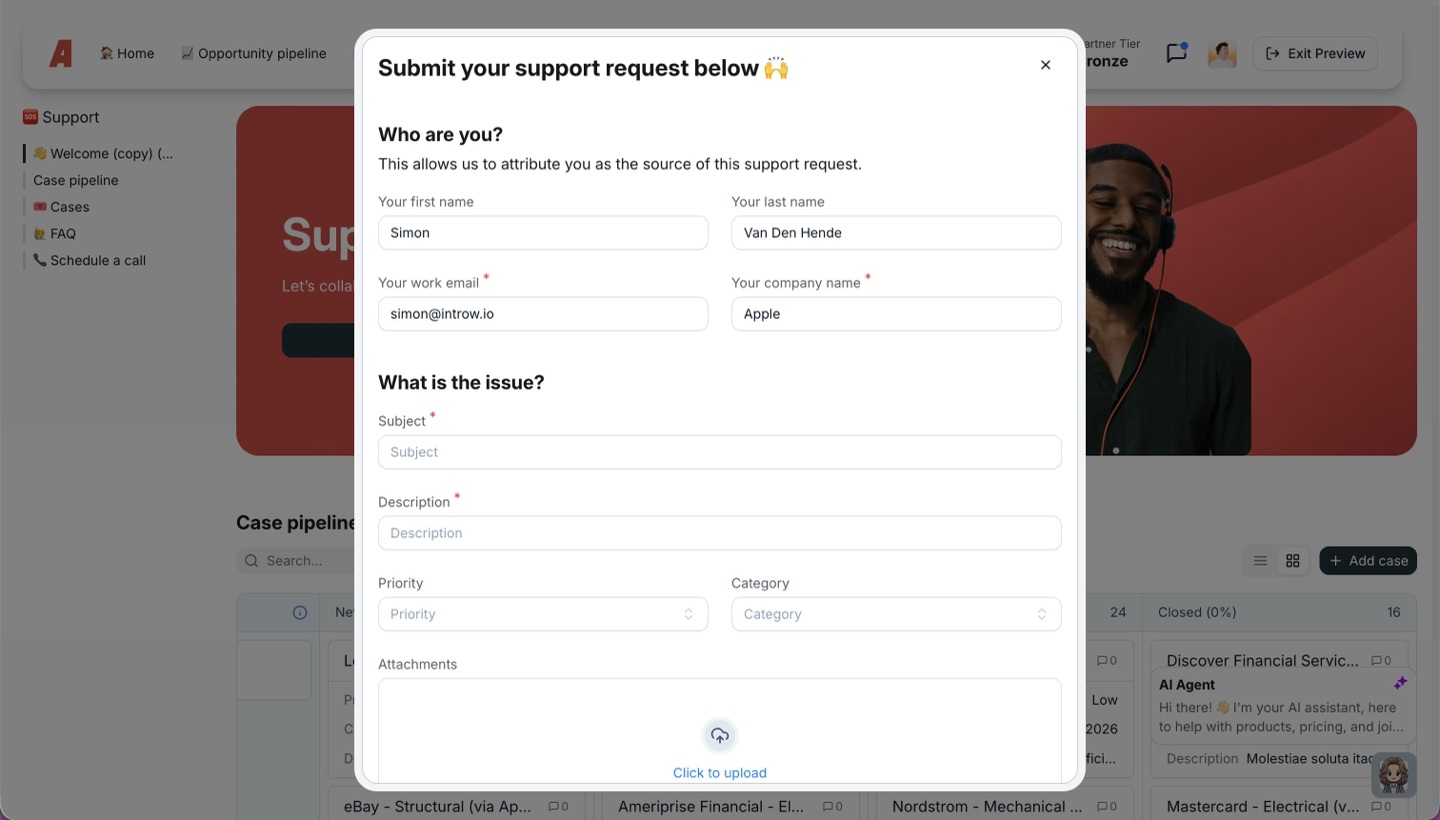
**One at a time, from the portal**
The form opens where the partner already is, already knowing who they are.
* 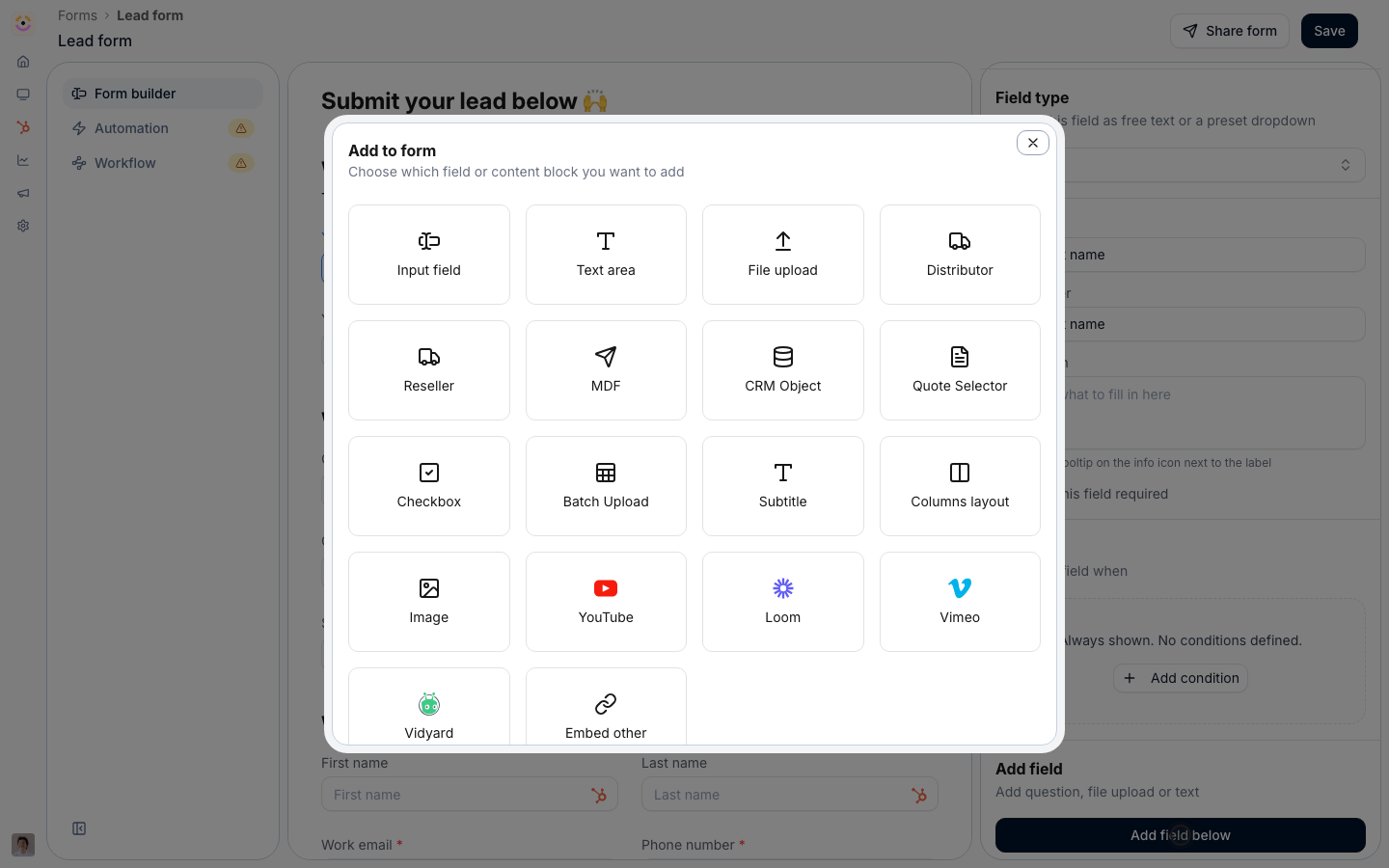
**Allow a batch**
A Batch Upload field turns one form into a list intake.
* 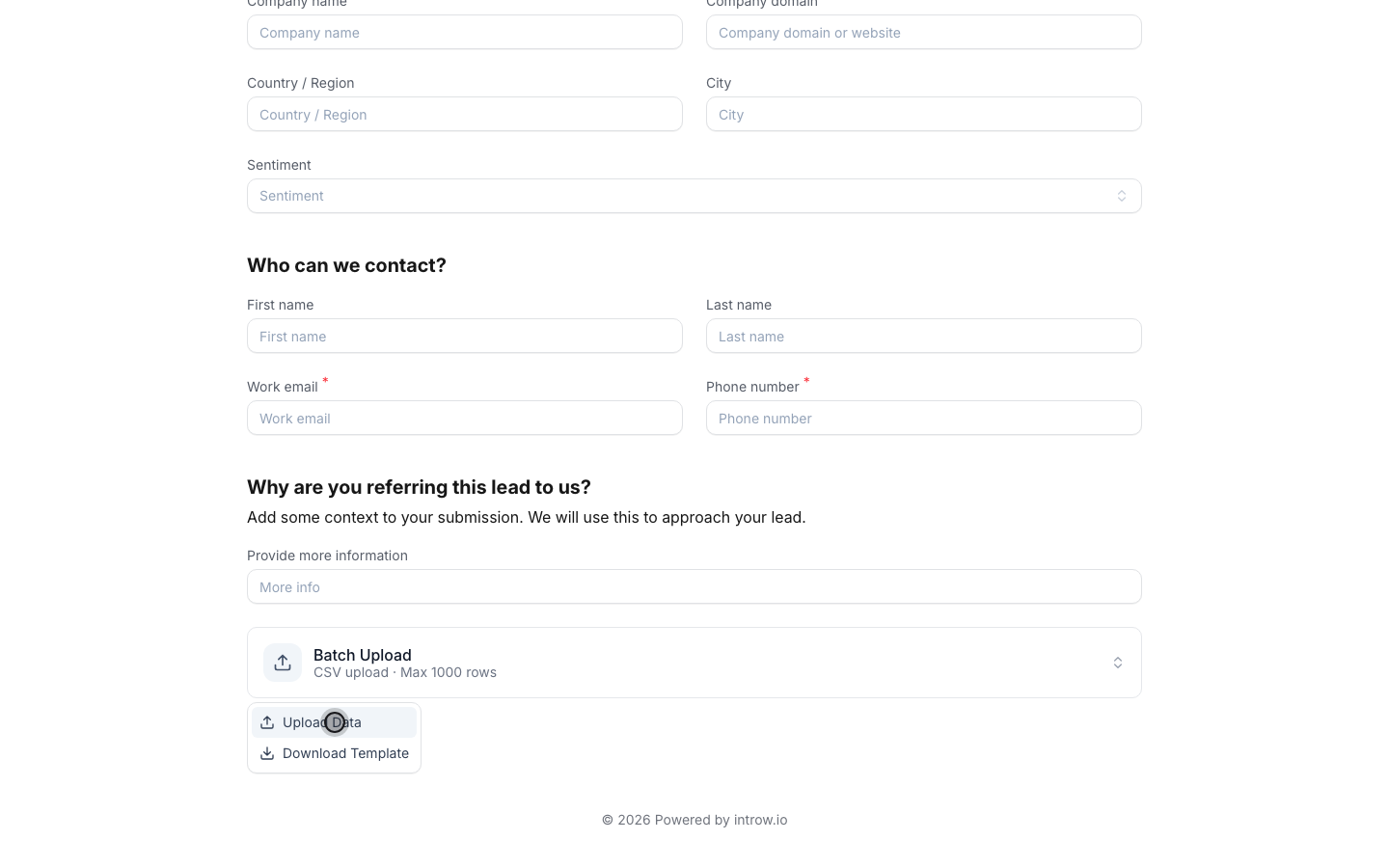
**Take the CSV**
Partners hand over a whole book of business in one file.
* 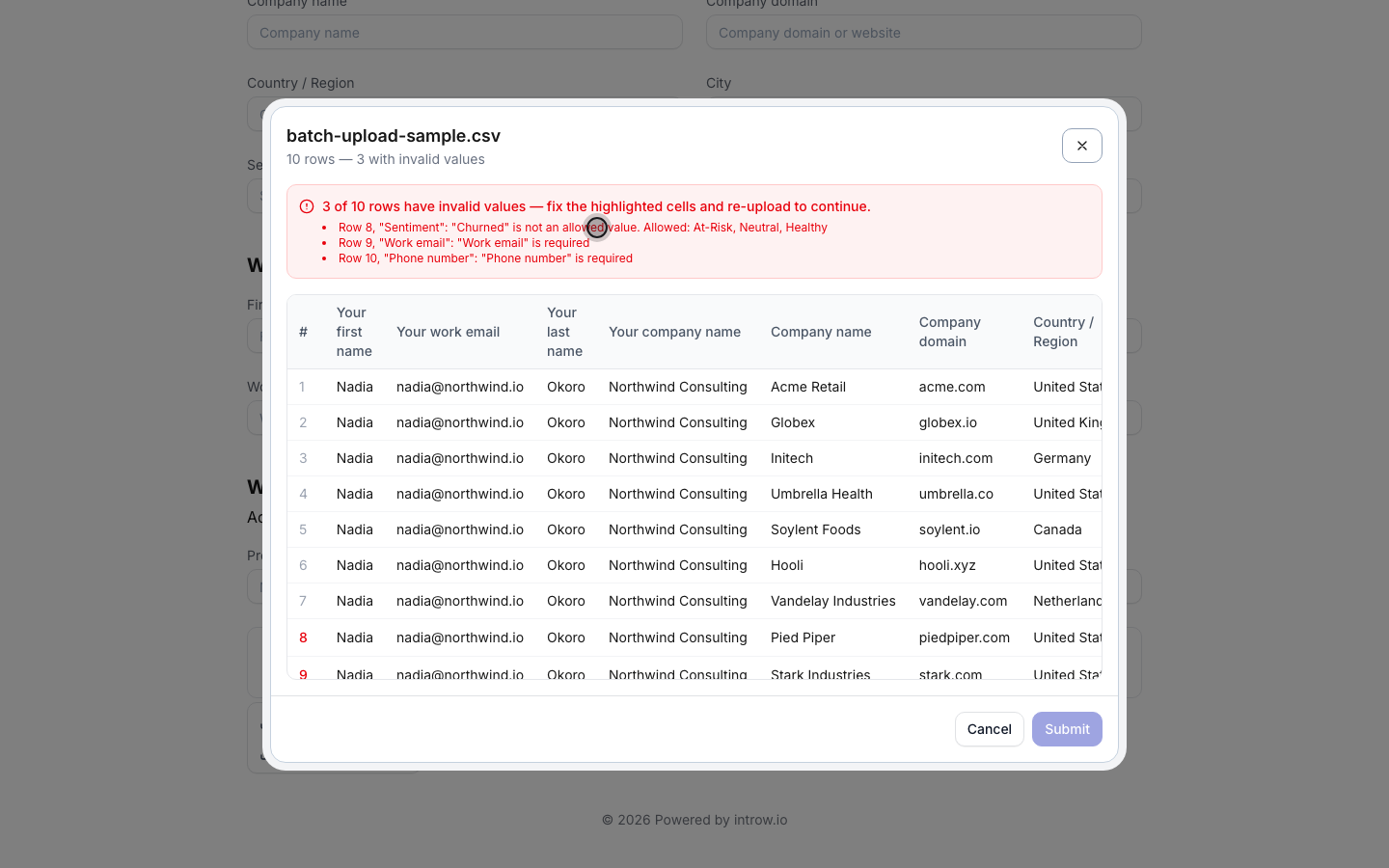
**Validate before it lands**
Required values, picklists and rules are checked row by row.
* 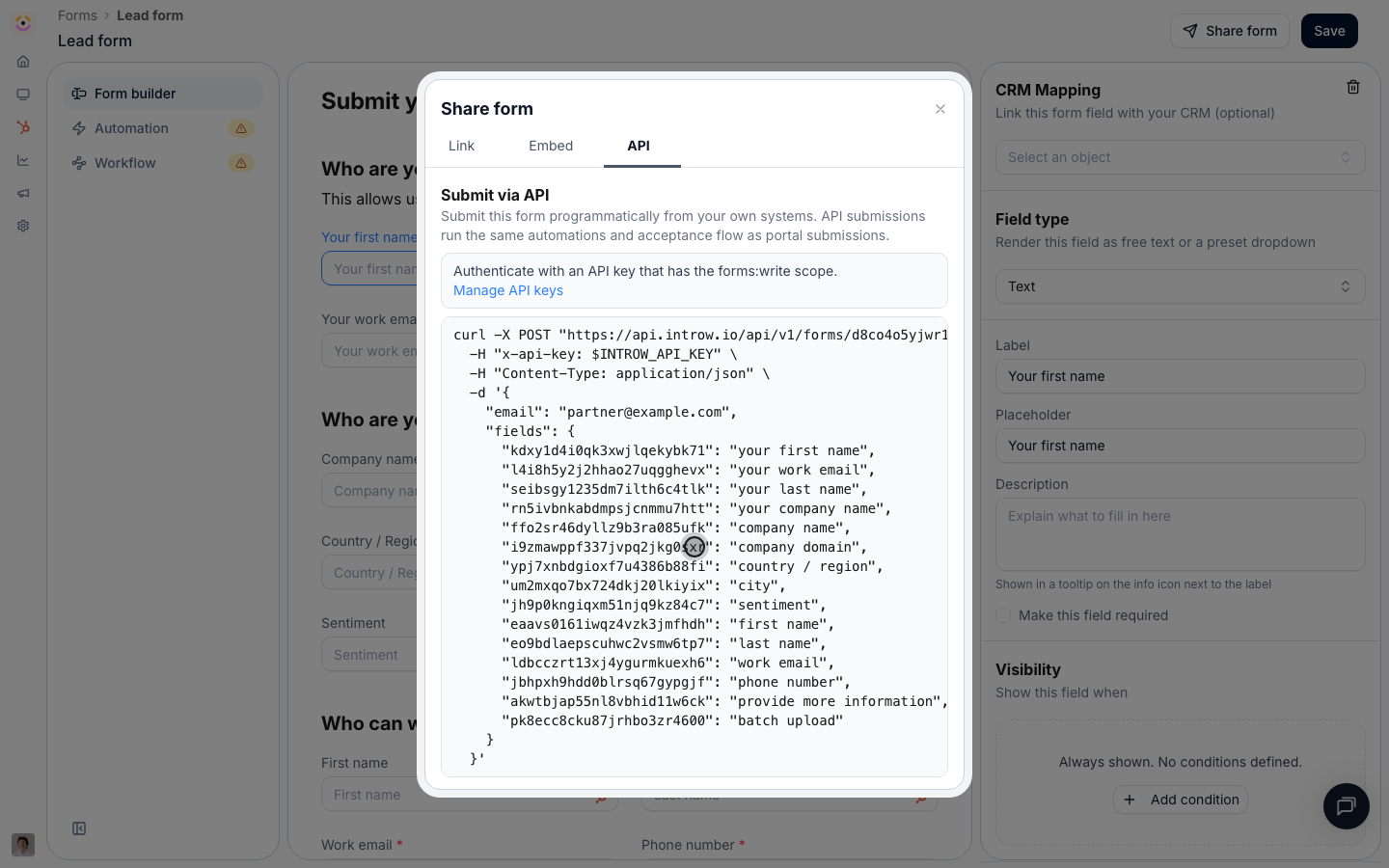
**Or system to system**
The same form is callable over the API, with its own key.
## How it works
Once a form is built, you deliver it through whatever channel fits how your partners work. Send a general or partner-specific link, embed it on your own site, or drop it into a portal experience. Partners can also submit straight from email, Slack, Teams, or an AI assistant that fills the form for them. When a partner has a whole list rather than a single record, a batch upload lets them submit up to 1000 rows from one CSV. And when the submission should not involve a human at all, your own product, an internal tool, or an agent can submit the form over the API.
Every one of these routes feeds the same form and the same CRM automation, so it does not matter where a partner starts. The submission is attributed to the right partner, checked, and turned into clean CRM records the same way each time. Meeting partners where they already work, instead of forcing them into a portal, is what turns a form from a thing you built into submissions you actually receive.
Sharing & Submitting turns a built form into submissions you receive. Publish it through the channels your partners already live in, add a bulk path for lists, and let every route converge on the same attributed, CRM-synced record. Adoption stops being a portal-login problem and becomes a question of which channels you switch on.
```mermaid theme={"theme":{"light":"github-light","dark":"github-dark"}}
flowchart LR
form["One form"] --> channels["Link, embed, email, Slack, Teams, AI, bulk CSV, API"]
channels --> submit["Partner submits where they work"]
submit --> record["Attributed, CRM-ready record"]
```
## Run it from your AI assistant
* Which forms can I submit for Acme, and what are the ways to submit them?
* Share the deal registration form with Globex as a partner-specific link.
* Submit a batch of leads for Acme from a CSV.
## Going deeper
Setup, channels, and all how-to guides.
Integration surface and code.
**Works with**
Build the form once, then share it through every channel.
Each submission maps and syncs to the CRM on the way in.
Every submission lands in one inbox to review.
Partners submit by email, Slack, Teams, or AI and the agent fills the form.