> ## Documentation Index
> Fetch the complete documentation index at: https://docs.introw.io/llms.txt
> Use this file to discover all available pages before exploring further.
# CRM Automations
> Configure what a form does on submit: map fields to CRM properties, attribute to the partner, match records to avoid duplicates, and enrich fill-if-empty.
export const Rail = ({children}) =>
{children}
;
## Where it lives
CRM Automations sits under **Portal**, at [Forms](https://app.introw.io/forms).
 ## Before you start
| You need | Why | Fix it |
| ------------------------------------- | --------------------------- | --------------------------------------------------------------------------------- |
| A connected CRM | Automations write into it | [Connect a CRM](/features/integrations/crm/guides/connect-hubspot) |
| Write access to forms | Automations are form config | [Internal roles](/features/access/team-management/guides/create-an-internal-role) |
| The objects and properties you target | You map onto what exists | [Connect a CRM](/features/integrations/crm/guides/connect-hubspot) |
## How it works
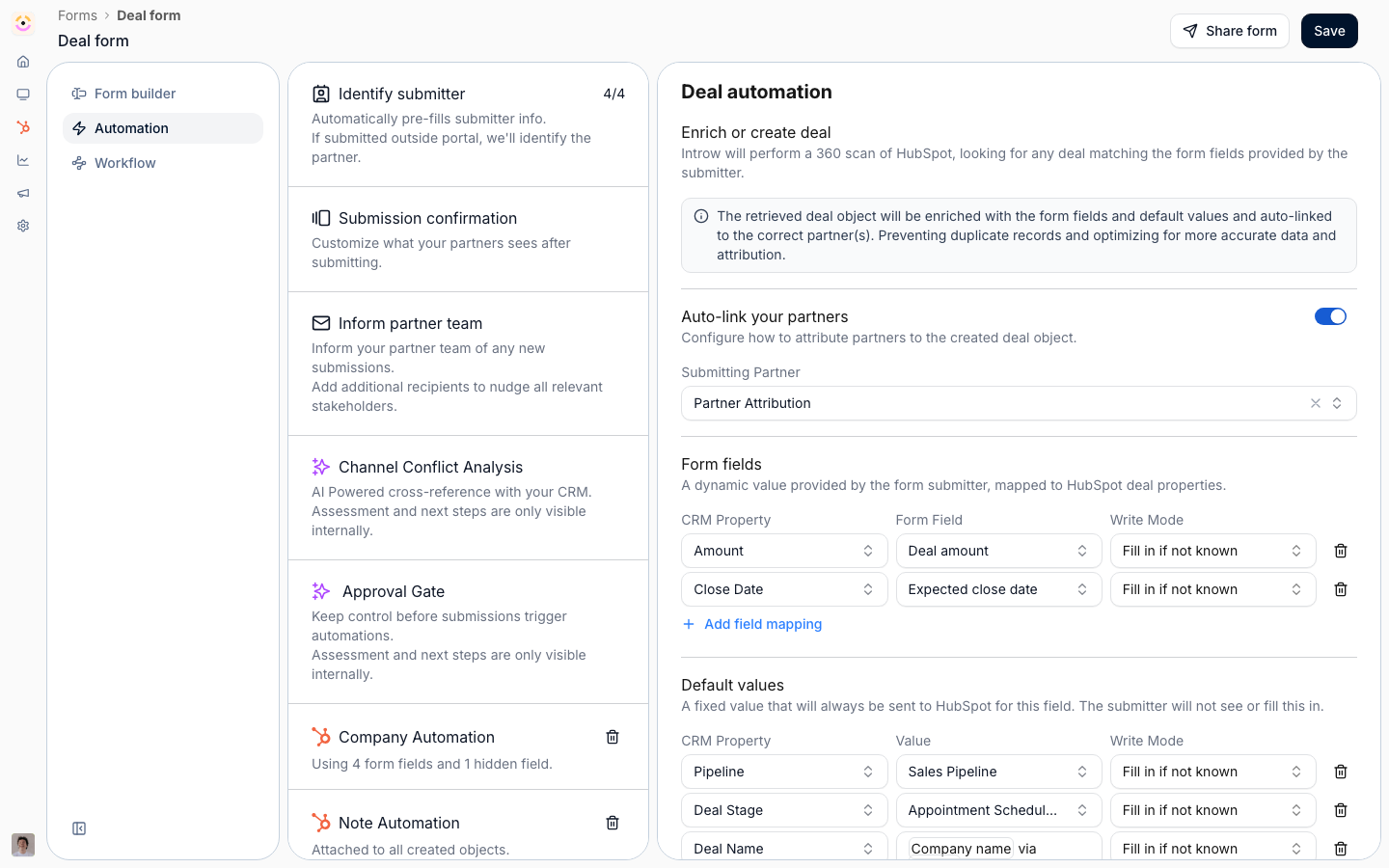
Mapping happens in two linked places. In the form builder, each field can be mapped to a CRM
object and property, so the submitted value knows where it belongs. In the form's Automation
tab, CRM object automations decide what happens on submit: which object is created or updated,
how each property is filled, and how the record is attributed to the partner.
Two things run automatically on top of mapping. First, Introw **matches an existing record** before it creates one, so a submission updates the company, contact, or deal you already have instead of duplicating it. Second, it **attributes** the record to the partner using the method you configured on [Object Linking](/features/integrations/crm/attribution) - no per-form attribution wiring. A submission that matches an existing deal is treated as [channel conflict](/features/ai/channel-conflict) and held for review rather than written blind.
Forms can also prefill mapped fields from an existing CRM record when opened with that record's
context, so partners confirm known data instead of retyping it.
## Settings & configuration
Mapping is configured in the form builder and the form's Automation tab.
### Field-level mapping
In a field's settings, map it to a CRM object and property. The field then carries the property
name and type so its value writes to the right place.
A field mapped to a picklist also inherits that picklist's **options**, live from the CRM, so the
values partners choose are always ones the CRM accepts. You can limit which of them this form
offers by unchecking options in the field's configuration: an opt-out list, so options added in the
CRM later still appear automatically. See
[Dropdown options](/features/forms/form-builder/technical#dropdown-options).
### CRM object automations
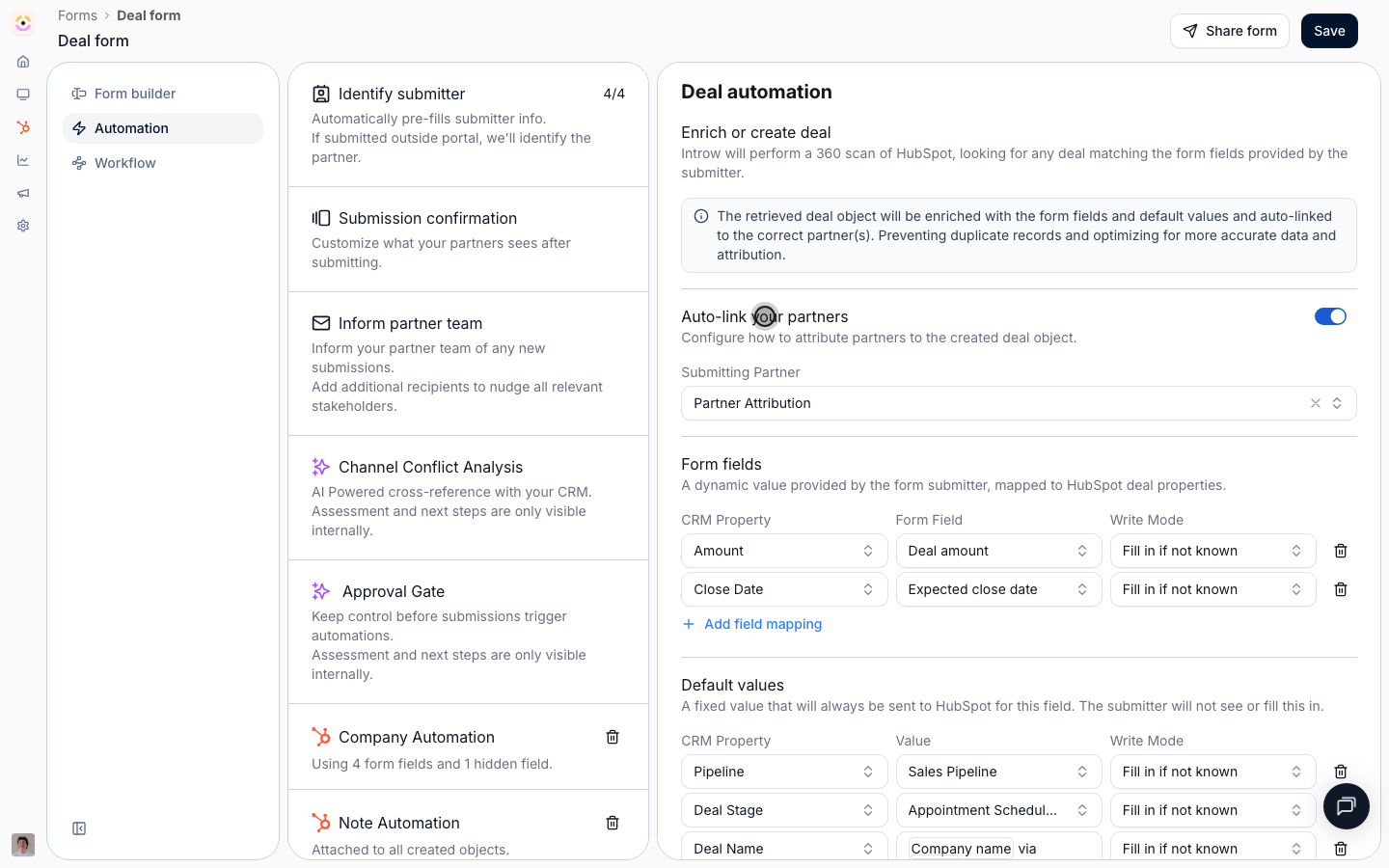
In the Automation tab, add a CRM object automation for each object a submission should affect.
Configure how each property is set, either from a form field or a fixed value, and the write
behavior, such as filling only if empty or overwriting.
### Create versus update
Automations control whether a submission creates a new record, updates an existing one, or skips
creation. When a partner selects an existing CRM object in a field, you can choose whether to
still create a new record.
### Matching and deduplication
Before creating, Introw looks for the record that already exists so a form never spawns a duplicate: a **company** matches on name and domain (including the domain of the submitter's email), a **contact** on its email addresses, and a **deal** on its associated account and contacts within a recent window. When a match is found, Introw updates that record instead. You can tune the match keys per object, so the identity rule fits your data model.
### Identify the submitter
Standard submitter fields - email, first and last name, company - map out of the box, so Introw resolves who submitted and links their contact and company without custom setup. This is what lets attribution and matching work from a plain form.
### Enrichment as a second-party source
Because matched records are updated with **fill-if-empty** by default, the partner's answers fill the gaps you are missing without touching values a rep already set. That turns every submission into a clean second-party enrichment of the records you own, rather than a source of conflicting duplicates.
### Write behavior and safety
Each mapped property carries a write mode, and Introw defaults to the safe one:
* **Fill if empty** (the default) - Introw re-reads the live CRM value and writes only when it is blank, so it never overwrites a value a rep already entered.
* **Overwrite** - always set the value, for the few fields you want a submission to be authoritative on.
Empty or unmapped values are skipped rather than written, so a submission can never blank out a field. And only fields you have marked **editable** can be written from Introw at all - the same allowlist governs writes from a form, the partner portal, and an AI agent, so a field you did not expose is never touched.
### Partner attribution
Created or updated records are attributed to the submitting partner using the **method you already defined** on Object Linking - a property, a HubSpot association, a Salesforce lookup, or a relation-table row - so you never wire attribution per form. A partner chosen in a partner-select field can be attributed as a secondary partner the same way. See [how to attribute deals to partners](/features/integrations/crm/attribution).
### Prefill
When a form is opened with a CRM record's context, mapped fields can prefill from that record so
partners confirm rather than retype.
## How-to guides
* 
[**Connect a form to your CRM**](/features/forms/crm-automations/guides/connect-a-form-to-your-crm)
Map fields to CRM properties, control how submissions create or update records, attribute them to the partner, and prefill from known data.
## Troubleshooting
Mapping depends on a connected CRM integration, so connect HubSpot or Salesforce first. Write behavior matters: overwrite can replace existing CRM values, so use fill-if-empty when you only want to add missing data. Attribution requires the right mappings, or records may sync without being tied to the partner.
The field is not mapped, or no CRM automation targets that object.
The write behavior was set to overwrite instead of fill-if-empty.
The attribution mappings are missing or incomplete.
## Before you start
| You need | Why | Fix it |
| ------------------------------------- | --------------------------- | --------------------------------------------------------------------------------- |
| A connected CRM | Automations write into it | [Connect a CRM](/features/integrations/crm/guides/connect-hubspot) |
| Write access to forms | Automations are form config | [Internal roles](/features/access/team-management/guides/create-an-internal-role) |
| The objects and properties you target | You map onto what exists | [Connect a CRM](/features/integrations/crm/guides/connect-hubspot) |
## How it works
Mapping happens in two linked places. In the form builder, each field can be mapped to a CRM
object and property, so the submitted value knows where it belongs. In the form's Automation
tab, CRM object automations decide what happens on submit: which object is created or updated,
how each property is filled, and how the record is attributed to the partner.
Two things run automatically on top of mapping. First, Introw **matches an existing record** before it creates one, so a submission updates the company, contact, or deal you already have instead of duplicating it. Second, it **attributes** the record to the partner using the method you configured on [Object Linking](/features/integrations/crm/attribution) - no per-form attribution wiring. A submission that matches an existing deal is treated as [channel conflict](/features/ai/channel-conflict) and held for review rather than written blind.
Forms can also prefill mapped fields from an existing CRM record when opened with that record's
context, so partners confirm known data instead of retyping it.
## Settings & configuration
Mapping is configured in the form builder and the form's Automation tab.
### Field-level mapping
In a field's settings, map it to a CRM object and property. The field then carries the property
name and type so its value writes to the right place.
A field mapped to a picklist also inherits that picklist's **options**, live from the CRM, so the
values partners choose are always ones the CRM accepts. You can limit which of them this form
offers by unchecking options in the field's configuration: an opt-out list, so options added in the
CRM later still appear automatically. See
[Dropdown options](/features/forms/form-builder/technical#dropdown-options).
### CRM object automations
In the Automation tab, add a CRM object automation for each object a submission should affect.
Configure how each property is set, either from a form field or a fixed value, and the write
behavior, such as filling only if empty or overwriting.
### Create versus update
Automations control whether a submission creates a new record, updates an existing one, or skips
creation. When a partner selects an existing CRM object in a field, you can choose whether to
still create a new record.
### Matching and deduplication
Before creating, Introw looks for the record that already exists so a form never spawns a duplicate: a **company** matches on name and domain (including the domain of the submitter's email), a **contact** on its email addresses, and a **deal** on its associated account and contacts within a recent window. When a match is found, Introw updates that record instead. You can tune the match keys per object, so the identity rule fits your data model.
### Identify the submitter
Standard submitter fields - email, first and last name, company - map out of the box, so Introw resolves who submitted and links their contact and company without custom setup. This is what lets attribution and matching work from a plain form.
### Enrichment as a second-party source
Because matched records are updated with **fill-if-empty** by default, the partner's answers fill the gaps you are missing without touching values a rep already set. That turns every submission into a clean second-party enrichment of the records you own, rather than a source of conflicting duplicates.
### Write behavior and safety
Each mapped property carries a write mode, and Introw defaults to the safe one:
* **Fill if empty** (the default) - Introw re-reads the live CRM value and writes only when it is blank, so it never overwrites a value a rep already entered.
* **Overwrite** - always set the value, for the few fields you want a submission to be authoritative on.
Empty or unmapped values are skipped rather than written, so a submission can never blank out a field. And only fields you have marked **editable** can be written from Introw at all - the same allowlist governs writes from a form, the partner portal, and an AI agent, so a field you did not expose is never touched.
### Partner attribution
Created or updated records are attributed to the submitting partner using the **method you already defined** on Object Linking - a property, a HubSpot association, a Salesforce lookup, or a relation-table row - so you never wire attribution per form. A partner chosen in a partner-select field can be attributed as a secondary partner the same way. See [how to attribute deals to partners](/features/integrations/crm/attribution).
### Prefill
When a form is opened with a CRM record's context, mapped fields can prefill from that record so
partners confirm rather than retype.
## How-to guides
* 
[**Connect a form to your CRM**](/features/forms/crm-automations/guides/connect-a-form-to-your-crm)
Map fields to CRM properties, control how submissions create or update records, attribute them to the partner, and prefill from known data.
## Troubleshooting
Mapping depends on a connected CRM integration, so connect HubSpot or Salesforce first. Write behavior matters: overwrite can replace existing CRM values, so use fill-if-empty when you only want to add missing data. Attribution requires the right mappings, or records may sync without being tied to the partner.
The field is not mapped, or no CRM automation targets that object.
The write behavior was set to overwrite instead of fill-if-empty.
The attribution mappings are missing or incomplete.