> ## Documentation Index
> Fetch the complete documentation index at: https://docs.introw.io/llms.txt
> Use this file to discover all available pages before exploring further.
# CRM Automations
> On submit, Introw forms map fields to CRM properties, attribute to the partner, match existing records to prevent duplicates, and enrich with partner data.
export const Headless = ({children, intro = true}) => {
const [copied, setCopied] = useState(null);
const copy = event => {
const row = event.target.closest("li");
if (!row) return;
const text = row.textContent.trim();
try {
navigator.clipboard?.writeText(text);
} catch {}
setCopied(text);
setTimeout(() => setCopied(null), 1600);
};
return <>
{intro ?
Introw is headless by design: run everything here in plain language from Claude, ChatGPT,
Slack, Teams, or your own CRM through Introw's MCP server, with every
action written straight back to your CRM source of truth. The portal is one surface, never the only one.
:
The agentic motion - lifecycle deep dives and a Claude Code skill library that run your partner program from
Claude, ChatGPT, Slack, and your CRM.
}
;
};
export const Tour = ({children}) => {
const [active, setActive] = useState(0);
const wrappers = (Array.isArray(children) ? children : [children]).filter(c => c && c.props);
const frames = wrappers.length === 1 && Array.isArray(wrappers[0].props.children) ? wrappers[0].props.children.filter(c => c && c.props) : [];
if (frames.length < 2) {
return
;
> A form is only as good as what it does with the answer. Introw's CRM automations turn an accepted submission into the right CRM records - mapped, attributed, and deduplicated - without anyone re-keying. The result flips the usual worry about partner-submitted data: instead of a pile of duplicates, Introw matches what already exists and enriches it.
## The problem it solves
| Without Introw | With Introw |
| ------------------------------ | -------------------------------- |
| Someone re-keys the submission | It writes the CRM record |
| Partner data brings duplicates | It matches and updates instead |
| Existing records get clobbered | Gaps filled, nothing overwritten |
| Attribution is wired per form | Configured once, reused by all |
## Impact
Partners stop submitting when nothing seems to happen with what they send. A submission that becomes a real CRM record their vendor acts on is what keeps the pipe full.
for your business
* **In your CRM**
A company, contact, lead, deal, ticket or custom object, written with the attribution you already defined
* **Cost to run**
Mapping, match keys and write modes are configured per form by partner ops, with no engineering
* **AI, not admin**
Matching feeds channel-conflict detection, and AI can validate a submission before it writes anything
for your partners
* **Self-serve**
Their answers identify them automatically, so there is no account matching for anyone to do by hand
* **Enabled**
What they submit enriches the record your sales team already owns, which is why it gets used
* **Efficient**
They submit once and it exists everywhere, rather than being re-entered and diverging
[A day in the life of a referral partner](/days-in-the-life/referral-partner)
* **Partner Operations** - mapping, attribution, match rules
* **RevOps** - duplicate policy and write modes
## See it work
* 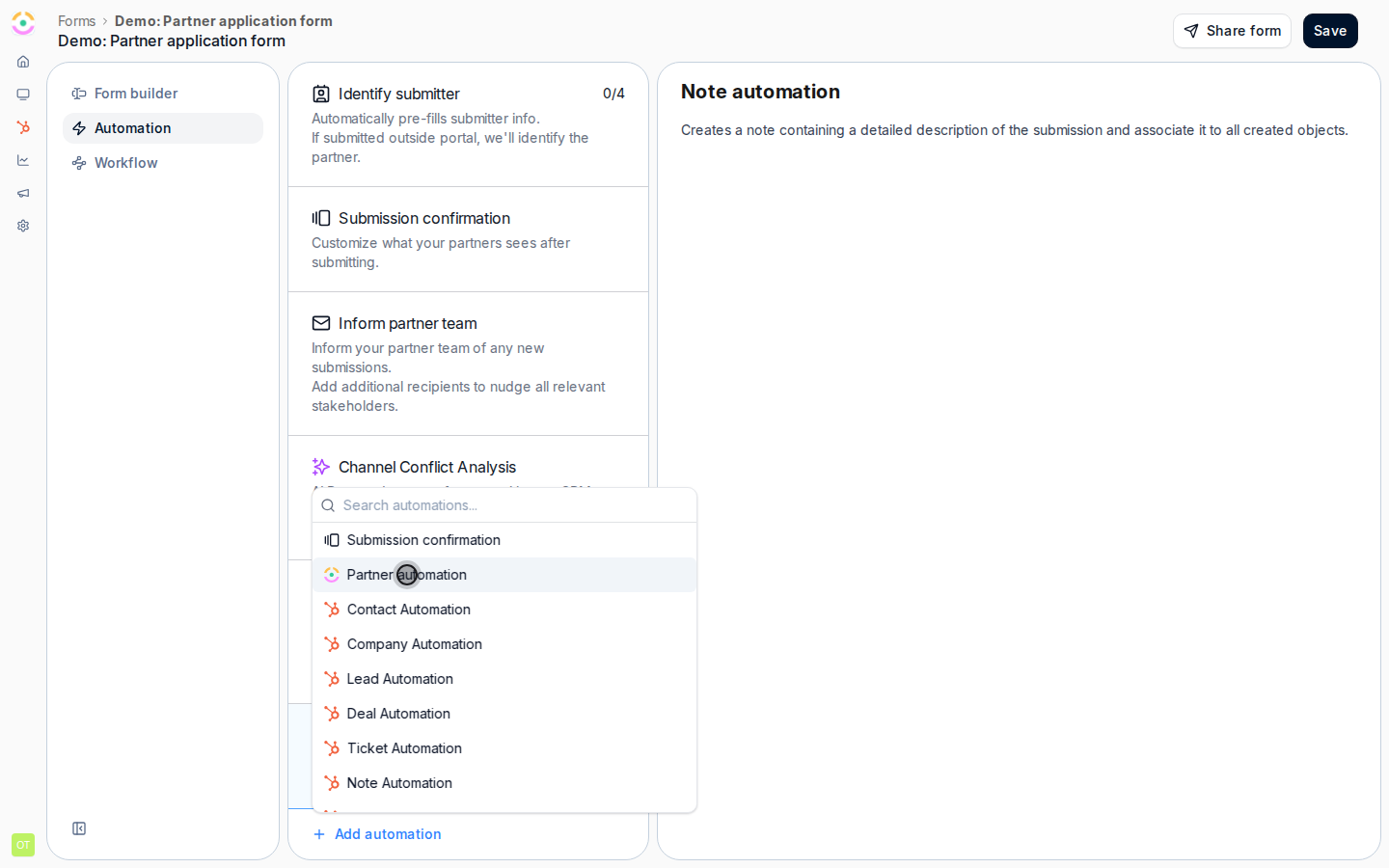
**Add an automation**
Each form carries its own automations on the Automation tab.
* 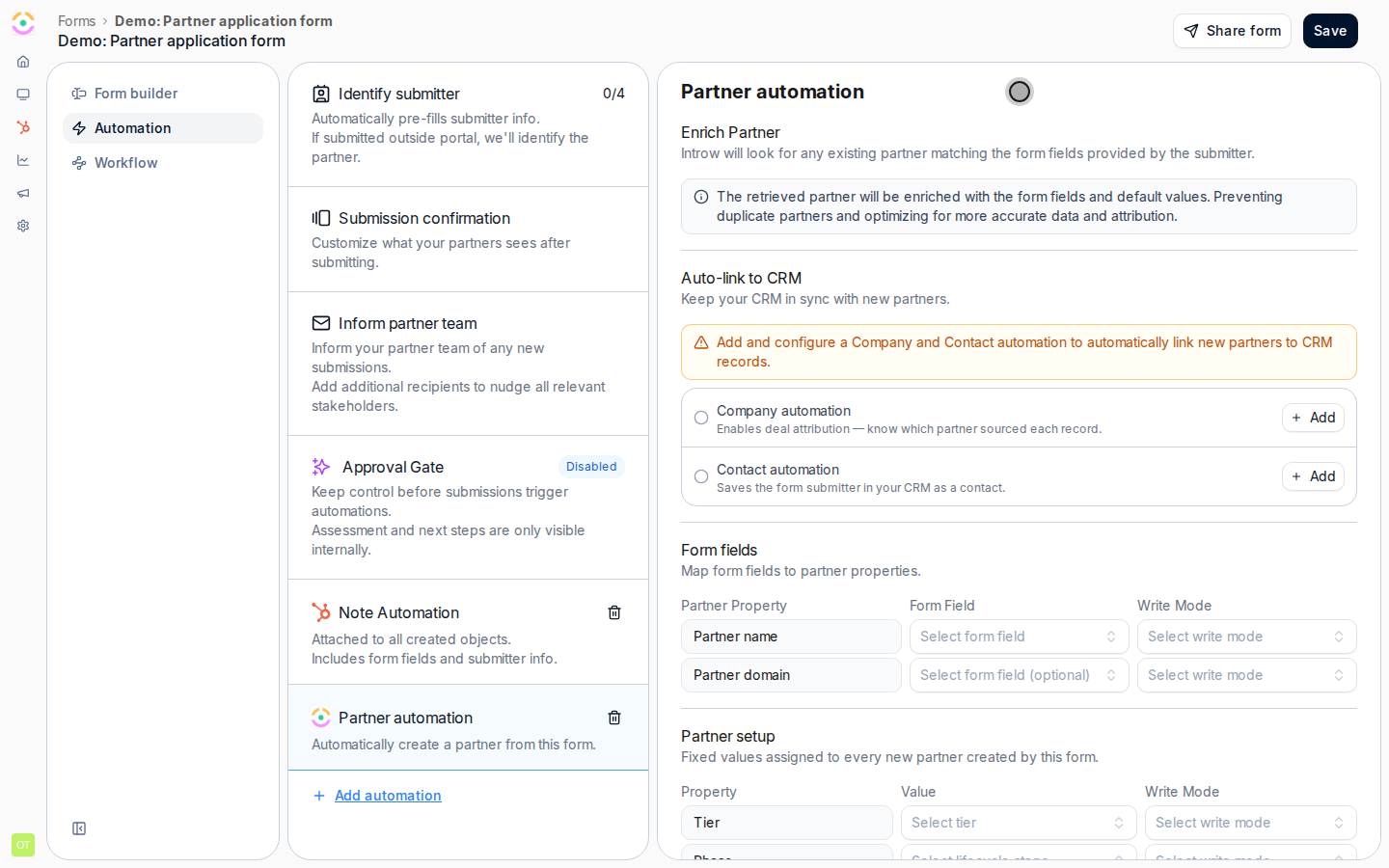
**Link to the CRM**
Auto-link to the CRM, then add company and contact automations.
* 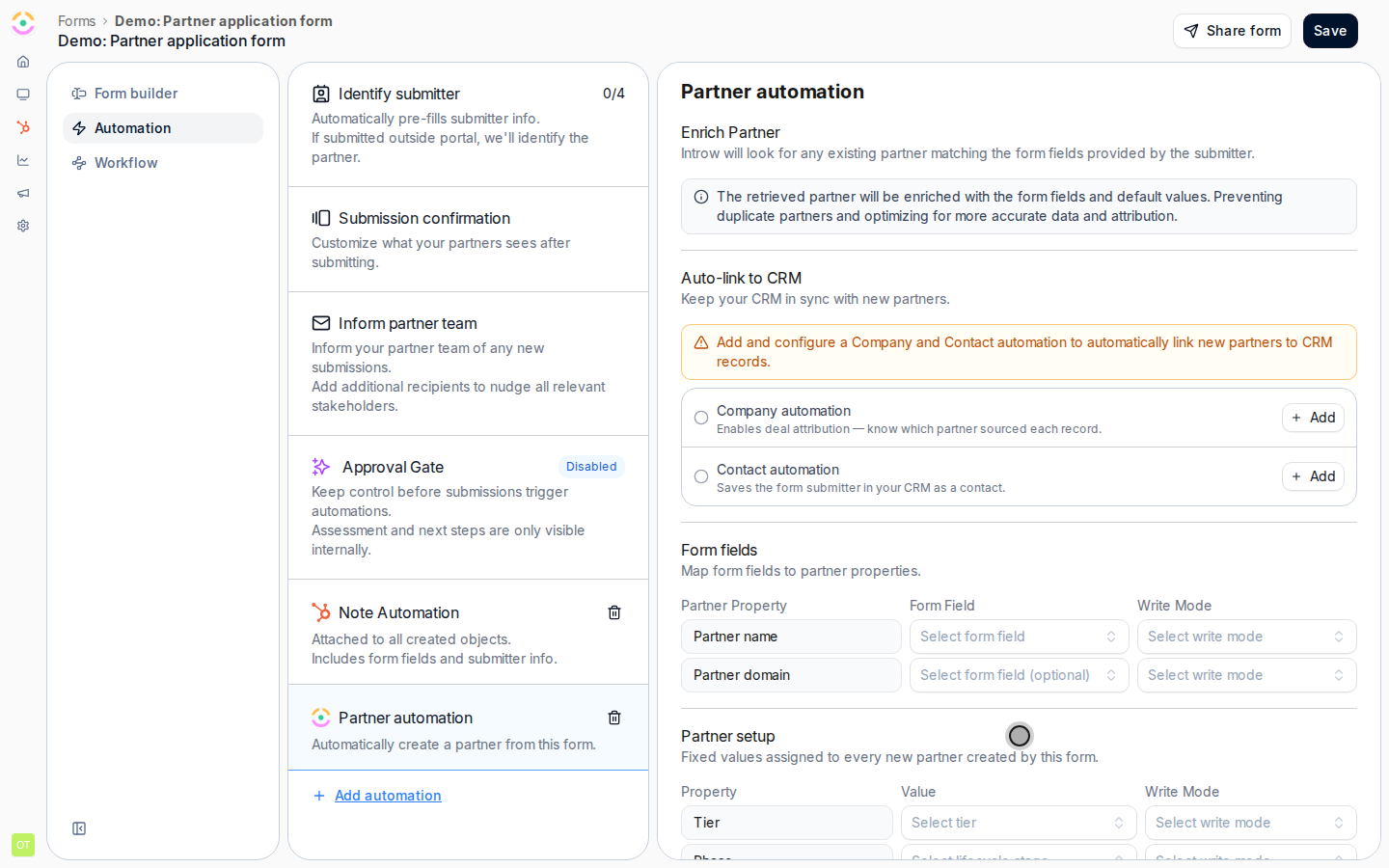
**Set the write mode**
Starting values, and whether they fill gaps or overwrite.
## How it works
When a submission is accepted, its automation runs a full sequence against your CRM, all configured no-code per form:
* **Field mapping** - each form field maps to a CRM property on the object you choose (company, contact, lead, deal, ticket, or a custom object), writing the submitted value or a fixed value.
* **Auto-attribution** - Introw attaches the partner to the created or updated record using the **attribution method you already defined** on Object Linking. That can be a property, a HubSpot association, a Salesforce lookup, or a relation-table row. You configure attribution once; every form reuses it. See [how to attribute deals to partners](/features/integrations/crm/attribution).
* **Default identity fields** - standard submitter fields (email, first and last name, company) map out of the box, so a partner is identified and their company and contact resolved without custom wiring.
* **Deduplicate, don't duplicate** - before creating anything, Introw looks for the existing record and **updates it instead of making a copy**. It matches a company by name and domain, a contact by email, a deal by its account and contacts. RevOps can tune the exact match keys per object.
* **Enrich the match** - when it finds an existing record, Introw fills the gaps from the submission without clobbering what is already there. The partner's answers become a **second-party enrichment source** for records your sales team already owns.
The flip worth naming: normally a form is where CRM data goes to rot, because someone retypes what the CRM already knows and gets it slightly wrong. Here the form is where the CRM gets cleaner. Prefilled fields come from the live record, so the partner confirms rather than retypes. Mapped answers write straight back to the properties that drive reporting. And an automation can create the follow-up work the moment the answer lands. The partner does less and your data ends up better than before they submitted.
That is why partner-submitted data does not frighten RevOps here. A submission matches the existing company, contact and deal and updates them, so a form never spawns a second copy of a record you already have. On a match the partner's answers fill missing fields - fill-if-empty by default - which makes every submission second-party enrichment rather than noise. You choose the match keys, which fields write, and whether each fills-if-empty or overwrites, so the automation obeys your data model. And when a submission matches an existing *deal*, that is [channel conflict](/features/ai/channel-conflict): Introw flags it for review instead of silently writing.
```mermaid theme={"theme":{"light":"github-light","dark":"github-dark"}}
flowchart LR
submit["Accepted submission"] --> match["Match existing record"]
match --> decide["Update and enrich, or create if new"]
decide --> attribute["Attribute to the partner"]
attribute --> crm["Clean, attributed CRM record"]
```
## Run it from your AI assistant
* When Acme submits a lead, does it update the existing company or create a new one?
* Which fields does the deal-registration form write back to the CRM?
## Going deeper
Configure mapping, attribution, matching, enrichment, and approval.
Integration surface and code.
**Works with**
Automations are configured per form.
Runs on every submission, from any channel.
Writes back using your attribution method.
Matching screens submissions against existing pipeline.