> ## Documentation Index
> Fetch the complete documentation index at: https://docs.introw.io/llms.txt
> Use this file to discover all available pages before exploring further.
# Notifications
> The automatic signals Introw sends when deals, tasks, forms, learning, and commissions change, with deal coaching turning each one into a concise next step.
export const Headless = ({children, intro = true}) => {
const [copied, setCopied] = useState(null);
const copy = event => {
const row = event.target.closest("li");
if (!row) return;
const text = row.textContent.trim();
try {
navigator.clipboard?.writeText(text);
} catch {}
setCopied(text);
setTimeout(() => setCopied(null), 1600);
};
return <>
{intro ?
Introw is headless by design: run everything here in plain language from Claude, ChatGPT,
Slack, Teams, or your own CRM through Introw's MCP server, with every
action written straight back to your CRM source of truth. The portal is one surface, never the only one.
:
The agentic motion - lifecycle deep dives and a Claude Code skill library that run your partner program from
Claude, ChatGPT, Slack, and your CRM.
}
;
};
export const Tour = ({children}) => {
const [active, setActive] = useState(0);
const wrappers = (Array.isArray(children) ? children : [children]).filter(c => c && c.props);
const frames = wrappers.length === 1 && Array.isArray(wrappers[0].props.children) ? wrappers[0].props.children.filter(c => c && c.props) : [];
if (frames.length < 2) {
return
;
> Introw watches the partner lifecycle and sends the right update the moment something changes, so partners and your team act without anyone chasing. Deal coaching goes one step further and tells the partner what to do next.
## The problem it solves
| Without Introw | With Introw |
| --------------------------------- | -------------------------------- |
| Partners disengage between logins | The updates come to them |
| Deals stall and nobody is nudged | A quiet deal triggers a nudge |
| An alert does not say what to do | Deal coaching adds the next step |
| Chasing by hand does not scale | The signals run on their own |
| Every event trains them to ignore | You choose which signals send |
## Impact
Partners rate a program on whether it tells them things in time. Automatic nudges with the next step attached are how you become the vendor whose deals move rather than the one they forget.
for your business
* **No new tool**
Every signal can arrive by email, Slack or Teams, so a partner stays current without opening the portal
* **AI, not admin**
Deal coaching attaches the play: what to do, why it moves the customer, and a message ready to send
* **Cost to run**
One partner manager covers more partners, because the reminders and updates are not theirs to send
for your partners
* **Self-serve**
The deal, the task or the approval reaches them without them having to go looking for it
* **Enabled**
A stalled deal arrives with a suggested next step, so they act instead of wondering
* **Efficient**
Only the signals that matter to them, which is what makes the ones they get worth opening
[A day in the life of your partners](/days-in-the-life)
* **Partner Operations** - which signals send, to whom
* **Partner sales teams** - deals and approvals, in time
## See it work
* 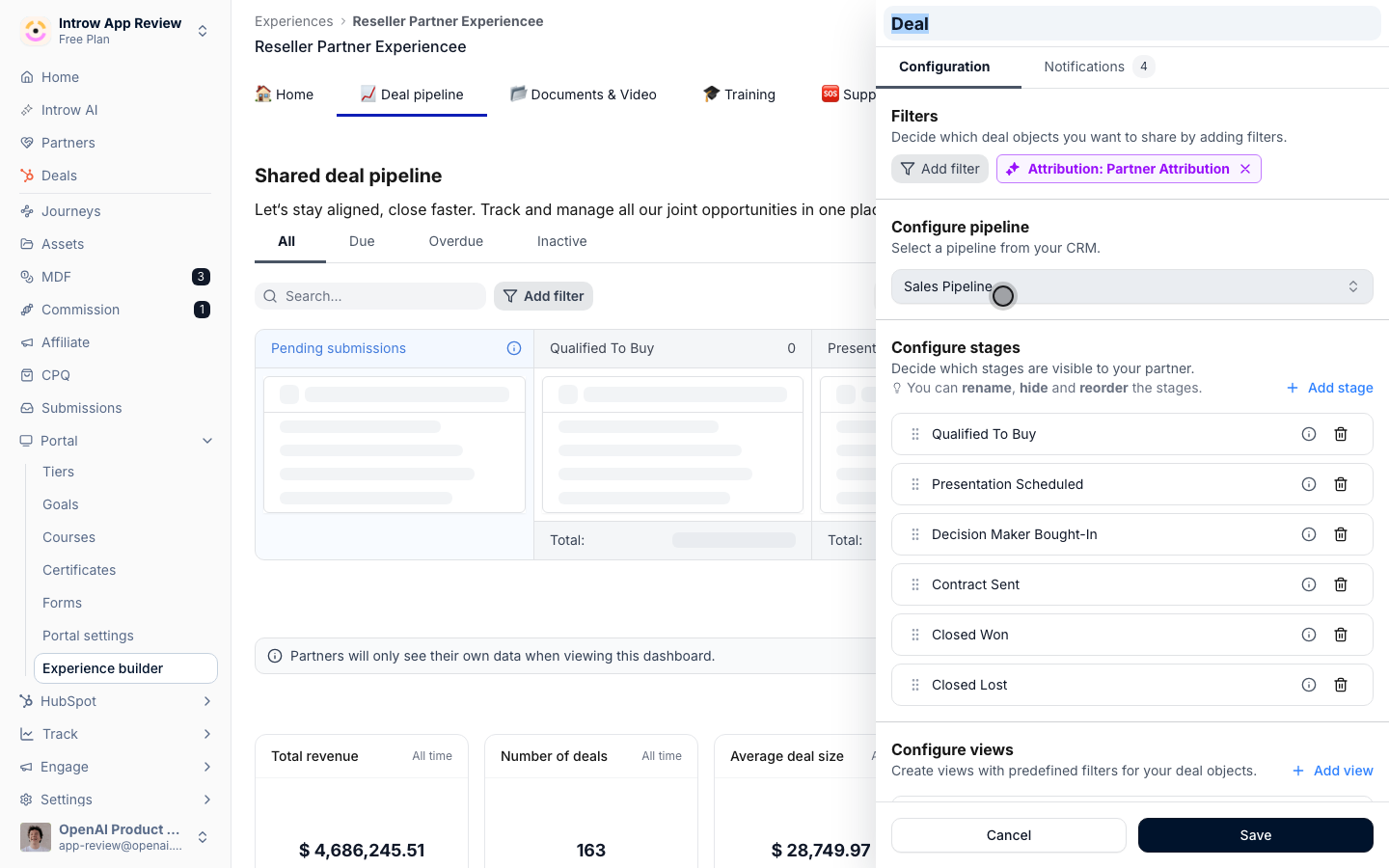
**Open the settings**
Notifications are configured per portal section.
* 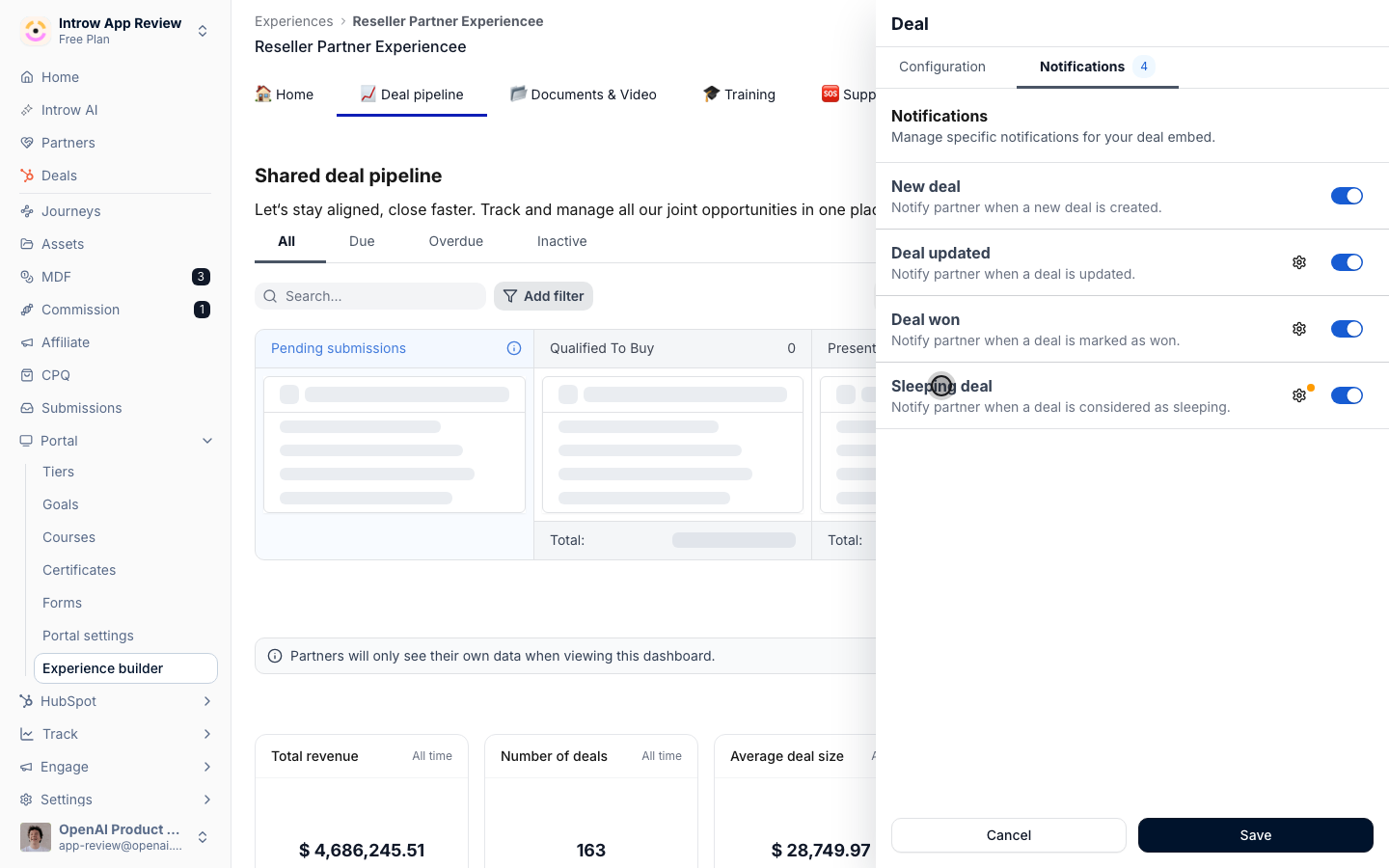
**Switch on a nudge**
The sleeping-deal nudge then reaches the partner on its own.
## How it works
Introw sends notifications automatically across the whole partner lifecycle. A new partner deal appears. A deal moves stage or goes quiet. A registration is approved, a task comes due, a course is finished, a payout is ready. Each event reaches the people it matters to, partners and their managers, without anyone writing an email.
Deal notifications do more than announce that something happened. Deal coaching adds a concise, deal-specific next step to the update: what to do, why it moves the customer forward, and how, including a ready-to-send message. So a partner does not just learn a deal went quiet, they see the play to run.
You control the whole catalog. Every notification can be turned on or off, sent on the channels you choose, and scoped to the partners it applies to. Partners get signal that drives action, not noise that trains them to ignore you.
Instead of a partner manager manually sending status updates and reminders, Introw watches the CRM and the portal and sends the right signal at the right moment, with the next step already attached. Partners act on live deals, approvals and payouts land without a follow-up email, and the whole program keeps moving while the team focuses on the partners that need a human.
```mermaid theme={"theme":{"light":"github-light","dark":"github-dark"}}
flowchart LR
change["Something changes on a deal, task, or form"] --> signal["Introw sends the notification"]
signal --> coach["Deal coaching adds the next step"]
coach --> action["Partner acts and the deal moves"]
```
## Run it from your AI assistant
* Show recent partner portal activity - comments, visits, and task updates - this week.
* Which partners have been active in the last 7 days?
## Going deeper
Setup, configuration, and all how-to guides.
Endpoints and code.
**Works with**
Deliver every notification off-portal by email, Slack, and Teams.
Turn a deal update into a concise, contextual next step, not just an alert.
Broadcasts ride the same notification system and controls.
Send the messages only your own program needs.