> ## Documentation Index
> Fetch the complete documentation index at: https://docs.introw.io/llms.txt
> Use this file to discover all available pages before exploring further.
# Channels
> Deliver notifications and announcements off-portal by email, Slack, and Teams, and let partners reply from their inbox with responses tracked back.
export const Tour = ({children}) => {
const [active, setActive] = useState(0);
const wrappers = (Array.isArray(children) ? children : [children]).filter(c => c && c.props);
const frames = wrappers.length === 1 && Array.isArray(wrappers[0].props.children) ? wrappers[0].props.children.filter(c => c && c.props) : [];
if (frames.length < 2) {
return
;
> Introw reaches partners where they already work, by email and in Slack or Teams, so engagement never depends on a portal login. And when a partner replies to an email, the reply is tracked and shared with everyone on the thread.
## The problem it solves
| Without Introw | With Introw |
| -------------------------------- | ------------------------------- |
| Portal-only updates go unseen | They land in inbox and chat |
| Replying needs a portal login | They reply from their inbox |
| Replies scatter across inboxes | Every reply lands on the record |
| A generic sender looks like spam | Send from your own domain |
## Impact
Most partner programs lose the conversation at the login screen. Answering from your own inbox and having it land on the deal is a large part of why partners keep talking to you.
for your business
* **No new tool**
Every notification and announcement can go by email, Slack or Teams, so the portal is optional rather than required
* **Cost to run**
Operations connects a workspace once and every message afterwards uses it, with nothing to build
for your partners
* **Self-serve**
They answer from the inbox they already had open, and the thread stays whole without a login
* **Enabled**
Their whole team sees the reply, because it is shared back to every collaborator on the thread
* **Efficient**
An attachment they reply with is filed on the record, so an invoice is sent once and lands right
[A day in the life of your partners](/days-in-the-life)
* **Partner Operations** - channels connected once
* **Partner sales teams** - reply from where they are
## See it work
* 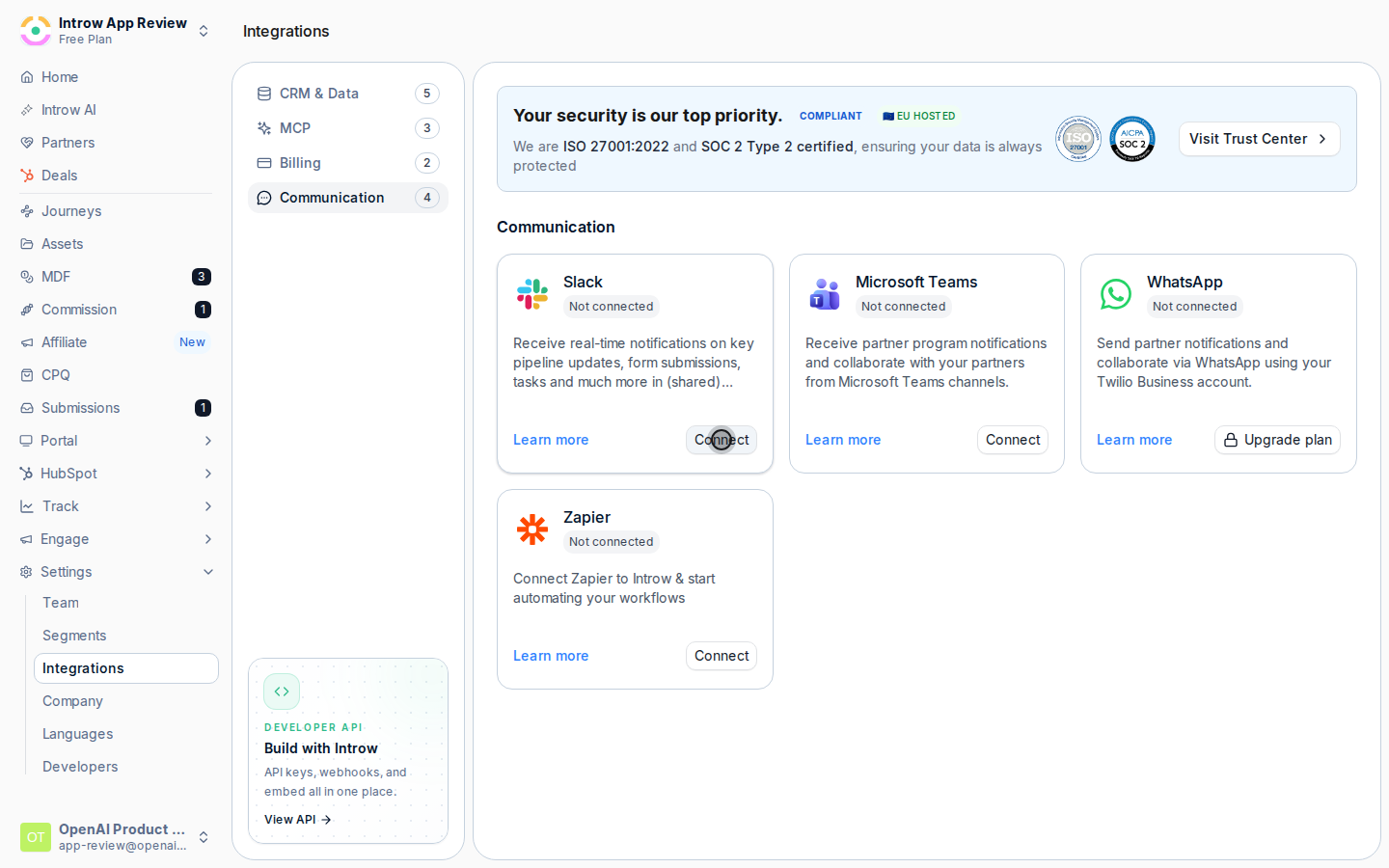
**Connect the workspace**
Slack and Teams connect once, from Communication integrations.
* 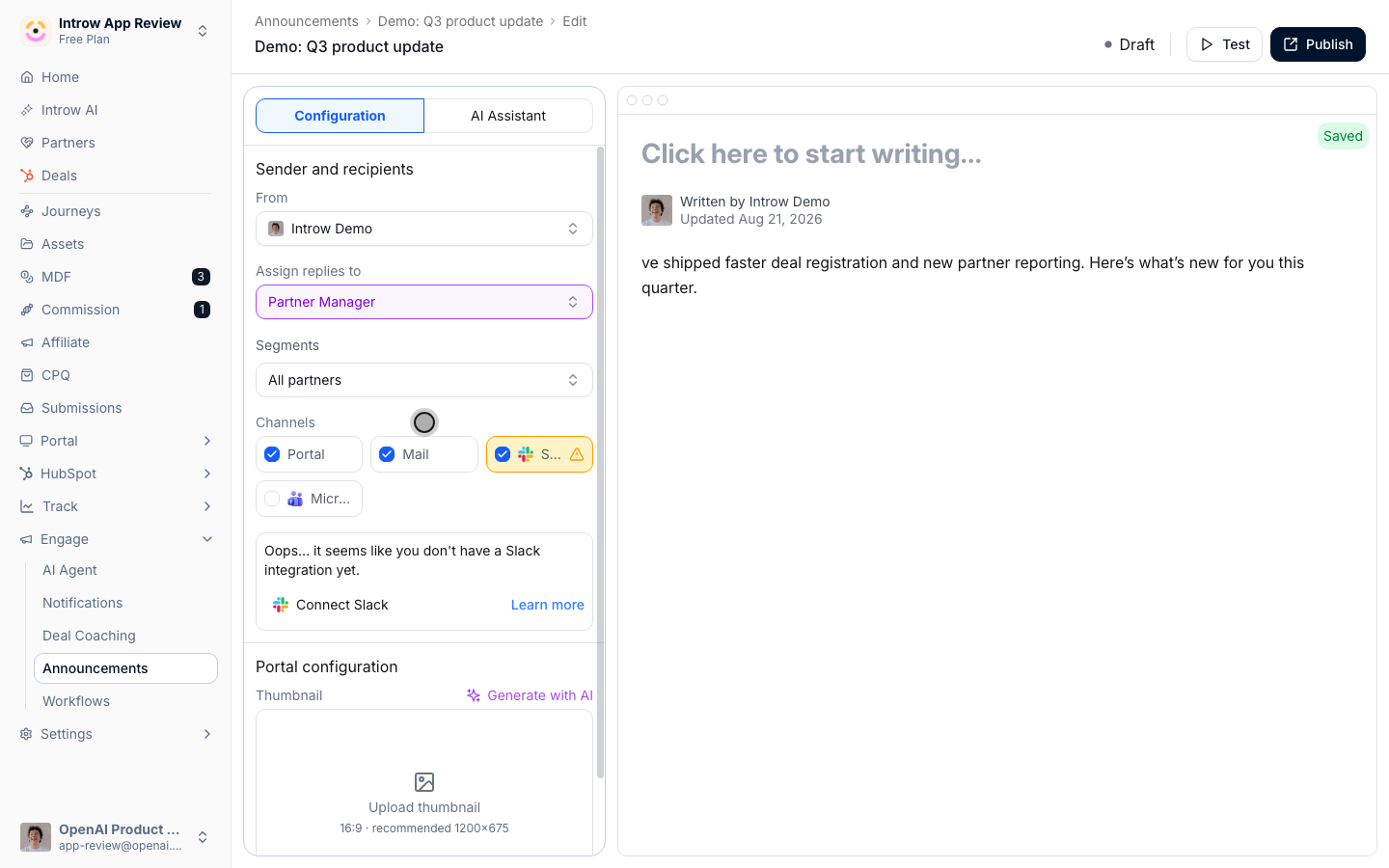
**Choose where it goes**
Any message can travel by portal, email, Slack and Teams.
* 
**Scope the audience**
Each signal carries its own channel and its own recipients.
## How it works
Every notification and announcement Introw sends can be delivered off-portal: by email, and in Slack or Teams once those workspaces are connected. Partners get updates in the inbox and chat they already live in, so they stay engaged without opening a separate tool.
The channel is two-way. A partner can reply to a notification email straight from their inbox. Introw tracks the reply and threads it onto the right deal or record as a comment. Everyone collaborating on that thread sees it on their own channel - the partner's team and your internal owners alike. Attachments come along too: a document a partner replies with is saved to the record, and an invoice replied to a payout email is attached to that payout. A one-way alert becomes a real conversation, on the record, with no one logging in.
Introw meets partners on their channel and keeps the thread whole. The notification goes out by email, Slack, or Teams. The partner replies where they are. The response is captured on the record and fanned back to every collaborator, so the conversation stays complete and visible without a single login.
```mermaid theme={"theme":{"light":"github-light","dark":"github-dark"}}
flowchart LR
notify["Notification sent by email, Slack, or Teams"] --> reply["Partner replies from their inbox"]
reply --> record["Tracked as a comment on the record"]
record --> collaborators["Shared with every collaborator on the thread"]
```
## Going deeper
Setup, configuration, and all how-to guides.
Endpoints and code.
**Works with**
Carry every notification and nudge to the partner's channel.
Connect Slack or Microsoft Teams so Introw can post to shared channels.
Send these emails from your own authenticated domain.