> ## Documentation Index
> Fetch the complete documentation index at: https://docs.introw.io/llms.txt
> Use this file to discover all available pages before exploring further.
# Announcements
> Publish partner announcements once and fan out across the portal, email, and shared Slack and Microsoft Teams channels, with AI to help draft and target.
export const Headless = ({children, intro = true}) => {
const [copied, setCopied] = useState(null);
const copy = event => {
const row = event.target.closest("li");
if (!row) return;
const text = row.textContent.trim();
try {
navigator.clipboard?.writeText(text);
} catch {}
setCopied(text);
setTimeout(() => setCopied(null), 1600);
};
return <>
{intro ?
Introw is headless by design: run everything here in plain language from Claude, ChatGPT,
Slack, Teams, or your own CRM through Introw's MCP server, with every
action written straight back to your CRM source of truth. The portal is one surface, never the only one.
:
The agentic motion - lifecycle deep dives and a Claude Code skill library that run your partner program from
Claude, ChatGPT, Slack, and your CRM.
}
;
};
export const Tour = ({children}) => {
const [active, setActive] = useState(0);
const wrappers = (Array.isArray(children) ? children : [children]).filter(c => c && c.props);
const frames = wrappers.length === 1 && Array.isArray(wrappers[0].props.children) ? wrappers[0].props.children.filter(c => c && c.props) : [];
if (frames.length < 2) {
return
;
> Announcements keep partners informed wherever they work. Publish once and it fans out at the same time across the portal feed, email, and every shared Slack and Microsoft Teams channel connected to the partners you target - with AI helping you draft and target the right partners.
## The problem it solves
Partner updates that only live in a portal mostly go unseen:
| Without Introw | With Introw |
| -------------------------------- | ------------------------------------ |
| Partners do not check the portal | It also lands in inbox and chat |
| Writing every update is slow | AI drafts it from a source |
| Updates reach the wrong partners | Target the segments it is for |
| You cannot tell what landed | Sent, opened and clicked per partner |
## Impact
Partners sell what they know about. Reaching their whole team on the channel they already watch is the difference between an update that becomes revenue and one that becomes an unread post.
for your business
* **No new tool**
One publish fans out to the portal feed, email, and every connected Slack and Teams channel at the same time
* **AI, not admin**
AI drafts from a webinar, product update or blog post, and turns your LinkedIn posts into partner drafts weekly
* **Cost to run**
Partner marketing runs the whole thing, from draft to engagement report, with no engineering
for your partners
* **Self-serve**
The news arrives where they already are, so staying current costs them no deliberate effort
* **Enabled**
A product update or a promotion reaches the reps who need it, not just the alliance manager
* **Efficient**
One message in the channel their team already uses, instead of a portal visit to find out
[A day in the life of your partners](/days-in-the-life)
* **Partner Marketing** - one publish, every channel
* **VP Partnerships** - partners who are actually informed
* **Partner sales teams** - news where they already are
## See it work
* 
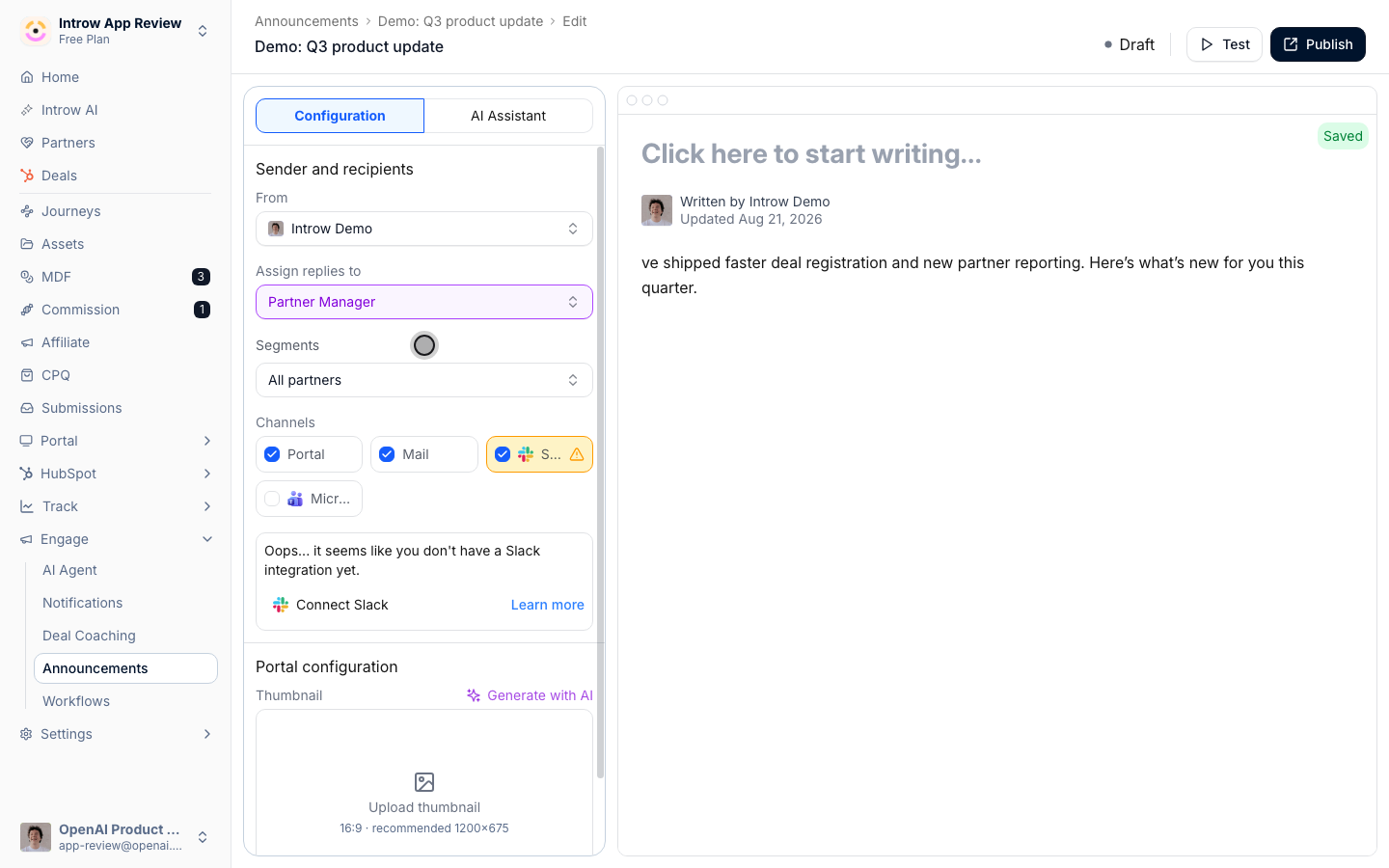
**Where it lands**
On the partner's own stage, beside everything else they use.
* 
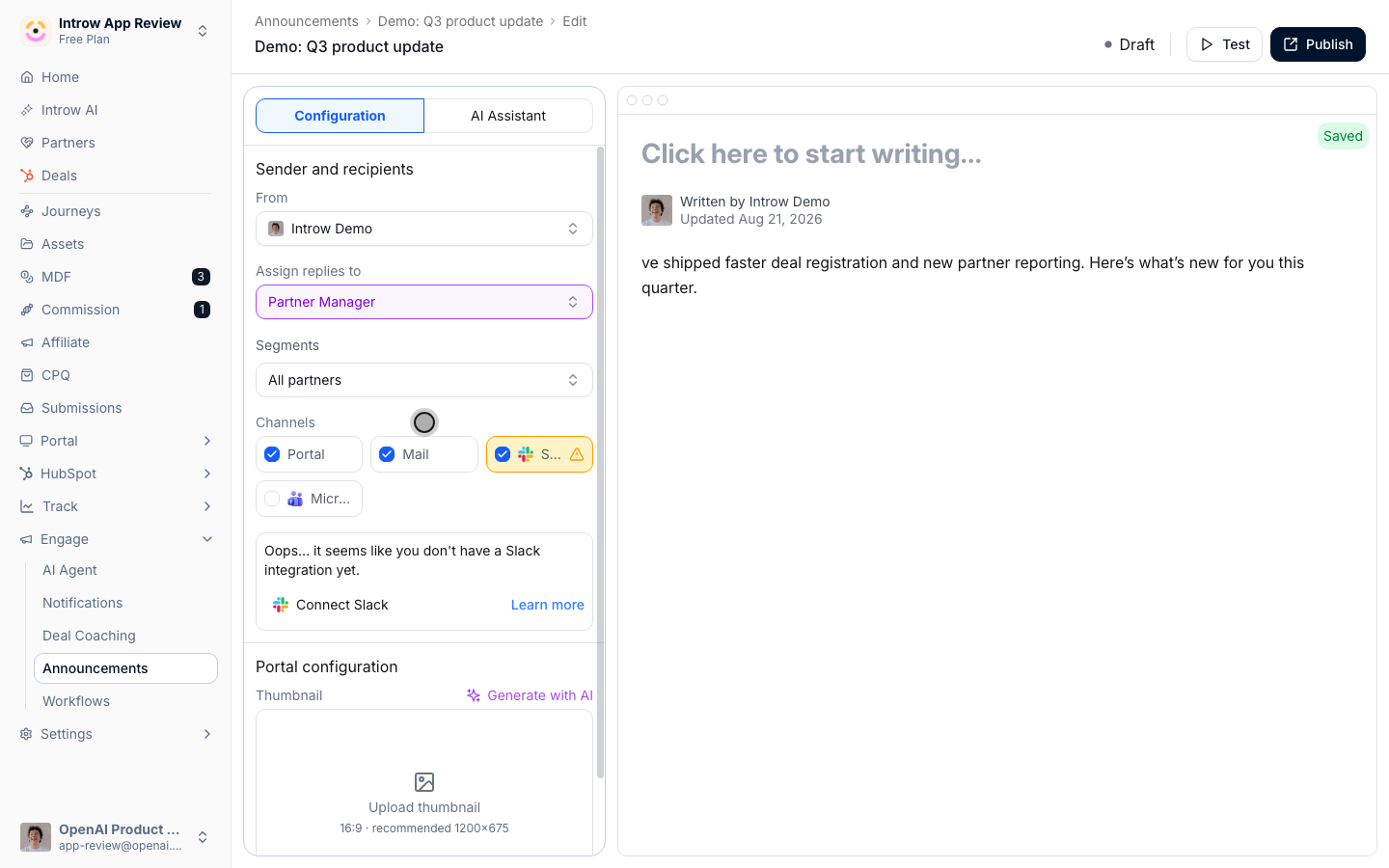
**Target the audience**
Pick the segments the update is actually for.
* 
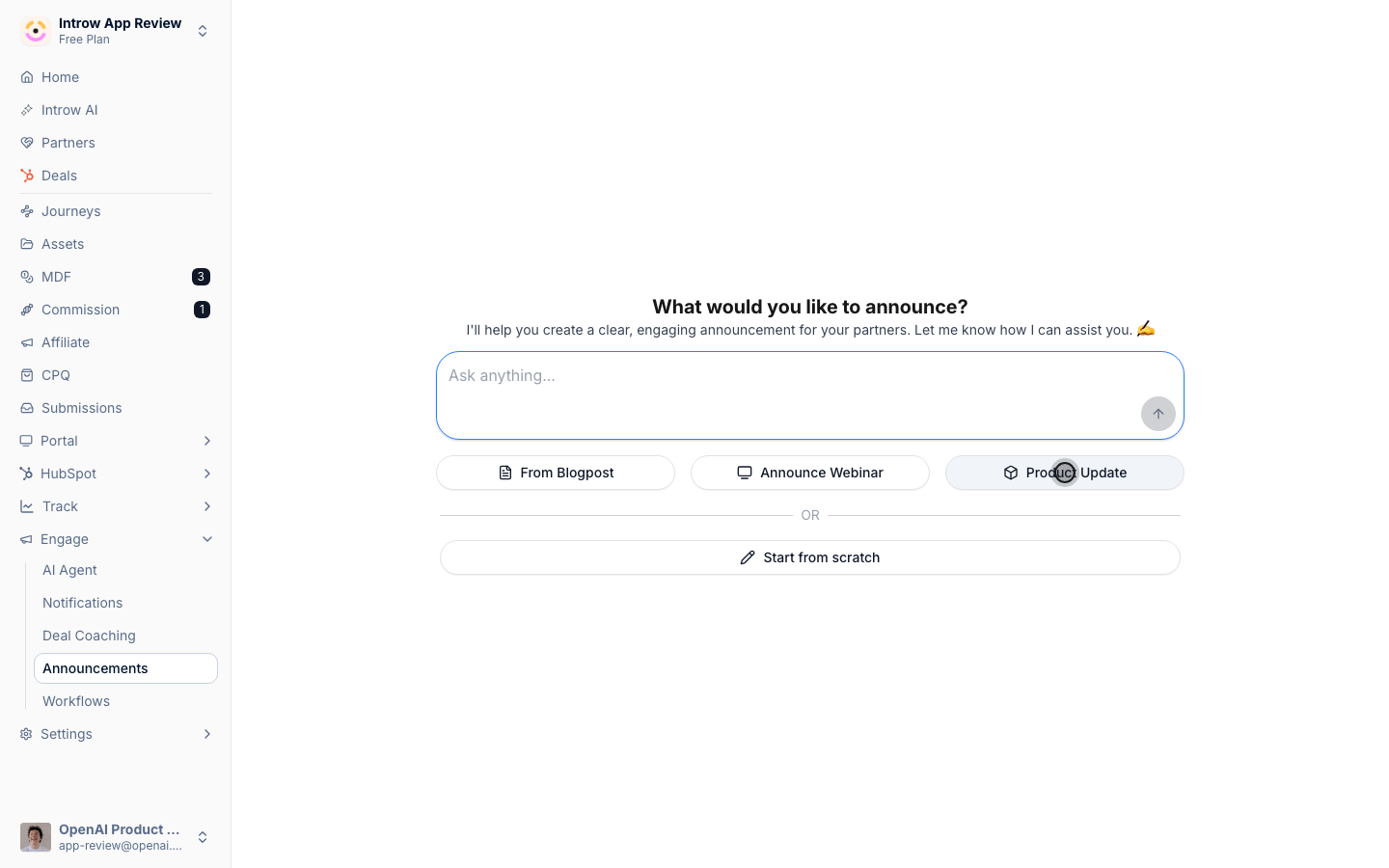
**Pick the channels**
Portal, email, Slack and Teams, all from one publish.
* 
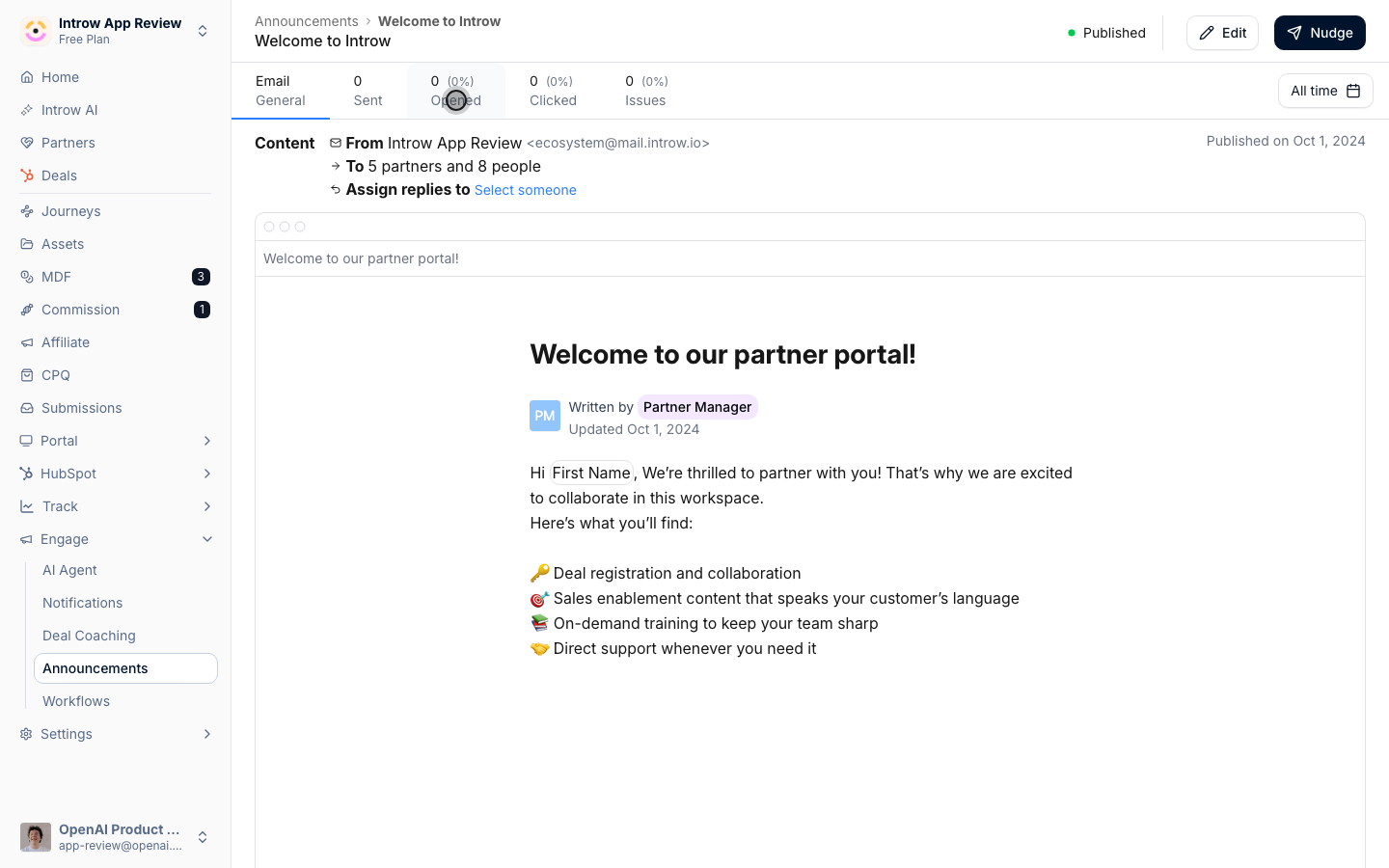
**Or start with AI**
Point AI at a webinar, a product update or a blog post.
* 
**See what landed**
Who it reached, who opened it, who clicked.
## How it works
Announcements broadcast updates to your partners across the channels they actually check. You
compose an announcement once and target the partner segments it is for; publishing then fans it
out across every channel you enable, all at once:
* **Portal feed** - an entry in the portal of every targeted partner.
* **Email** - to every contact at those partners.
* **Slack** - into each targeted partner's connected shared channel(s).
* **Microsoft Teams** - into each targeted partner's connected channel(s).
So one message travels across the partner's whole ecosystem. Slack and Teams are independent, so
a partner can receive it in both. Partners do not have to live in the portal to stay informed,
which fits how partner attention is split across many tools.
AI helps you move faster. Instead of writing every update from a blank page, you can generate
announcement drafts and shape them to the audience, then send. After it goes out, you can see
who was reached, who opened, and who clicked, and nudge the partners who missed it.
AI drafting reaches outside Introw too: connect your LinkedIn and Introw turns your
partner-relevant posts into announcement drafts each week, rewritten for a partner
audience, so news you have already published does not have to be written twice.
Announcements meet partners off-portal. Draft with AI, target the right segments, and publish
once - the update fans out across the portal, email, and every shared Slack and Teams channel of
the targeted partners at the same time. Then measure engagement and follow up, so important
updates actually get through instead of sitting unread.
```mermaid theme={"theme":{"light":"github-light","dark":"github-dark"}}
flowchart LR
draft["Draft with AI"] --> target["Target segments"]
target --> publish{"Publish once"}
publish --> portal["Portal feed"]
publish --> email["Email every contact"]
publish --> slack["Slack shared channels"]
publish --> teams["Teams shared channels"]
portal --> measure["Measure engagement"]
email --> measure
slack --> measure
teams --> measure
```
## Run it from your AI assistant
* Which announcements have partners seen recently?
* Show partner engagement with our latest announcement.
## Going deeper
Setup, configuration, and all how-to guides.
Integration surface and code.
**Works with**
Target announcements by segment.
Deliver into Slack and Teams.
Ride the notification system.