> ## Documentation Index
> Fetch the complete documentation index at: https://docs.introw.io/llms.txt
> Use this file to discover all available pages before exploring further.

# Engagement

> Every nudge, notification, and announcement Introw sends on its own to keep partners engaged and deals moving, across the portal, email, Slack, and Teams.

export const Headless = ({children, intro = true}) => {
  const [copied, setCopied] = useState(null);
  const copy = event => {
    const row = event.target.closest("li");
    if (!row) return;
    const text = row.textContent.trim();
    try {
      navigator.clipboard?.writeText(text);
    } catch {}
    setCopied(text);
    setTimeout(() => setCopied(null), 1600);
  };
  return <>
      {intro ? <p>
          Introw is <strong>headless</strong> by design: run everything here in plain language from Claude, ChatGPT,
          Slack, Teams, or your own CRM through Introw's <a href="/features/developer/mcp">MCP server</a>, with every
          action written straight back to your CRM source of truth. The portal is one surface, never the only one.
        </p> : null}

      {children ? <div className="not-prose" data-prompts="block">
          <div data-prompts="head">
            <span>{copied ? "Copied" : "Try it from your LLM"}</span>
          </div>
          <div data-prompts="rows" onClick={copy}>
            {children}
          </div>
          <a href="/headless/prompts" data-prompts="more">
            See all prompts
          </a>
        </div> : <Card title="See the headless motion" icon="wand-magic-sparkles" href="/headless">
          The agentic motion - lifecycle deep dives and a Claude Code skill library that run your partner program from
          Claude, ChatGPT, Slack, and your CRM.
        </Card>}
    </>;
};

export const Rail = ({children}) => <div className="not-prose" data-overview="rail">
    {children}
  </div>;

export const Impact = ({children}) => <div className="not-prose" data-overview="impact">
    {children}
  </div>;

export const Personas = ({children}) => <div className="not-prose" data-overview="personas">
    {children}
  </div>;

export const Pains = ({children}) => <div className="not-prose" data-overview="pains">
    {children}
  </div>;

> Engagement is everything Introw sends on its own to keep partners and your team in the loop and deals moving: automatic signals when something changes, delivery to the channels people actually use, and broadcasts when you have news to share.

## The problem it solves

<Pains>
  | Without Introw | With Introw |
  | - | - |
  | Updates depend on someone sending | The program sends them itself |
  | Partners do not open the portal | It reaches their inbox and chat |
  | A reply lands in one inbox | Every collaborator sees it |
  | Blasting everything trains them out | You pick the signals that send |
</Pains>

## Impact

The vendor a partner hears from at the right moment, on the channel they already have open, is the vendor whose deals they work first. Silence between logins is how a channel goes quiet.

<Impact>
  for your business

  * **No new tool**
    Partners are reached by email, Slack and Teams, so engagement never depends on somebody logging into a portal
  * **AI, not admin**
    AI drafts announcements, and deal coaching turns a bare alert into a concrete next step for the partner
  * **Cost to run**
    Partner ops configures every signal, channel and audience with no code, and the outreach then runs itself

  for your partners

  * **Self-serve**
    They act on a deal or a task from the message itself, without opening anything else first
  * **Enabled**
    The update says what to do next, not only that something changed
  * **Efficient**
    They reply from their inbox and it lands on the record, so nothing is re-entered anywhere

  [A day in the life of your partners](/days-in-the-life)
</Impact>

<Personas>
  * **Partner Operations** - which signals send, and to whom
  * **Partner Marketing** - announcements that reach everyone
  * **Partner sales teams** - updates without living in a portal
</Personas>

## How this area works

A partner program goes quiet the moment it depends on someone remembering to send an update. Introw runs the outreach for you. When a deal moves, a form is approved, a task comes due, or a course is finished, Introw sends the right message to the right people, automatically. Those messages reach partners where they already work, by email and in Slack or Teams, not only in a portal they may not open for days. When a partner replies to an email, the reply is tracked and shared back with everyone on the thread, so a notification turns into a real conversation without anyone logging in.

An event becomes a message, the message reaches the partner on their channel, and their response comes back to the record.

**Where this sits in a setup.** Notifications and announcements come with launch, not before it. Every [setup track](/tracks) settles who hears what in the same step as inviting partners.

<Rail>
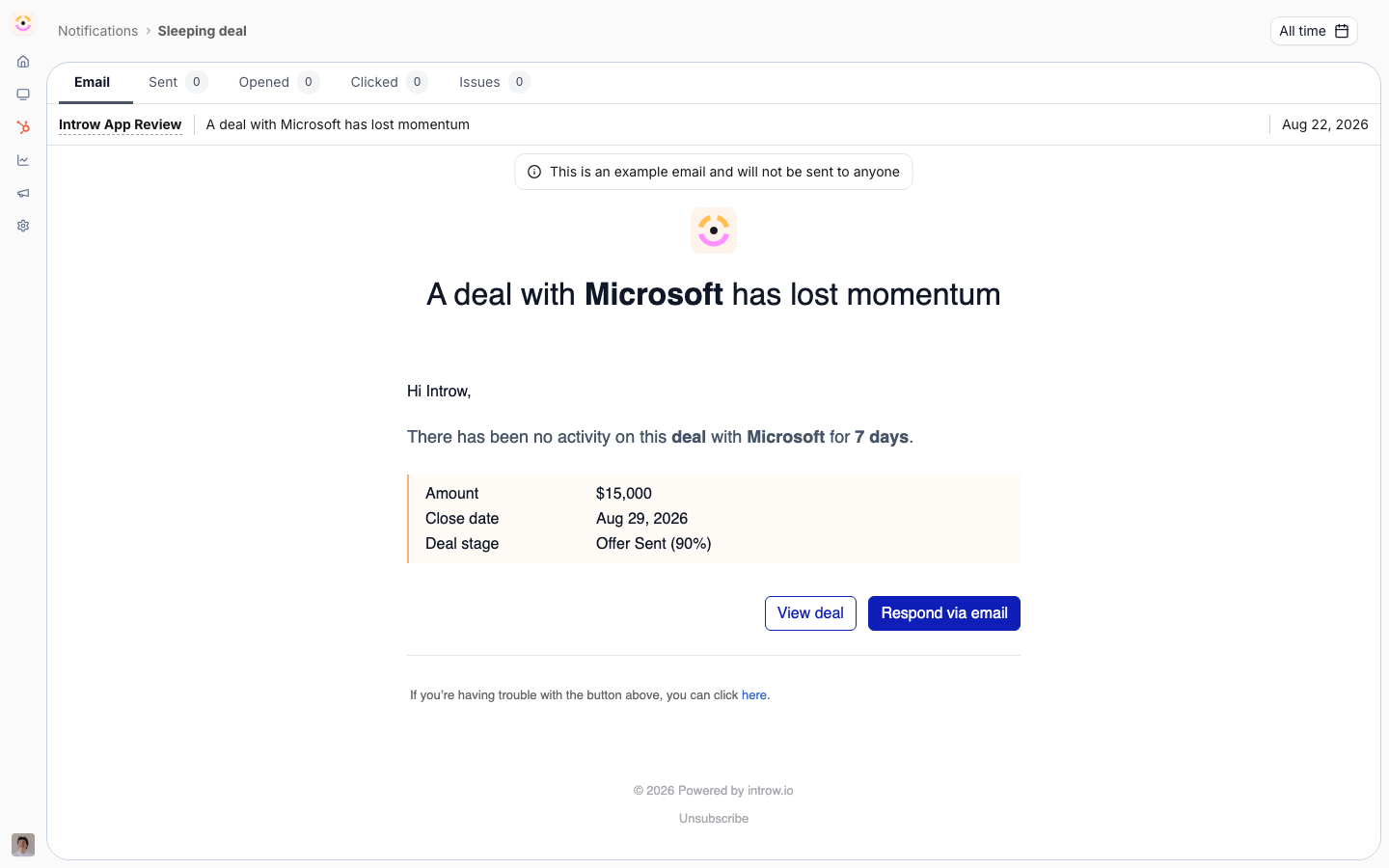
  * ![The sleeping-deal notification exactly as a partner receives it, naming the account, the days without activity, the amount, close date and stage, with buttons to view the deal or reply by email.](https://assets.introw.io/docs/features/engagement/notifications/shots/signal.png)

    [**Notifications**](./notifications)

    Automatic signals on deals, tasks, forms and payouts.

    [How to · 3 guides](./notifications/technical)

  * ![The Communication integrations, where Slack, Microsoft Teams and WhatsApp are connected so partner notifications reach the channels partners already use.](https://assets.introw.io/docs/features/engagement/channels/shots/catalog.png)
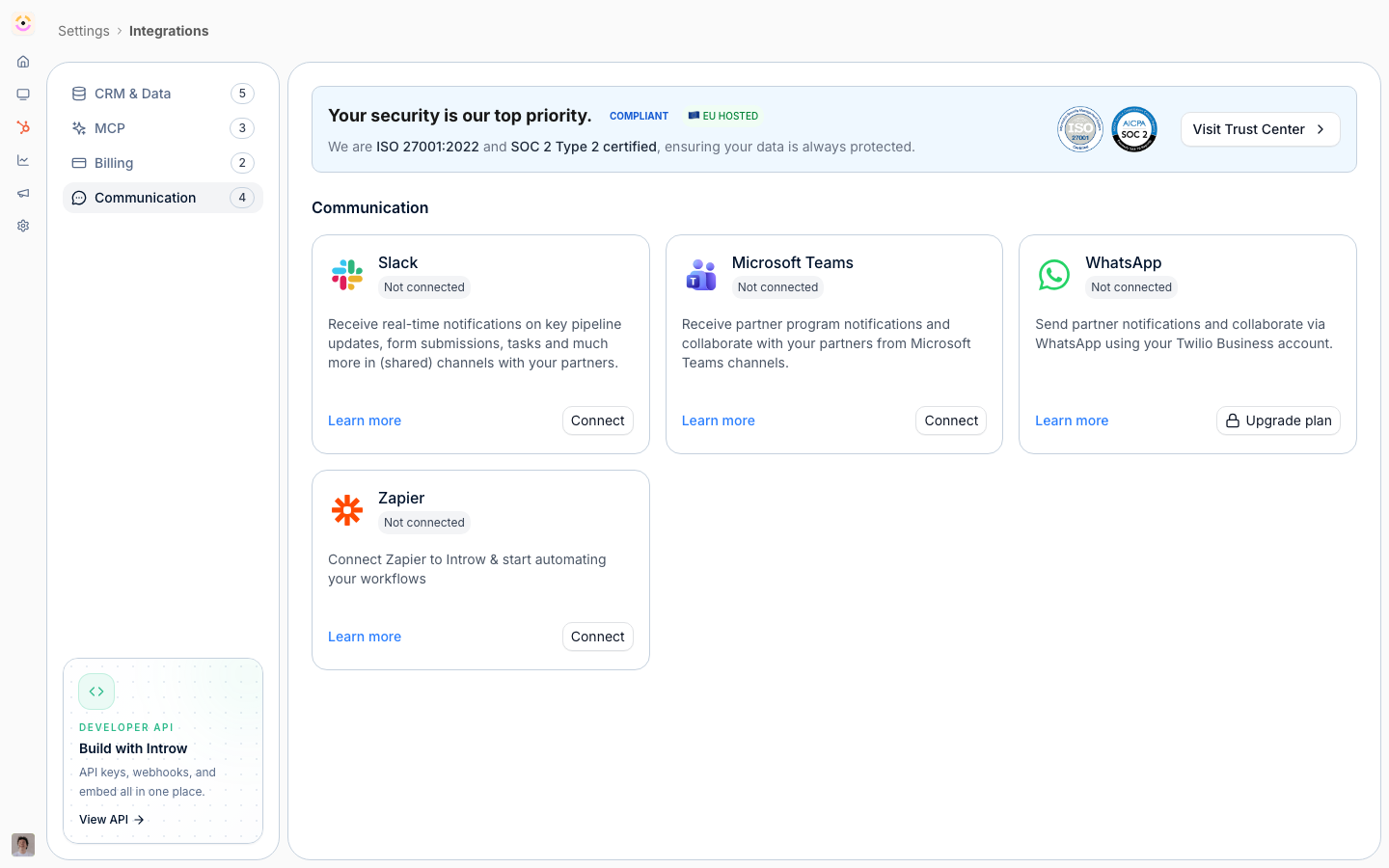
    [**Channels**](./channels)

    Email, Slack and Teams, with replies tracked back.

    [How to · 4 guides](./channels/technical)

  * ![A published announcement with its sent, opened, clicked and issue counts across the top, over the email every contact received.](https://assets.introw.io/docs/features/engagement/announcements/shots/engagement.png)
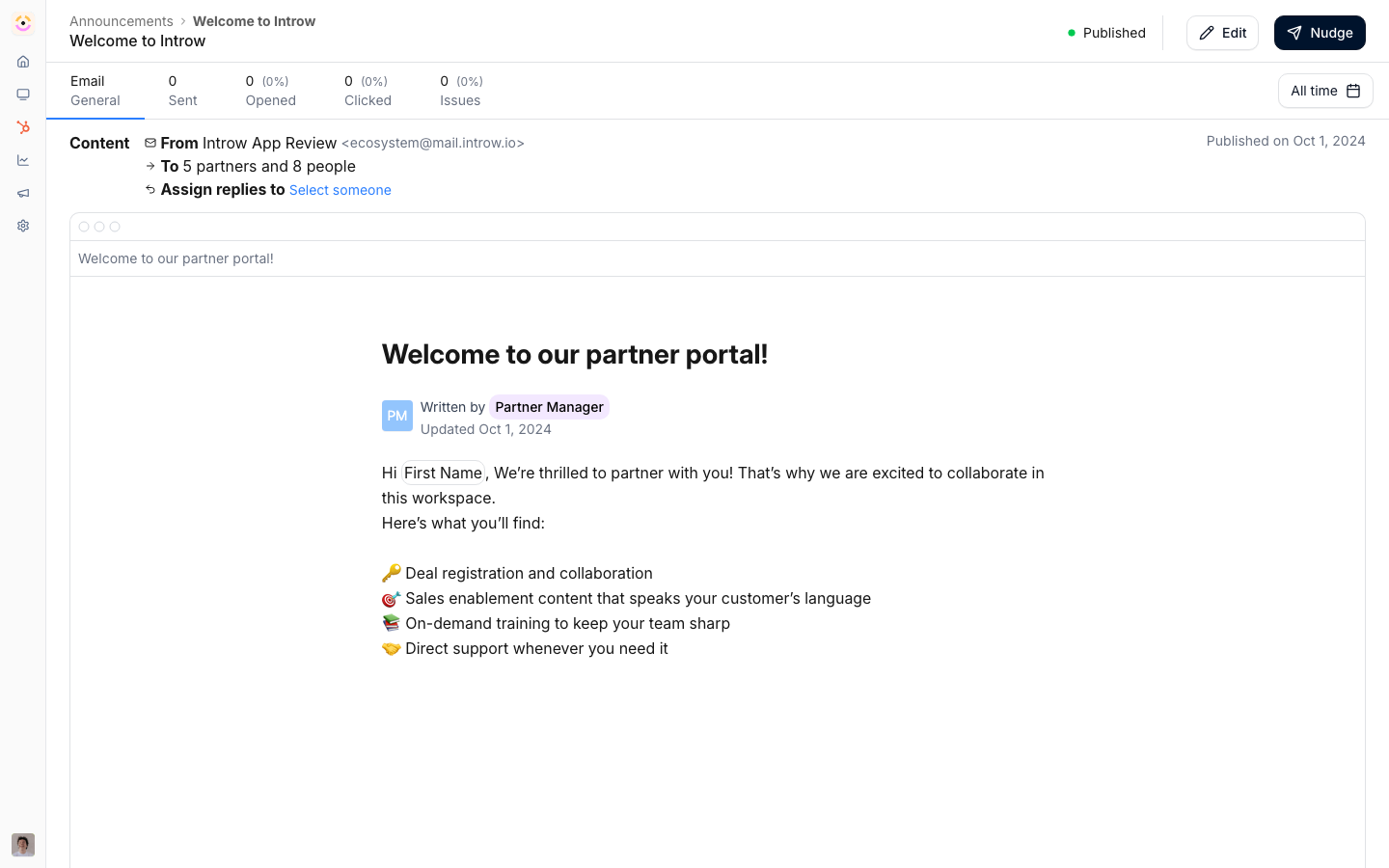
    [**Announcements**](./announcements)

    Broadcast once, out across every channel at once.

    [How to · 4 guides](./announcements/technical)
</Rail>

The same system carries your deliberate outreach too. Announcements broadcast a product update, a promotion, or a program change to the partners it is for, drafted with AI and measured so you can see what landed. Under it all runs one set of controls: you decide which signals send, on which channels, and to whom, so partners get useful signal instead of noise.

## Reach, subscribe, act

A message only works if it arrives, and most programs lose partners at three steps before anyone acts. Introw removes the drop-off at each one.

1. **Reach.** The right contact was never given access, the invite went to one person, the password was forgotten, adding a colleague took a support ticket. Here, partner contacts arrive from your CRM, and access follows a CRM field or a switch on the partner record, or a trusted partner email domain ([Provisioning](/features/access/provisioning)). Signing in is a one-time code by email or the Google, Microsoft, or SSO identity they already have, with no password to reset ([Portal Access](/features/portal/portal-access)). Partners invite their own colleagues.
2. **Subscribe.** A partner who gets everything learns to ignore it, and one who gets nothing forgets you. [Announcements](./announcements) and email [notifications](./notifications) are targeted by [segment](/features/partners/segments), so each contact hears what applies to their motion, tier, and role, and each partner's shared Slack or Teams channel gets the events you choose for chat ([Channels](./channels)). Enrolling those same people in a course or a goal is a segment rather than an import.
3. **Act.** Partners act from the email, the Slack or Teams message, or the portal, whichever they have open. A reply from their inbox lands on the record, and a button in the message takes them straight to the deal or task.

That is the unglamorous half of engagement. Every step removed between "we sent something" and "a partner acted on it" is a drop-off you never have to chase.

### Why it runs on autopilot

Partner marketing is usually a part-time role, or shared with other marketing work. So the program keeps partners current without a dedicated team: [announcements](./announcements) publish once to every channel, AI drafts them for you, including weekly drafts from your company LinkedIn page (set up with Introw), [notifications](./notifications) and [automatic deal updates](/features/referrals/deal-updates) go out on their own, and [workflows](/features/automation/workflows) send the nudges when something happens or stalls.

## Engagement is bigger than this domain

Engagement is a category rather than a single feature, and the three features above are its delivery half. What you engage partners with, and what makes a message worth opening, is owned elsewhere and points back here.

<CardGroup cols={2}>
  <Card title="Workflows" icon="bolt" href="/features/automation/workflows">
    The nudges that fire when something happens, or fails to: a task past due, a partner gone quiet, a certification about to expire.
  </Card>

  <Card title="Goals & KPIs" icon="chart-line" href="/features/reporting/goals">
    What makes a nudge specific. Pace against the target tells you who to chase and who to recognise.
  </Card>

  <Card title="Courses & Training" icon="graduation-cap" href="/features/courses">
    The enablement you engage partners with, auto-enrolled by segment rather than chased by email.
  </Card>

  <Card title="Content & Enablement" icon="folder-open" href="/features/content">
    The assets and collateral a message points at, governed once and filtered per partner.
  </Card>

  <Card title="Deal Coaching" icon="robot" href="/features/ai/deal-coaching">
    Turns a deal alert into a concrete next step instead of a notice that something changed.
  </Card>

  <Card title="Portal Access" icon="key" href="/features/portal/portal-access">
    Who can be reached at all, and how they get in without a password or a ticket.
  </Card>
</CardGroup>

## Run it from your AI assistant

<Headless>
  * What have we announced to partners this quarter?
  * Which partners engaged with our most recent announcement?
  * Find what we have already told partners about our pricing change.
</Headless>


This documentation is built and hosted on [Mintlify](https://mintlify.com), a developer documentation platform.