> ## Documentation Index
> Fetch the complete documentation index at: https://docs.introw.io/llms.txt
> Use this file to discover all available pages before exploring further.
# Connect ChatGPT
> Connect ChatGPT to Introw over MCP so you can query and act on your partner program from inside ChatGPT.
export const provider_0 = "ChatGPT"
Connecting ChatGPT to Introw brings your partner program into the assistant you already use, so you can ask about partners and commissions and take quick actions without switching tools. Introw runs a dedicated ChatGPT connector with a one-time OAuth sign-in; once connected, ChatGPT reads live data from your CRM source of truth and acts only within your own access, and you can disconnect at any time.
## Why connect {provider_0}
The fastest interface to your partner program is the assistant you already use. Once {provider_0} is
connected to Introw over MCP, your program becomes something you query and act on in plain language -
no extra tab, no portal hunt. The work stays where you already are, every answer is read live from your
CRM source of truth, and {provider_0} acts only within your own access.
Ask questions and take action inside {provider_0}. The portal is optional, so you never break focus to switch tools.
Hand the mechanical work - data pulls, follow-ups, drafting - to {provider_0}, and stay in the loop where judgment matters.
Every answer is read live from your CRM source of truth, so attribution and numbers stay accurate and auditable.
Connect once over OAuth. {provider_0} acts only within your own access, and you can disconnect at any time.
## What you can do from {provider_0}
Connecting {provider_0} turns these agentic use cases into something you run conversationally, in seconds,
without leaving the assistant.
Ask {provider_0} to assemble pipeline, goals, activity, and commissions into a ready-to-edit QBR - 2-4 hours of prep collapsed into \~10 seconds.
Register a deal in about 90 seconds straight from {provider_0}, with clean writeback to your CRM.
Ask "which Gold partners are at risk?" in plain language and get the answer in seconds - no RevOps ticket.
Look up commission status, tier progress, and projections on demand, without a finance request.
Get instant, sourced answers to routine partner and program questions, 24/7 and in any language.
Build live, multi-axis segments on the fly instead of static Gold, Silver, and Bronze tiers.
## Prompts to try in {provider_0}
Once connected, paste one of these into {provider_0} to see it work against your own program:
* "Which Gold partners haven't registered a deal this quarter?"
* "Prepare a QBR for my top partner - pipeline, goals, activity, and commissions."
* "Register a new deal for Acme: \~\$40k, closing next month, sourced by our reseller."
* "What's this partner's commission status and how far are they from the next tier?"
## What you'll achieve
ChatGPT connected to your Introw partner program over MCP, authenticated as you. ChatGPT can read your program data and take the actions your access allows, and the connector page shows the connection as active.
## Before you start
Use a ChatGPT client that supports adding a remote MCP connector.
The ChatGPT connector is available on all plans. Complete the OAuth step while signed in to Introw so ChatGPT connects as you.
## Watch it
## Steps
Go to the [ChatGPT connector](https://app.introw.io/settings/integrations/chatgpt) under Integrations. The page shows the connection status and the quick-setup steps, and is where you confirm the connection once it is live.
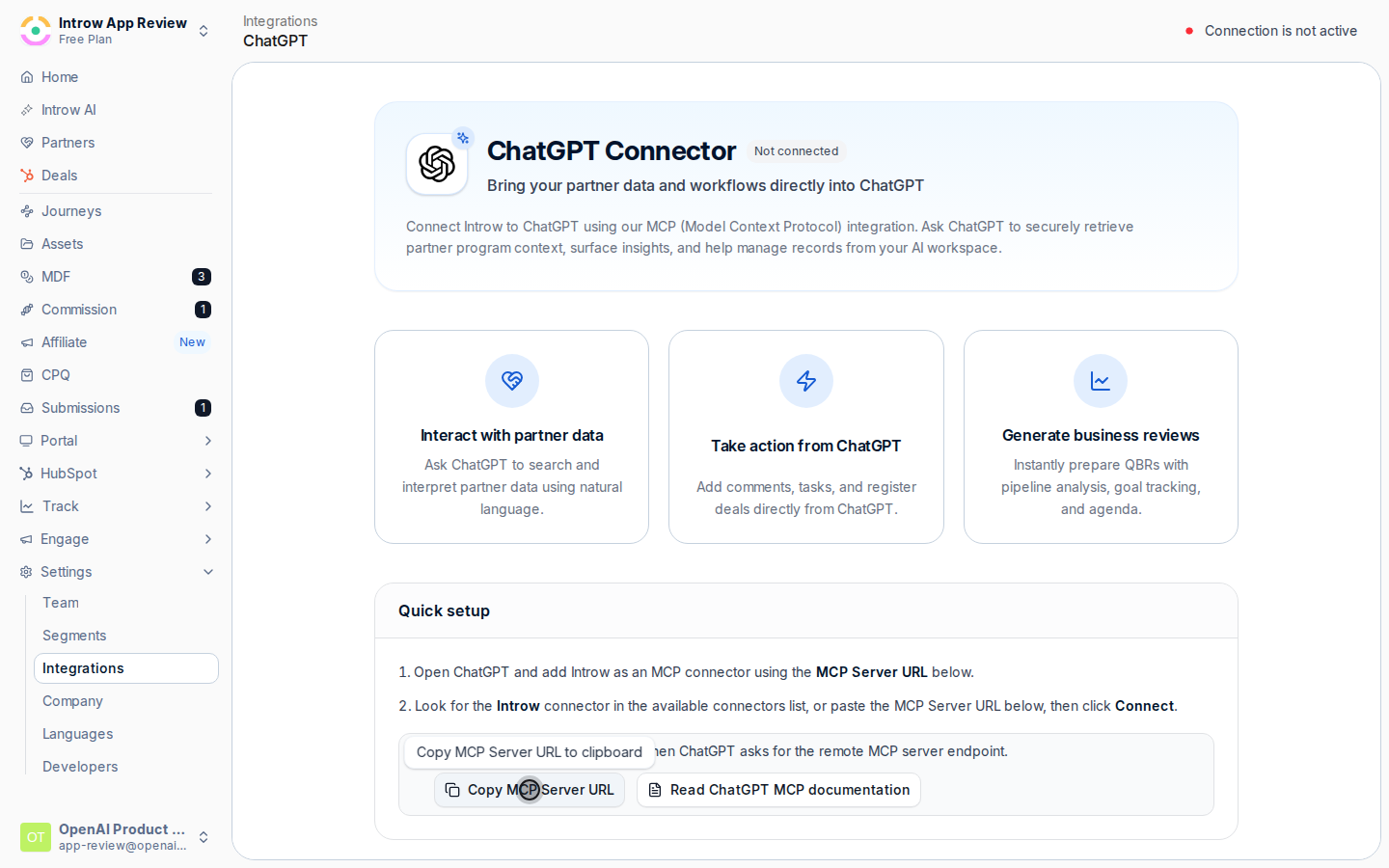
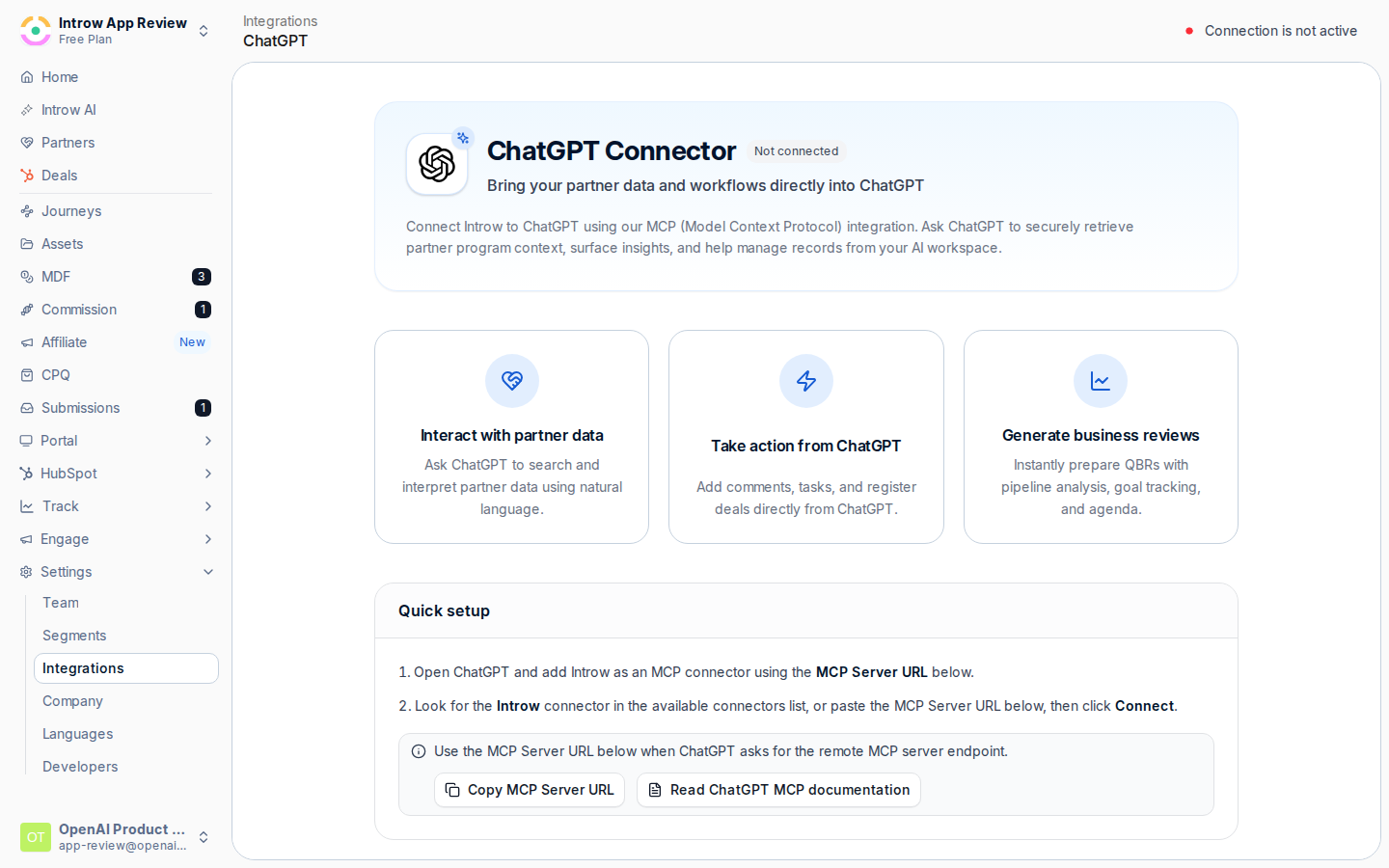 Select **Copy MCP Server URL**. This is the endpoint ChatGPT connects to; copy it from the page so you do not mistype it.
 In ChatGPT, add Introw as an MCP connector and paste the **MCP Server URL** when ChatGPT asks for the remote MCP server endpoint. This tells ChatGPT where to reach your program.
ChatGPT opens an Introw sign-in to authorize the connection. Complete it while signed in to Introw so ChatGPT connects as you, scoped to your own access. There is no API key or secret to paste.
## Verify it worked
The ChatGPT connector page shows **Connection is active**, and asking ChatGPT a question about your program returns live data. To revoke access later, select **Disconnect** on the connector page; ChatGPT loses access immediately and must reconnect.
## Related
Do the same for Claude.
Connect Cursor, Gemini, Notion, and other clients.
MCP connectors, plan requirements, and troubleshooting.
In ChatGPT, add Introw as an MCP connector and paste the **MCP Server URL** when ChatGPT asks for the remote MCP server endpoint. This tells ChatGPT where to reach your program.
ChatGPT opens an Introw sign-in to authorize the connection. Complete it while signed in to Introw so ChatGPT connects as you, scoped to your own access. There is no API key or secret to paste.
## Verify it worked
The ChatGPT connector page shows **Connection is active**, and asking ChatGPT a question about your program returns live data. To revoke access later, select **Disconnect** on the connector page; ChatGPT loses access immediately and must reconnect.
## Related
Do the same for Claude.
Connect Cursor, Gemini, Notion, and other clients.
MCP connectors, plan requirements, and troubleshooting.