> ## Documentation Index
> Fetch the complete documentation index at: https://docs.introw.io/llms.txt
> Use this file to discover all available pages before exploring further.
# Set up a reseller pipeline
> Give resellers a CRM-drawn pipeline of the deals they own, then control which deal fields they can see and which they can edit, all from the portal with no CRM seat.
Resellers who own their deals need to work them without waiting on your team or getting a CRM seat. This guide gives them a pipeline of the deals attributed to them and sets exactly what they can view and change on each one, so they keep their deals current while your internal fields stay private. This is the same shared-pipeline engine co-selling uses; here it is framed for a reseller working a deal they own, so for the underlying attribution and collaboration mechanics see the [co-selling shared pipelines](/features/co-selling/shared-pipelines) pages and add only the reseller specifics below.
## What you'll achieve
A reseller experience where resellers open a live pipeline of the deals attributed to them, see only the fields you intend, and edit only the fields they own, with every change writing straight back to your CRM and everything else read-only.
## Before you start
Deals must be attributed to the reseller so they appear in the reseller's pipeline. See [Configure deal attribution](/features/co-selling/shared-pipelines/guides/configure-deal-attribution).
An experience shared with resellers should already exist in the **Experience builder**.
## Watch it
## Steps
### Add the reseller pipeline view
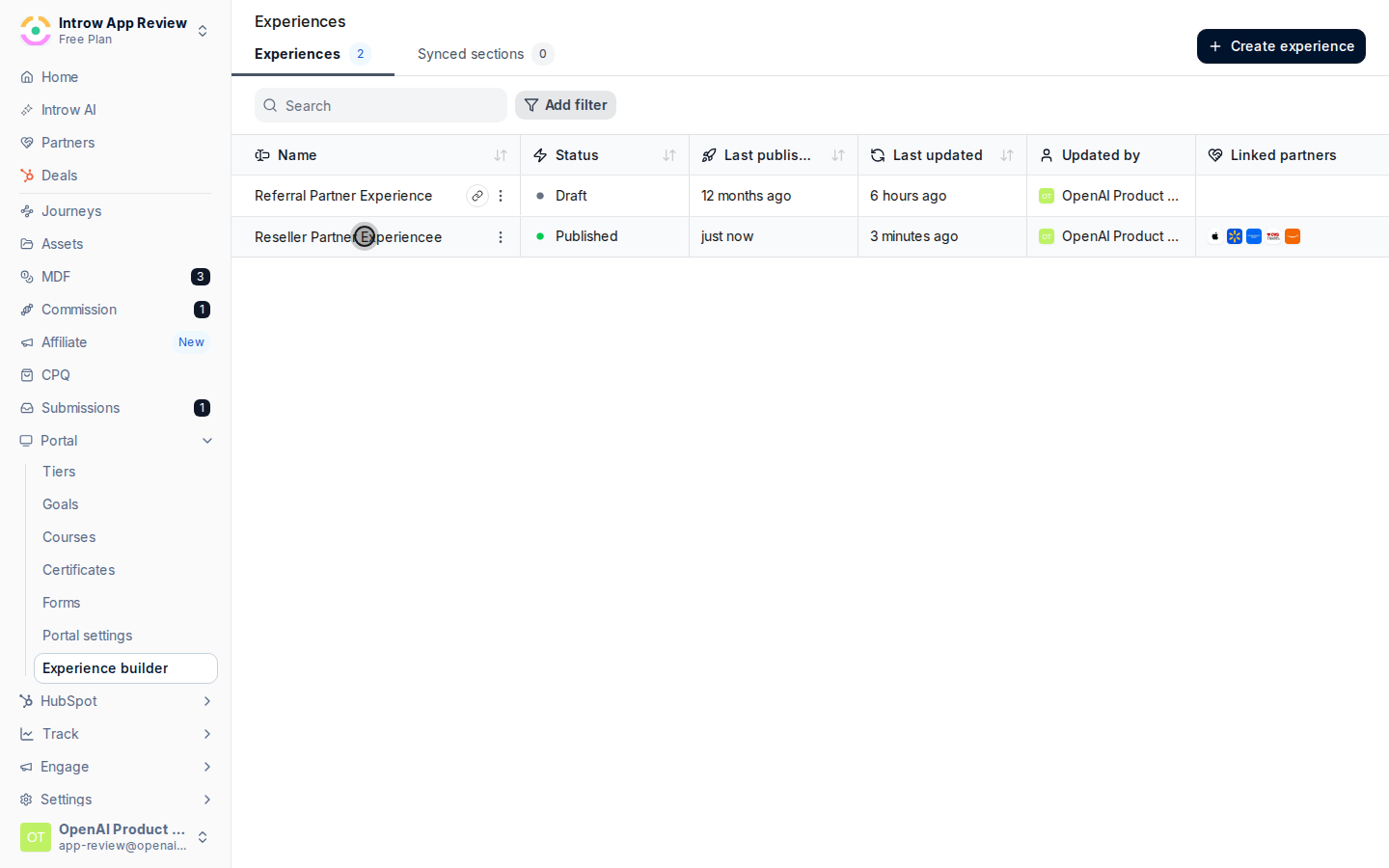
Go to [Experience builder](https://app.introw.io/templates) and open the experience shared with resellers. This is where you add the pipeline and configure the deal embed resellers will use.
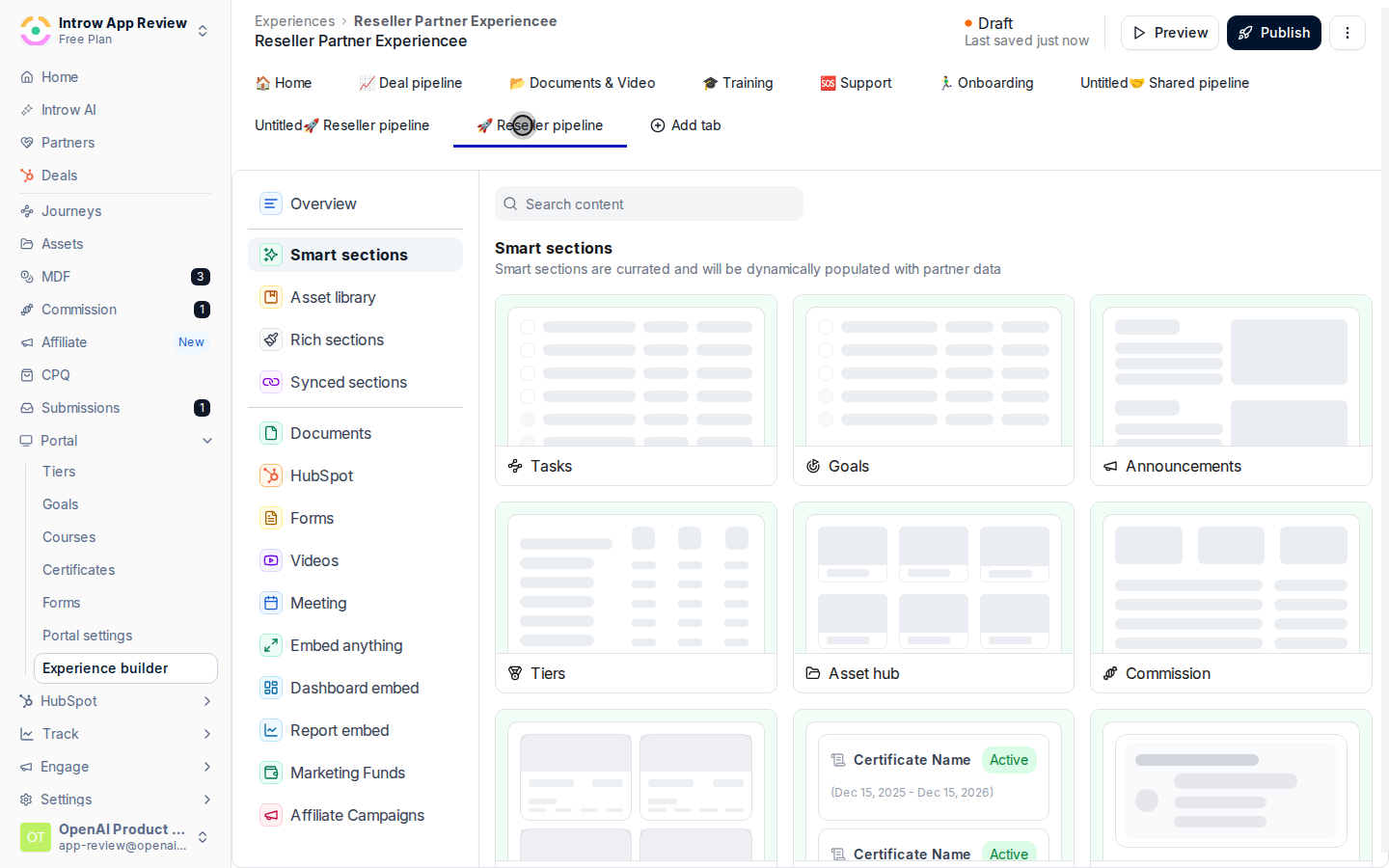
 Add a CRM deal pipeline to the experience so resellers see the deals attributed to them. Then narrow it so the view is focused:
* **Pipeline** - choose the deal pipeline resellers work from. Attribution decides which deals each reseller sees, so a reseller only ever sees their own.
* **Filters** - limit the view to the right records, for example a deal stage or deal type, so resellers see the deals that need action rather than everything.
Add a CRM deal pipeline to the experience so resellers see the deals attributed to them. Then narrow it so the view is focused:
* **Pipeline** - choose the deal pipeline resellers work from. Attribution decides which deals each reseller sees, so a reseller only ever sees their own.
* **Filters** - limit the view to the right records, for example a deal stage or deal type, so resellers see the deals that need action rather than everything.
 ### Choose what resellers can see
Open the CRM deal embed and go to its **Properties** configuration. This is where you pick the fields a reseller sees on each deal. A field must be visible here before it can ever be made editable, so visibility is where scoping starts.
### Choose what resellers can see
Open the CRM deal embed and go to its **Properties** configuration. This is where you pick the fields a reseller sees on each deal. A field must be visible here before it can ever be made editable, so visibility is where scoping starts.
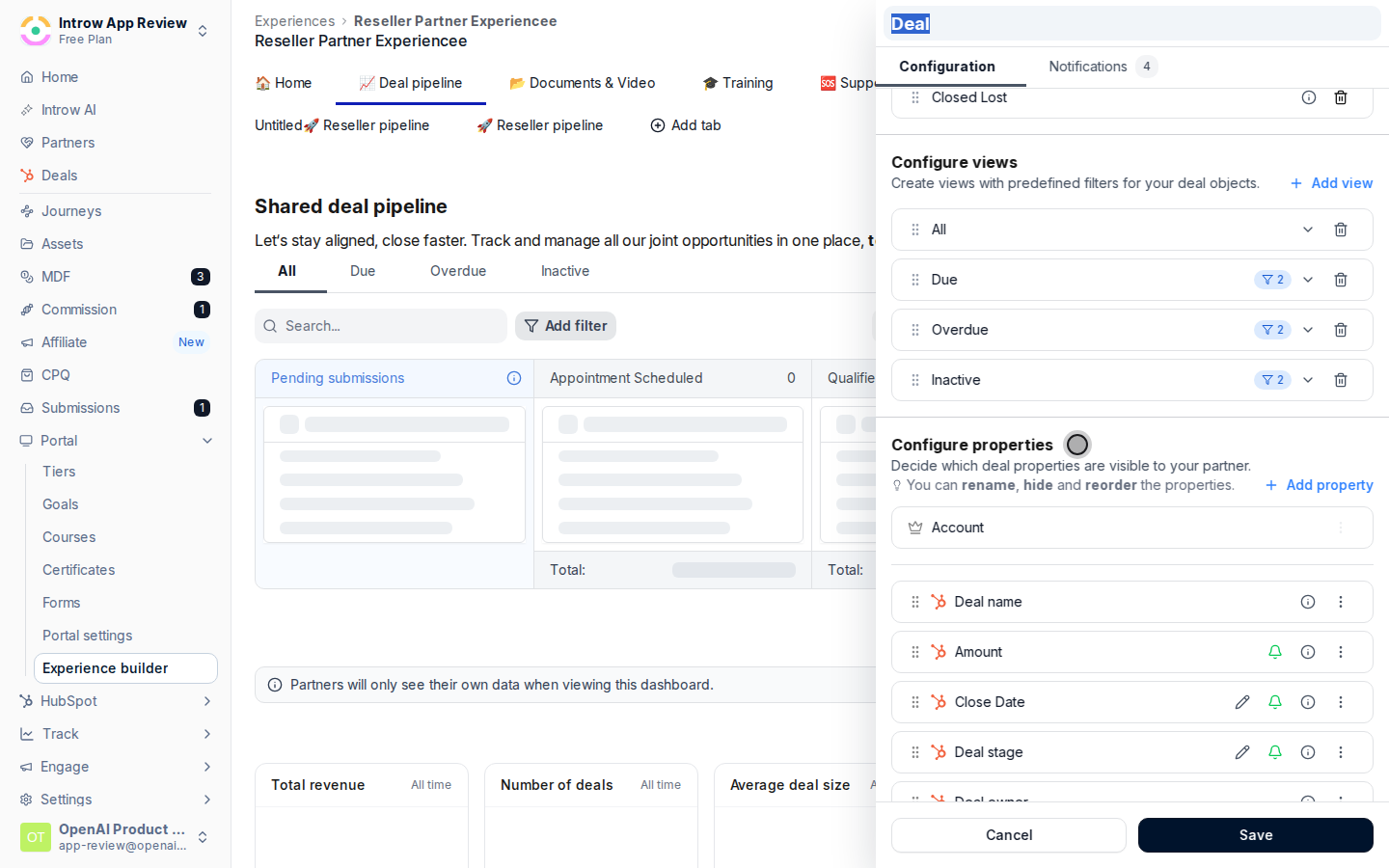 Choose the fields resellers should see and remove anything internal or sensitive:
* **Visible fields** - add the properties a reseller needs for context (next steps, close date, amount, stage) and leave out internal notes, margins, or forecast fields.
* **Related items** - decide whether related records such as contacts or line items appear, keeping internal detail out of view.
Anything you do not make visible stays hidden, so the reseller can never see fields you have not opened up.
### Choose what resellers can edit
Still on the deal embed's **Properties** configuration, each visible field carries a control to **Allow partner to edit** or keep it view-only. Mark the fields a reseller owns as editable:
* **Editable fields** - turn on **Allow partner to edit** for the fields the reseller should keep current (next steps, close date, partner-specific fields). Their edits write back to your CRM.
* **Read-only fields** - leave everything else view-only so sensitive fields stay protected even though the reseller can see them.
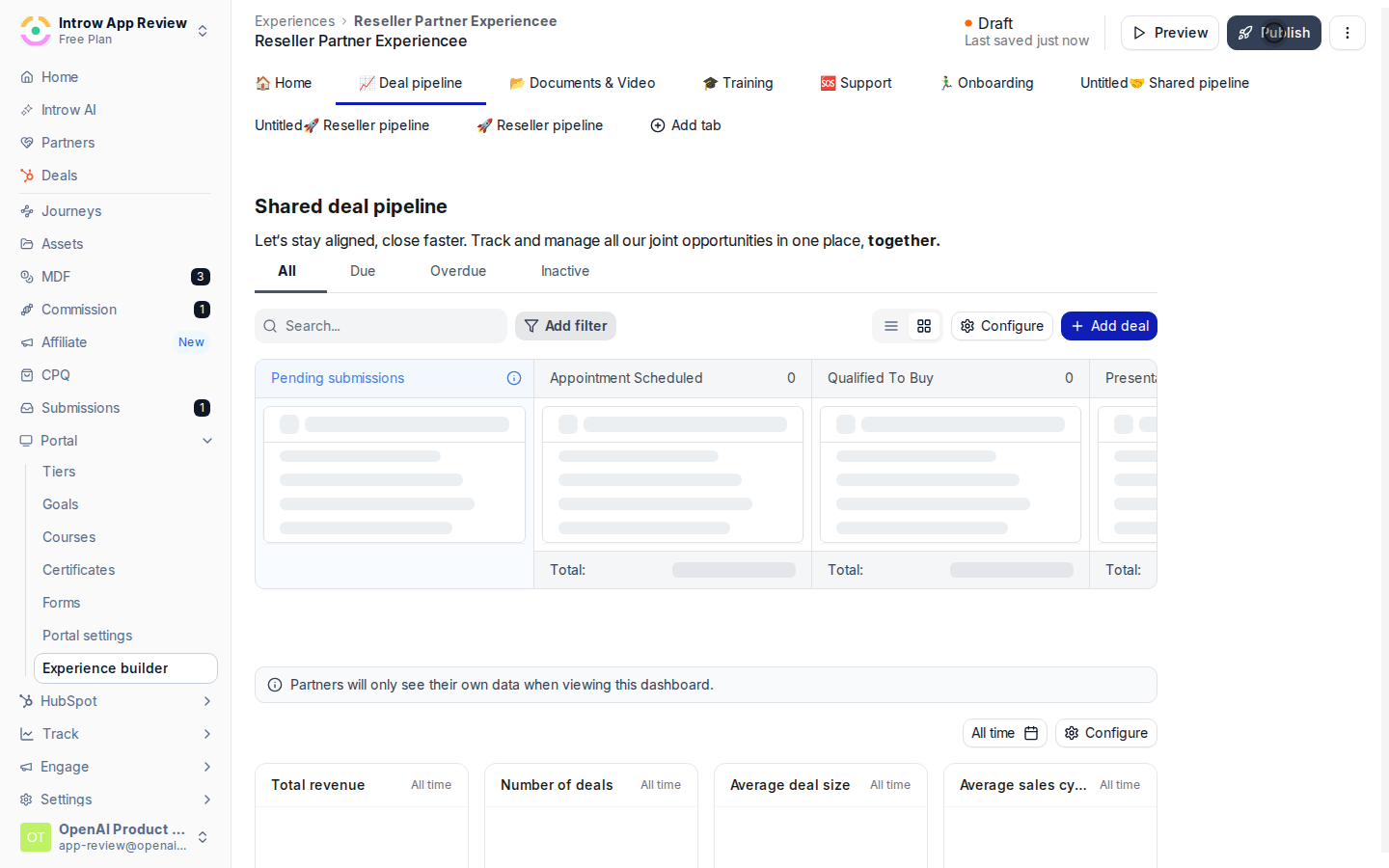
Publish so resellers see their pipeline, the fields you chose, and the editable fields in the portal.
Choose the fields resellers should see and remove anything internal or sensitive:
* **Visible fields** - add the properties a reseller needs for context (next steps, close date, amount, stage) and leave out internal notes, margins, or forecast fields.
* **Related items** - decide whether related records such as contacts or line items appear, keeping internal detail out of view.
Anything you do not make visible stays hidden, so the reseller can never see fields you have not opened up.
### Choose what resellers can edit
Still on the deal embed's **Properties** configuration, each visible field carries a control to **Allow partner to edit** or keep it view-only. Mark the fields a reseller owns as editable:
* **Editable fields** - turn on **Allow partner to edit** for the fields the reseller should keep current (next steps, close date, partner-specific fields). Their edits write back to your CRM.
* **Read-only fields** - leave everything else view-only so sensitive fields stay protected even though the reseller can see them.
Publish so resellers see their pipeline, the fields you chose, and the editable fields in the portal.
 ## Verify it worked
Sign in as the reseller and open the portal. Confirm the pipeline shows only the deals attributed to them, each deal opens to show only the fields you made visible, and only the fields you marked editable can be changed. Edit one editable field and confirm the change appears on the deal in your CRM.
## Verify it worked
Sign in as the reseller and open the portal. Confirm the pipeline shows only the deals attributed to them, each deal opens to show only the fields you made visible, and only the fields you marked editable can be changed. Edit one editable field and confirm the change appears on the deal in your CRM.
 ## Related
Let resellers run line items and quotes on the deal.
The canonical shared-pipeline setup.
Collaborate with the reseller on the deal.
Full configuration options.
## Related
Let resellers run line items and quotes on the deal.
The canonical shared-pipeline setup.
Collaborate with the reseller on the deal.
Full configuration options.