> ## Documentation Index
> Fetch the complete documentation index at: https://docs.introw.io/llms.txt
> Use this file to discover all available pages before exploring further.
# Apply each partner's negotiated discount from your CRM
> Price a product from a numeric CRM property on the partner so negotiated discounts flow into every quote.
When discounts are negotiated per partner, the cleanest place to keep them is the CRM. Partner-based
pricing reads a numeric discount property from each partner's CRM record and applies it
automatically, so an agreed discount flows into every quote that partner builds with nothing to
maintain in Introw. Reach for this when each partner has their own contracted percentage.
## What you'll achieve
A product whose discount is driven by a value on the partner's CRM record. Each partner is priced by
their own property value at quote time, so updating a partner's negotiated rate in the CRM updates
their pricing everywhere, with no per-product editing in Introw.
## Before you start
The discount must live in a numeric or currency property on the partner record in your CRM. Only
numeric and currency properties can be selected, because the value is read as a percentage.
A partner only receives a discount once their property holds a value. A partner whose property is
empty gets no discount, so fill it in for the partners who should be priced this way.
## Watch it
## Steps
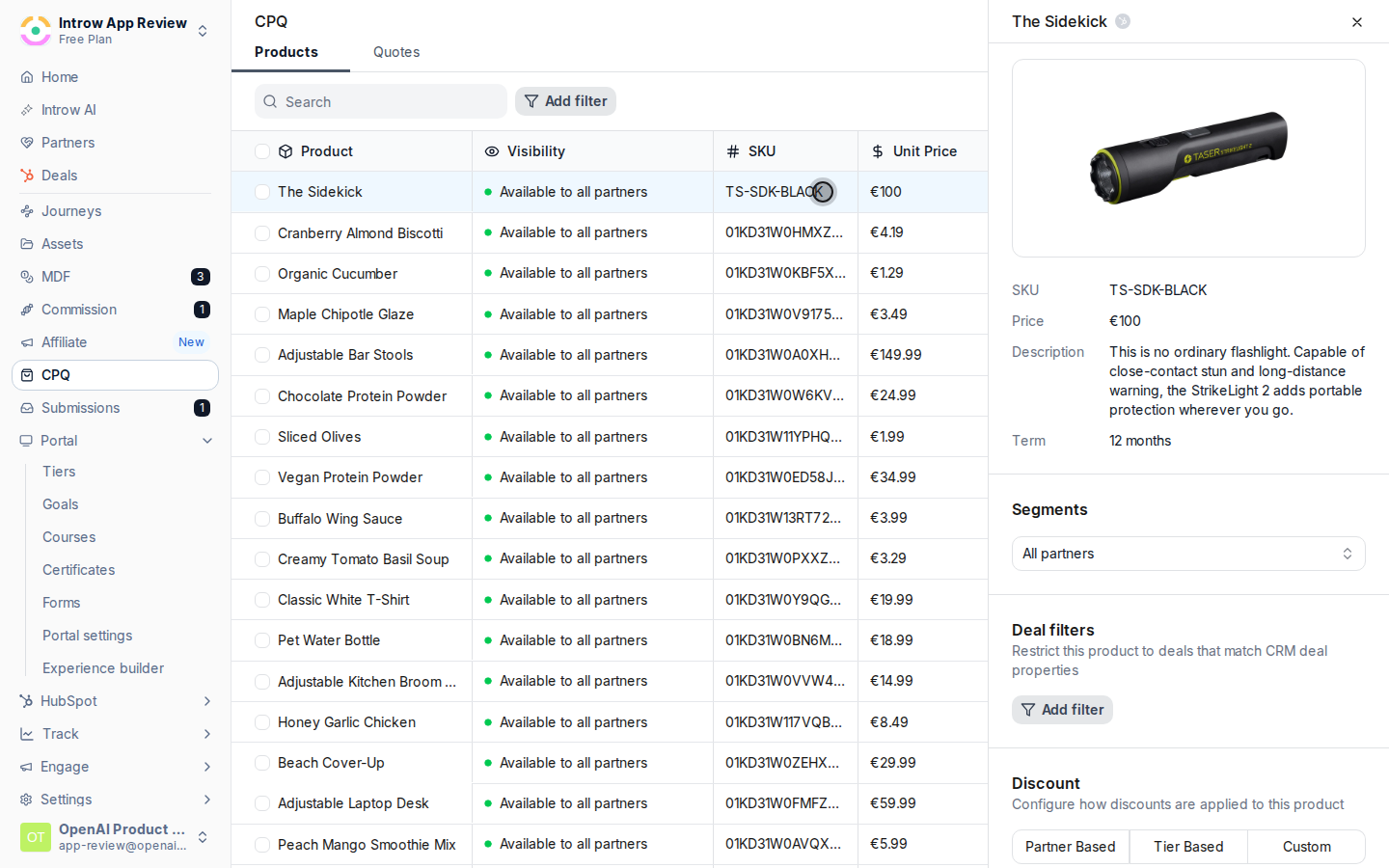
Go to [CPQ](https://app.introw.io/products), stay on the Products tab, and click the product you
want to discount to open its detail panel. Scroll to the **Discount** section. Changes save
automatically, so there is no separate Save button.
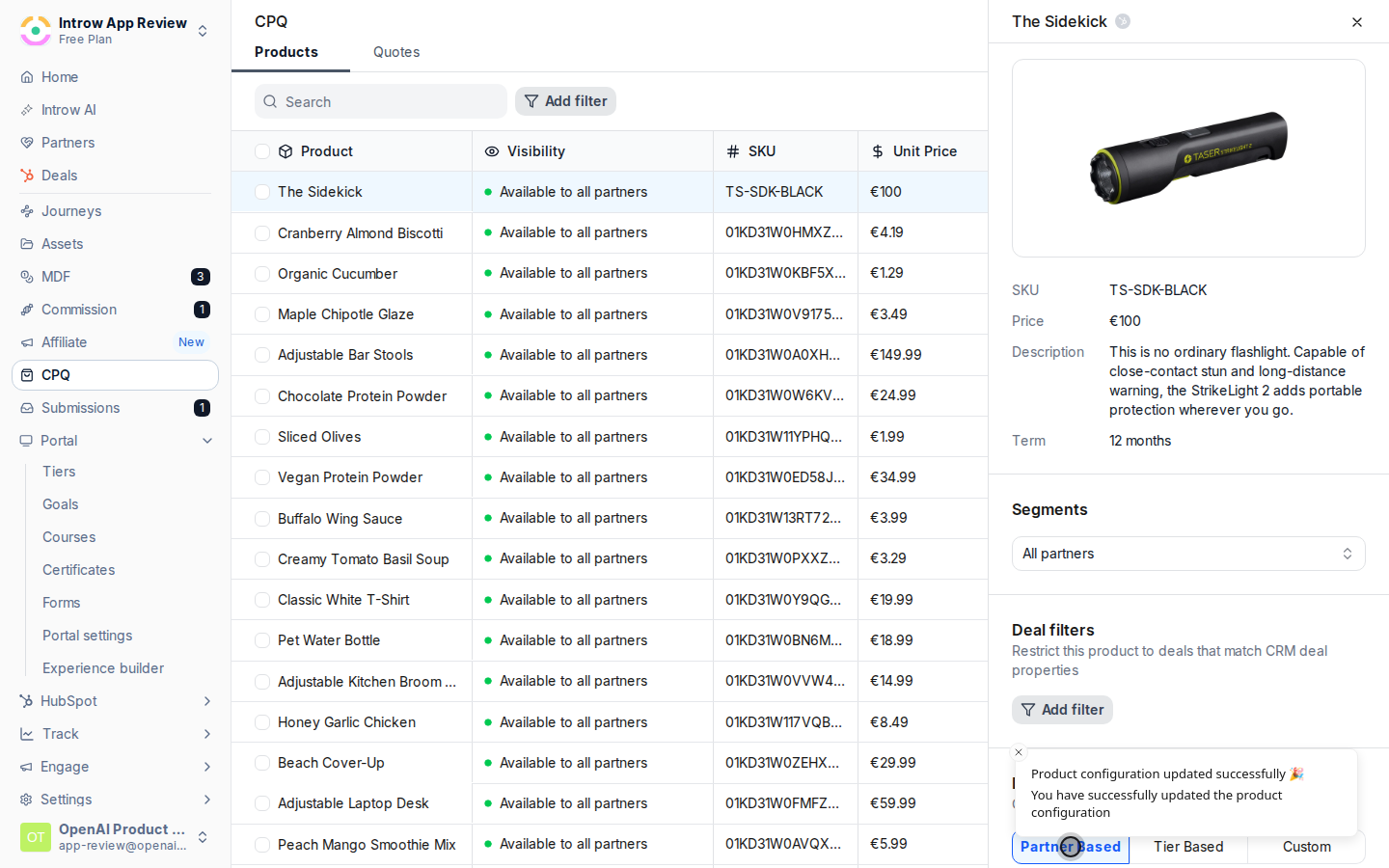
 In the **Discount** switcher, select **Partner Based**. A product uses one discount type at a
time, so this replaces any tier-based or custom pricing previously set. A **Discount Property**
selector then appears.
In the **Discount** switcher, select **Partner Based**. A product uses one discount type at a
time, so this replaces any tier-based or custom pricing previously set. A **Discount Property**
selector then appears.
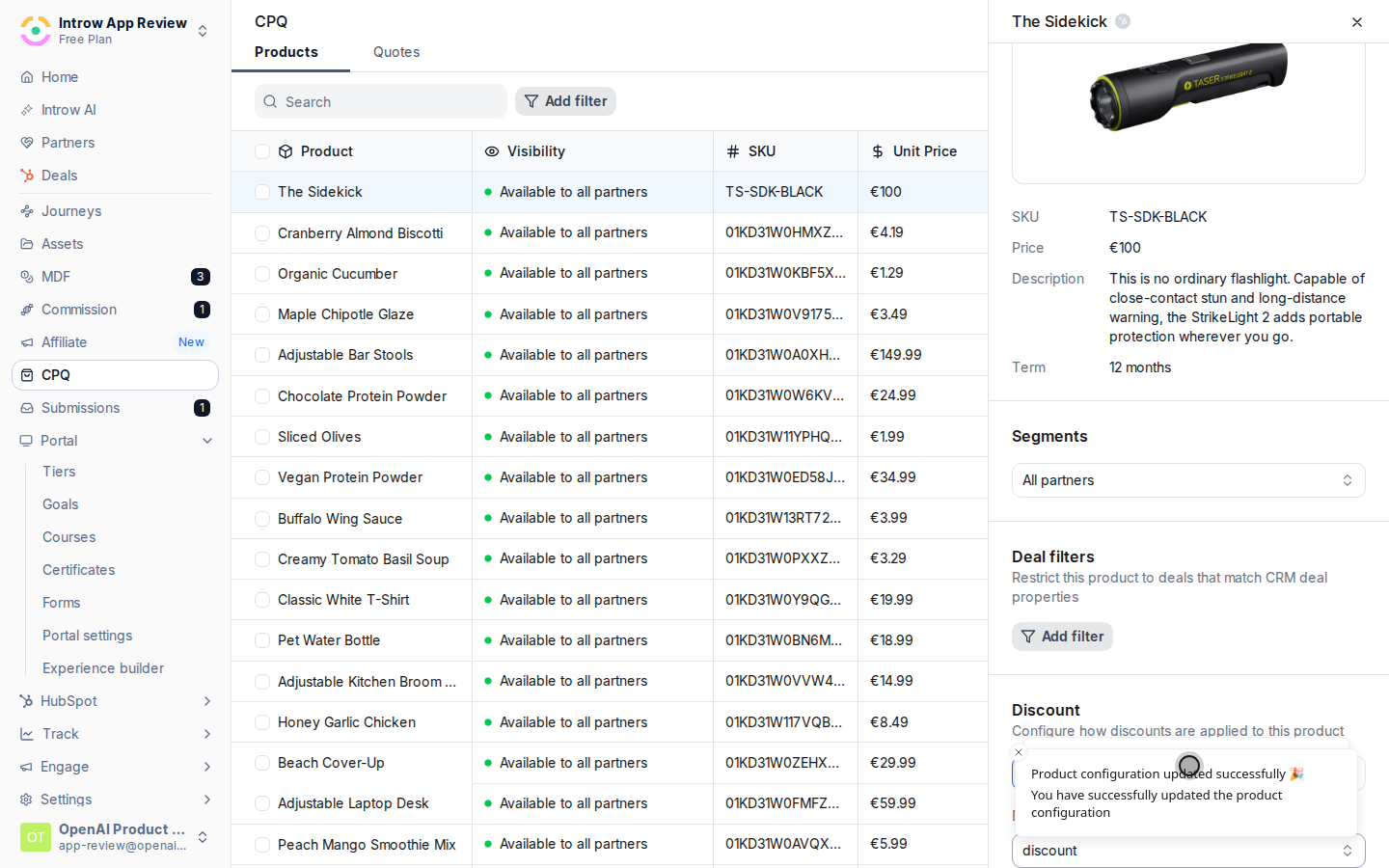
 Choose the partner property that holds the discount:
* **Discount Property** - the numeric or currency property on the partner record whose value is
used as the discount percentage (the selector only lists eligible numeric and currency
properties). Pick the property your team uses to store each partner's negotiated rate. Its
value is applied directly as the percentage off list price at quote time.
Choose the partner property that holds the discount:
* **Discount Property** - the numeric or currency property on the partner record whose value is
used as the discount percentage (the selector only lists eligible numeric and currency
properties). Pick the property your team uses to store each partner's negotiated rate. Its
value is applied directly as the percentage off list price at quote time.
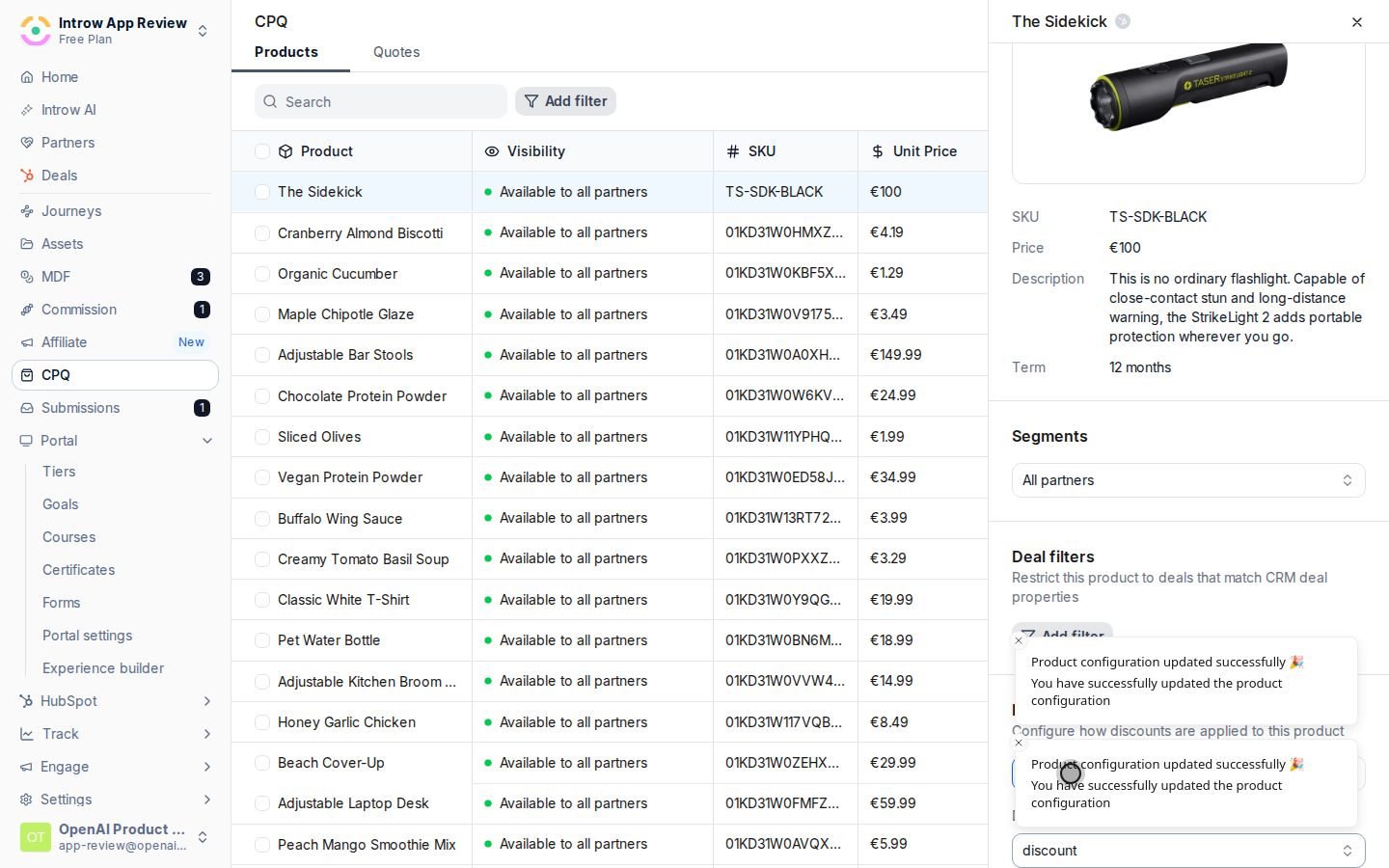
 The selection saves automatically. The **Discount** switcher stays on **Partner Based** with your
chosen property, confirming the product now prices from each partner's CRM value.
The selection saves automatically. The **Discount** switcher stays on **Partner Based** with your
chosen property, confirming the product now prices from each partner's CRM value.
 ## Verify it worked
Add the product to a quote as a partner whose discount property holds a value, and confirm the
discount is applied to the line item. Try a partner with an empty value and confirm they receive no
discount, which proves the price is being read from the property.
## Related
Price by partner tier instead.
Let trusted partners set the price.
Full pricing configuration options.
## Verify it worked
Add the product to a quote as a partner whose discount property holds a value, and confirm the
discount is applied to the line item. Try a partner with an empty value and confirm they receive no
discount, which proves the price is being read from the property.
## Related
Price by partner tier instead.
Let trusted partners set the price.
Full pricing configuration options.