> ## Documentation Index
> Fetch the complete documentation index at: https://docs.introw.io/llms.txt
> Use this file to discover all available pages before exploring further.
# Duplicate a course
> Clone a proven course as a starting point for a new variant, then adapt only what differs.
> For teams building a family of similar courses - for example, per region or per partner tier - from a proven template.
Once you have a course that works, rebuilding a near-identical one from scratch is wasted effort. Duplicating lets you treat a proven course as a template: clone it, then tweak the parts that differ (a region's pricing, a tier's requirements, a localized example) while leaving the original untouched. It is the fastest way to keep a consistent structure across many courses.
## What you'll achieve
A copy of an existing course, including its modules, chapters, and content, that you can adapt without touching the original, then make available to a new audience.
## Before you start
You need a team role with write access to Courses. A duplicate counts against your course limit if the LMS module is not enabled.
## Watch it
## Steps
On [Courses](https://app.introw.io/courses), find the course you want to use as a template and open its row menu. Pick the version that is closest to what the new course needs so you change as little as possible afterwards.
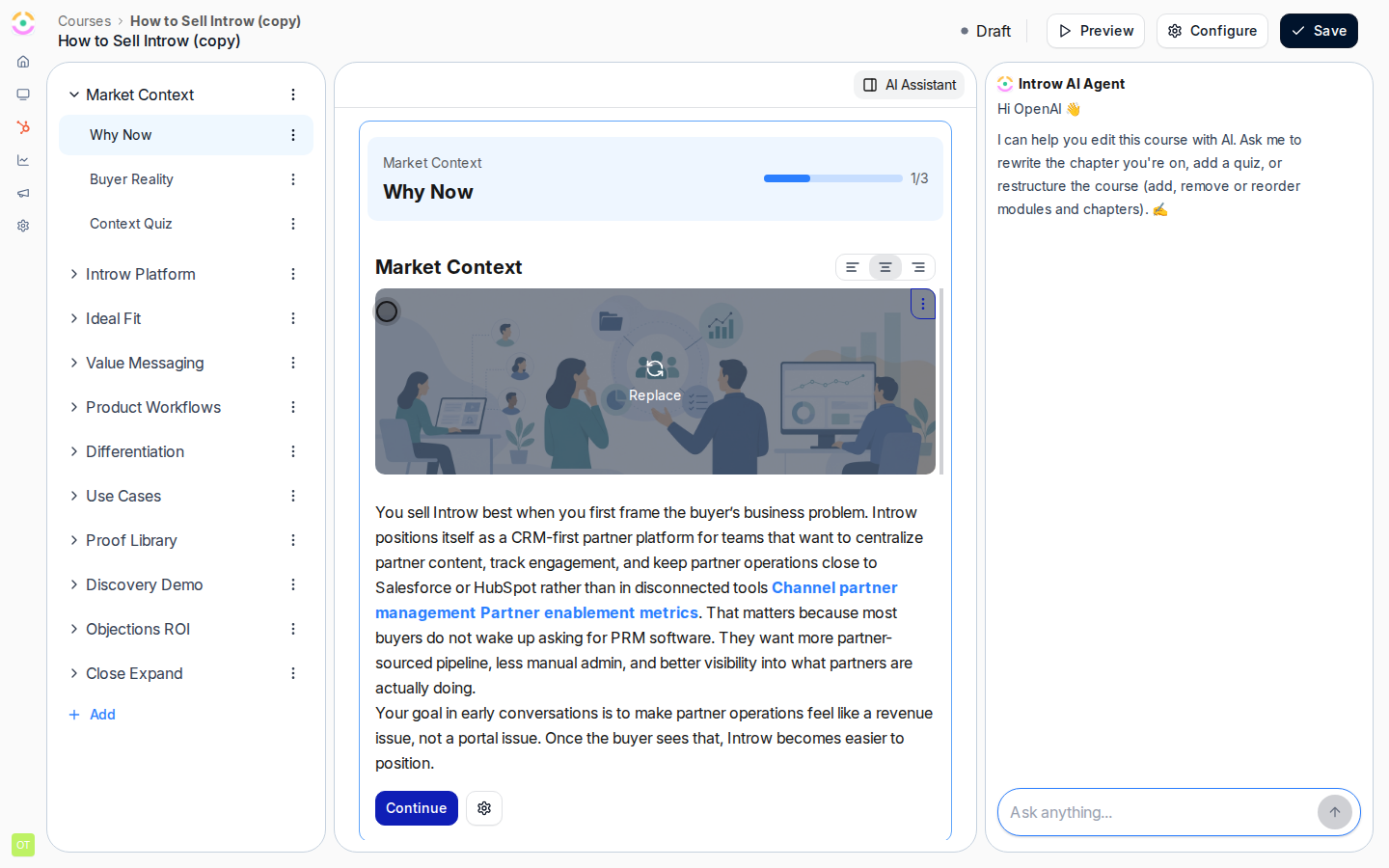 Choose **Duplicate**. Introw copies the whole course - modules, chapters, and content - into a new course in **Draft** so the original stays live and unchanged. The copy is independent: edits to it never affect the source.
Open the new course and edit only what differs for this variant: rename it, swap the localized examples, adjust the passing score, or change the certificate. Leave the shared structure in place so the family of courses stays consistent.
Enroll a cohort by hand or turn on automatic enrollment to take the variant live. Like any course it stays **Draft** until its first enrollment or auto-enrollment is on, then automatically becomes **Active**.
## Verify it worked
A new draft course appears with the same module and chapter structure as the original, edits to the copy do not affect the source course, and once a partner is enrolled the copy becomes **Active**.
## Related
Adapt the copy's structure and content.
Auto-enroll the right segment for the new variant.
Course model and statuses.
Choose **Duplicate**. Introw copies the whole course - modules, chapters, and content - into a new course in **Draft** so the original stays live and unchanged. The copy is independent: edits to it never affect the source.
Open the new course and edit only what differs for this variant: rename it, swap the localized examples, adjust the passing score, or change the certificate. Leave the shared structure in place so the family of courses stays consistent.
Enroll a cohort by hand or turn on automatic enrollment to take the variant live. Like any course it stays **Draft** until its first enrollment or auto-enrollment is on, then automatically becomes **Active**.
## Verify it worked
A new draft course appears with the same module and chapter structure as the original, edits to the copy do not affect the source course, and once a partner is enrolled the copy becomes **Active**.
## Related
Adapt the copy's structure and content.
Auto-enroll the right segment for the new variant.
Course model and statuses.