> ## Documentation Index
> Fetch the complete documentation index at: https://docs.introw.io/llms.txt
> Use this file to discover all available pages before exploring further.
# Configure deal attribution
> Link every deal to the partner who sourced or influenced it, so partners see the right deals in a shared pipeline and partner-attached revenue, reporting, and commissions are trustworthy.
{/* Attribution is the single link that decides which partner a deal belongs to. Everything downstream
reads from it: a partner only sees a deal in their pipeline if it is attributed to them, reporting
only credits partner-attached pipeline it can attribute, and a commission plan only pays on deals it
can tie to an enrolled partner. This guide sets that link once, using the relationship your CRM
already holds, so every current and future matching deal attributes automatically. It is the
foundation the shared-pipeline, co-sell, referral, and reseller guides all assume is in place. */}
## What you'll achieve
Deals linked to the partner who sourced or influenced them, under a clear attribution name your team and partners recognize, so attributed deals flow into the right partner's shared pipeline and partner records, partner-sourced and partner-influenced pipeline shows correctly in reporting, and commission plans pay on exactly the deals a partner earned.
## Before you start
Your CRM must be connected and synced, since attribution reads the relationship between a deal and a partner from it. See [Connect HubSpot](/features/integrations/crm/guides/connect-hubspot) or [Connect Salesforce](/features/integrations/crm/guides/connect-salesforce).
The partners deals attribute to must exist in Introw so the link resolves to a real partner record. See [Sync partners and contacts](/features/integrations/crm/guides/sync-partners-and-contacts).
Decide which relationship your CRM already uses: a deal property that holds the partner, an association between the deal and the partner company or object, or a Salesforce lookup or relation table. If you have none yet, Introw can create one for you. Compare every option in [Attribution options](/features/integrations/crm/guides/attribution-options).
## Watch it
## Steps
### Understand what attribution drives
Attribution is the one link that answers "whose deal is this?". Before you configure it, know what reads from it, because a wrong or missing attribution silently breaks all of it:
* **Shared pipelines and partner records** - a partner only sees a deal if it is attributed to them, so attribution is what scopes each partner to their own deals and never anyone else's.
* **Reporting** - partner-sourced and partner-influenced pipeline and revenue are only credited to a partner when a deal resolves to them.
* **Commissions** - a plan's eligibility can filter on partner attribution, so a partner only earns on deals actually tied to them. See [Set eligibility conditions](/features/commissions/commission-plans/guides/set-eligibility-conditions).
You attribute the **Deal** (HubSpot) or **Opportunity** (Salesforce) object at minimum; you can attribute additional objects (contacts, companies, tickets, custom objects) the same way.
 ### Configure the attribution
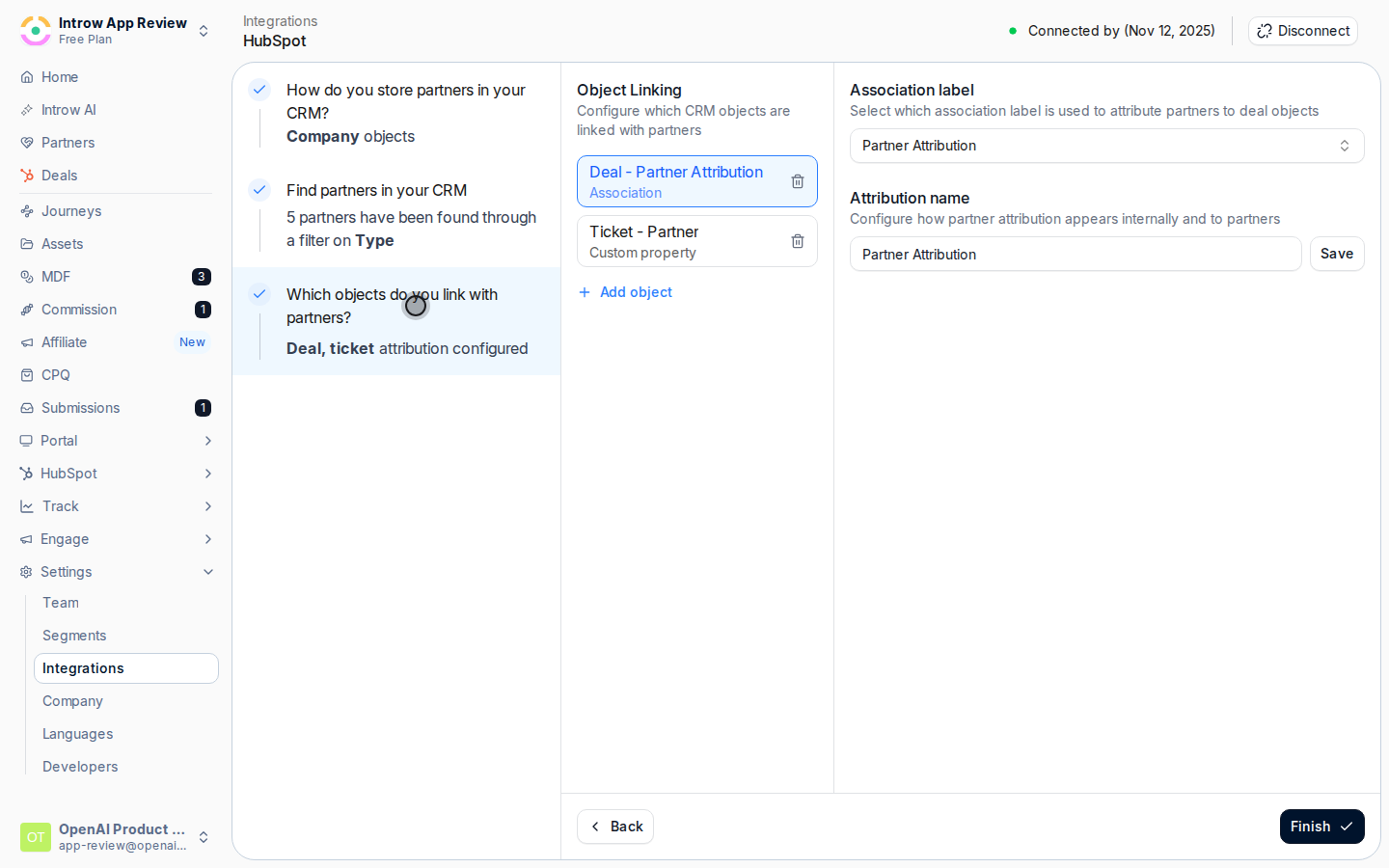
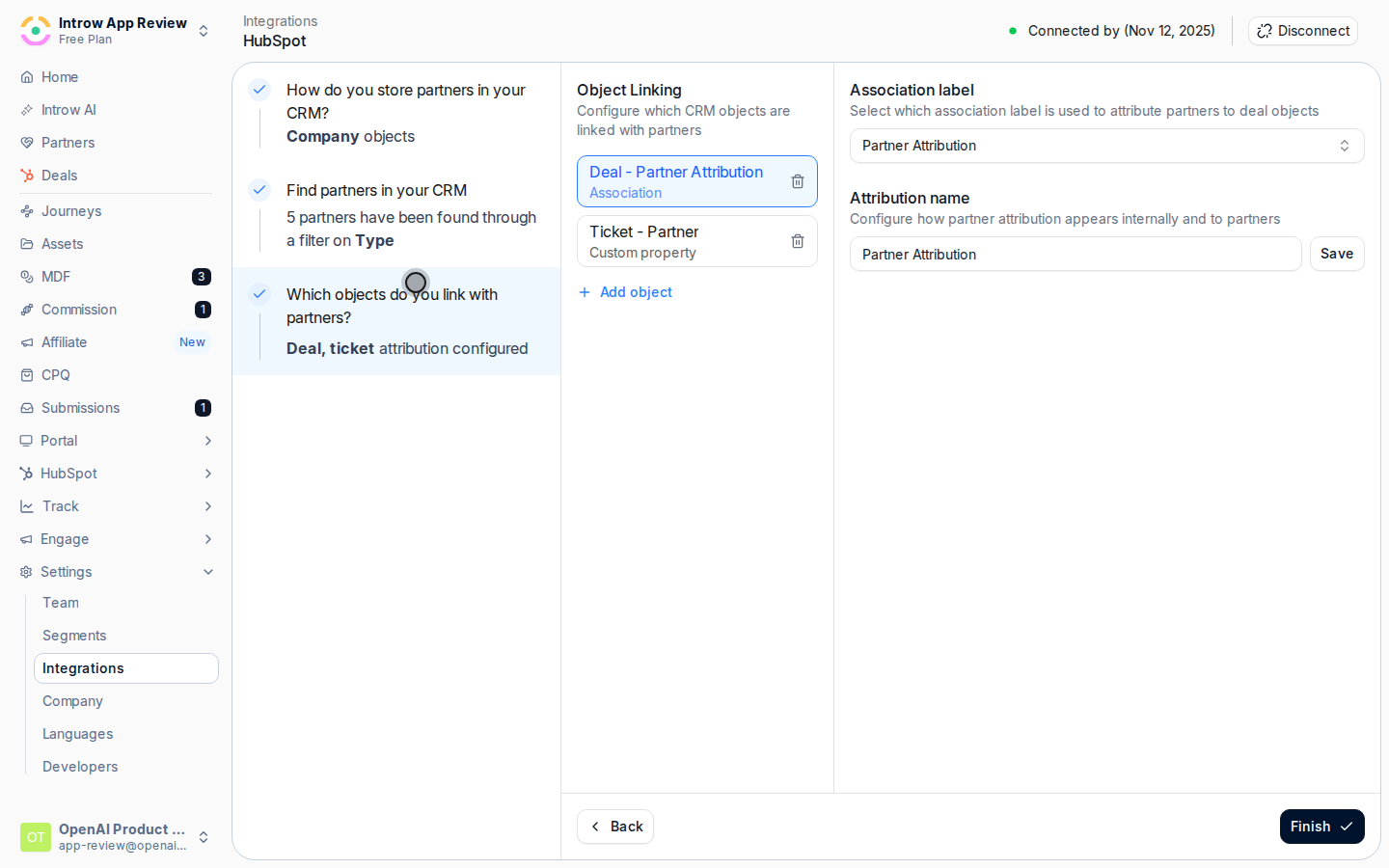
Go to [Settings, then Integrations](https://app.introw.io/settings/integrations?category=crm) and open your connected CRM with **Configure**, then go to **Which objects do you link with partners?** (the **Object Linking** screen). Choose **Add object** to create a new mapping, or open the existing **Deal** or **Opportunity** mapping to edit it. This is the same attribution step the connect wizard runs, reopened so you can add or refine mappings any time.
### Configure the attribution
Go to [Settings, then Integrations](https://app.introw.io/settings/integrations?category=crm) and open your connected CRM with **Configure**, then go to **Which objects do you link with partners?** (the **Object Linking** screen). Choose **Add object** to create a new mapping, or open the existing **Deal** or **Opportunity** mapping to edit it. This is the same attribution step the connect wizard runs, reopened so you can add or refine mappings any time.
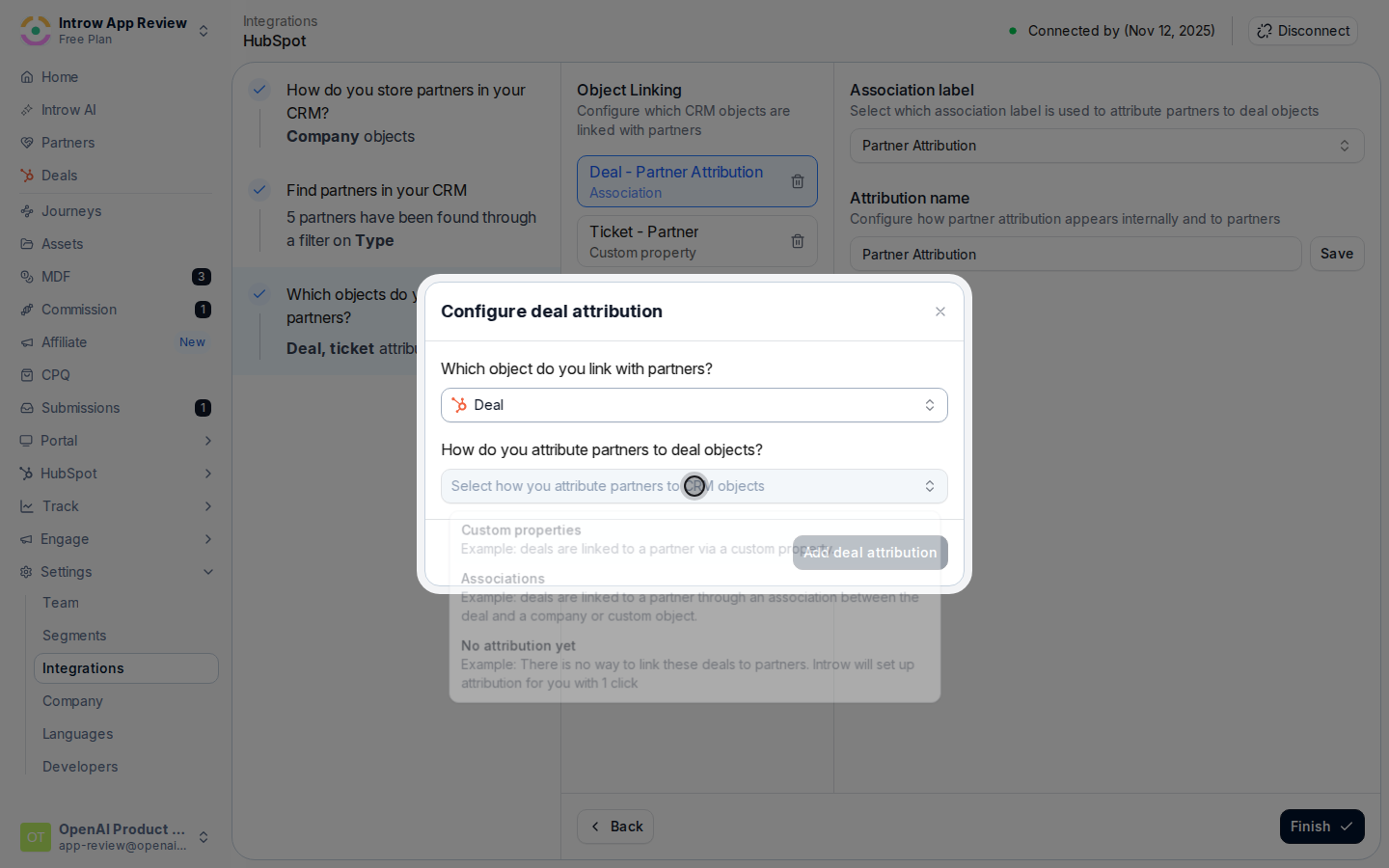
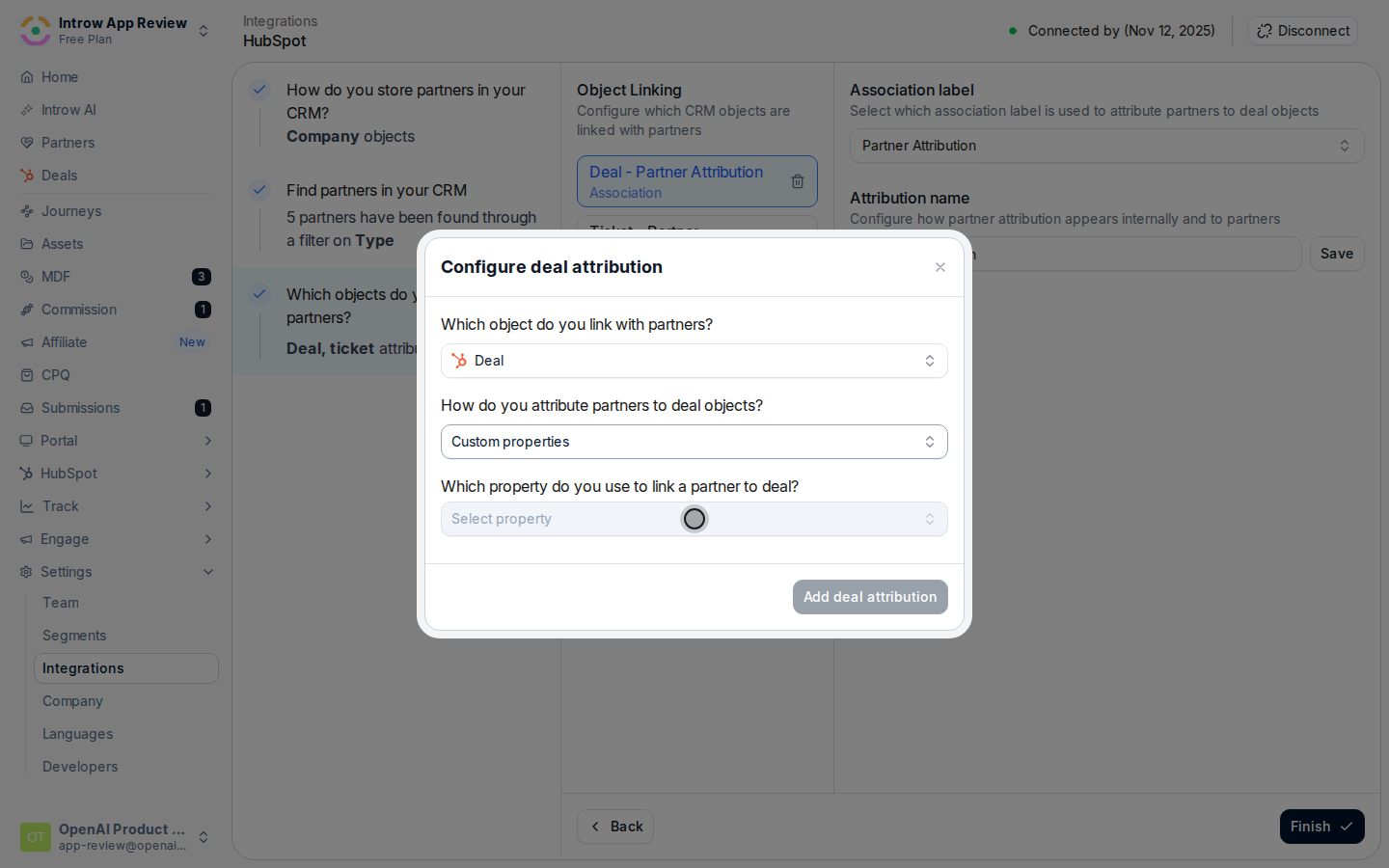
 On **How do you attribute partners to Deal objects?**, pick the method that mirrors how your CRM already links deals to partners. Match your existing model rather than restructuring it:
* **Custom property** - link each deal to a partner through a property you already maintain (a partner dropdown, picklist, or lookup). Best when a deal records one partner on a field.
* **Association / relation** - attribute through a native association (HubSpot) or a lookup or relation table (Salesforce) between the deal and the partner company or object. Best when you already relate partners to deals natively, and required for many-partners-per-deal.
* **No attribution yet** - if no link exists, Introw creates a dedicated partner property on the object for you in one click, so you can start fresh.
Each method's exact clicks live in the CRM-specific guides: [Link HubSpot deals to partners](/features/integrations/crm/guides/link-hubspot-deals-to-introw) and [Link Salesforce opportunities to partners](/features/integrations/crm/guides/link-salesforce-opportunities-to-introw).
On **How do you attribute partners to Deal objects?**, pick the method that mirrors how your CRM already links deals to partners. Match your existing model rather than restructuring it:
* **Custom property** - link each deal to a partner through a property you already maintain (a partner dropdown, picklist, or lookup). Best when a deal records one partner on a field.
* **Association / relation** - attribute through a native association (HubSpot) or a lookup or relation table (Salesforce) between the deal and the partner company or object. Best when you already relate partners to deals natively, and required for many-partners-per-deal.
* **No attribution yet** - if no link exists, Introw creates a dedicated partner property on the object for you in one click, so you can start fresh.
Each method's exact clicks live in the CRM-specific guides: [Link HubSpot deals to partners](/features/integrations/crm/guides/link-hubspot-deals-to-introw) and [Link Salesforce opportunities to partners](/features/integrations/crm/guides/link-salesforce-opportunities-to-introw).
 When the source holds coded values rather than partner names, use **Match property values to Introw partners** to line each CRM value up with the right partner record, so deals resolve to the correct partner. For an association or relation, confirm the label or keys that represent the partner relationship.
 Set **What name do you want to use for this attribution?** so the link reads clearly to your team and partners. The name is not cosmetic: it is how the credit is labeled in reporting and how you target it in commissions. Use language that reflects the role, for example **Sourced by** for the partner who created the deal and **Influenced by** for a partner who helped.
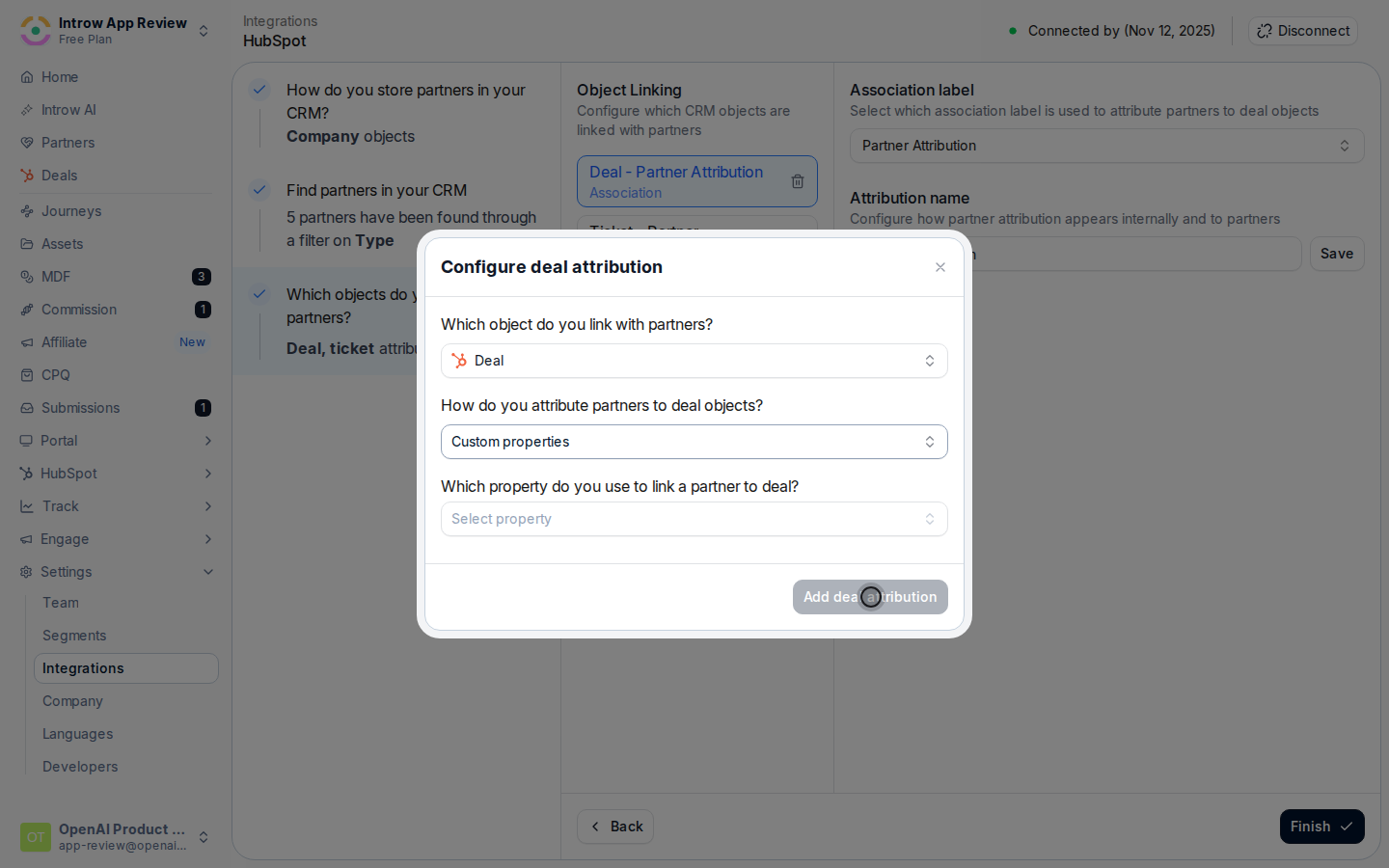 If a deal can involve more than one partner, add a second attribution (for example one named **Sourcing partner** and one **Influencing partner**) so a deal can credit both without them colliding. This is what lets a distributor and a reseller, or a referrer and a co-seller, share credit and visibility on the same deal. Repeat the method + name steps for each attribution you need.
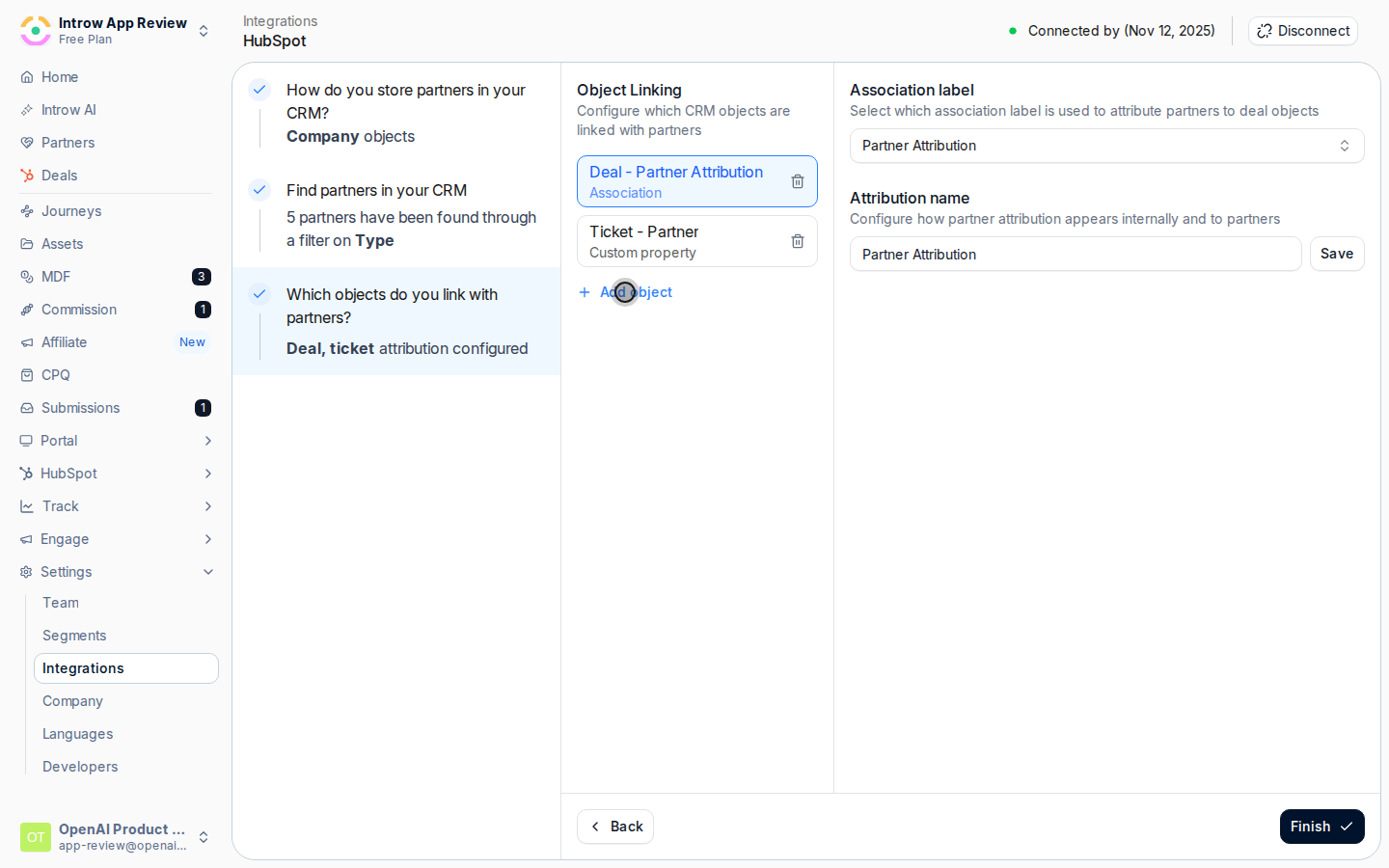 Select **Add Deal attribution** (or **Save** when editing) and confirm when Introw asks you to verify the configuration. Introw then resolves every matching deal to its partner on the next sync, and keeps new and updated deals attributed automatically.
## Verify it worked
Open a partner-influenced deal in your CRM. In Introw it now shows attributed to the right partner under your attribution name, that partner's pipeline in a shared experience includes the deal, and their sourced or influenced pipeline reflects it in reporting and commissions. If a deal is missing, confirm the deal carries the property, association, or relation your method reads, and that any coded values are mapped to a partner.
## Related
Compare every HubSpot and Salesforce attribution method and when to use each.
Step-by-step for each HubSpot method.
Step-by-step for each Salesforce method, including relation tables.
Put attributed deals in front of partners in the portal.
Select **Add Deal attribution** (or **Save** when editing) and confirm when Introw asks you to verify the configuration. Introw then resolves every matching deal to its partner on the next sync, and keeps new and updated deals attributed automatically.
## Verify it worked
Open a partner-influenced deal in your CRM. In Introw it now shows attributed to the right partner under your attribution name, that partner's pipeline in a shared experience includes the deal, and their sourced or influenced pipeline reflects it in reporting and commissions. If a deal is missing, confirm the deal carries the property, association, or relation your method reads, and that any coded values are mapped to a partner.
## Related
Compare every HubSpot and Salesforce attribution method and when to use each.
Step-by-step for each HubSpot method.
Step-by-step for each Salesforce method, including relation tables.
Put attributed deals in front of partners in the portal.