> ## Documentation Index
> Fetch the complete documentation index at: https://docs.introw.io/llms.txt
> Use this file to discover all available pages before exploring further.
# Reward a partner for finishing a journey
> Book a one-off commission bonus, issue a certificate, move the partner into the activated segment, and tell them, the moment they complete an onboarding journey.
A completion bonus is easy to promise and hard to deliver. Onboarding finishes, and then somebody has to notice, raise the reward with ops, tag the partner as activated, and send a congratulations note, which is four handoffs for a payment you already decided on. This guide makes the completion itself do all of it: a fixed commission line, a certificate, the activated segment, and the email, in one workflow.
## What you'll achieve
An enabled workflow that, whenever a partner completes your onboarding journey, books a one-off bonus of a fixed amount in that partner's own currency, awards them the completion certificate, moves them into the segment that unlocks the next stage of your program, and emails them, with the reward landing in your normal approval and payout run rather than beside it.
## Before you start
The trigger fires when every task of a journey is done, so the journey needs to be one that genuinely ends. See [Build a journey from scratch](/features/partners/journeys/guides/build-a-journey-from-scratch).
The workflow books a commission line for a fixed amount. Confirm the figure and that it should go through your usual payout process. See [Configure commission payout settings](/features/commissions/settings/guides/configure-commission-payout-settings).
Both are picked from lists of things that already exist. The segment has to be a **static** one, because that is the only kind a workflow can add a partner to. See [Create a certificate](/features/courses/certificates/guides/create-a-certificate) and [Create a static segment](/features/partners/segments/guides/create-a-static-segment).
## Watch it
## Steps
### Trigger on completion
Go to [Workflows](https://app.introw.io/workflows), select **New workflow**, select the trigger node, and choose **Journey completed** under **Tasks & journeys**.
**Journey completed** fires when every task of the journey is done, not when the last one happens to be ticked in isolation, so it is a real completion event rather than a task event you have to reason about.
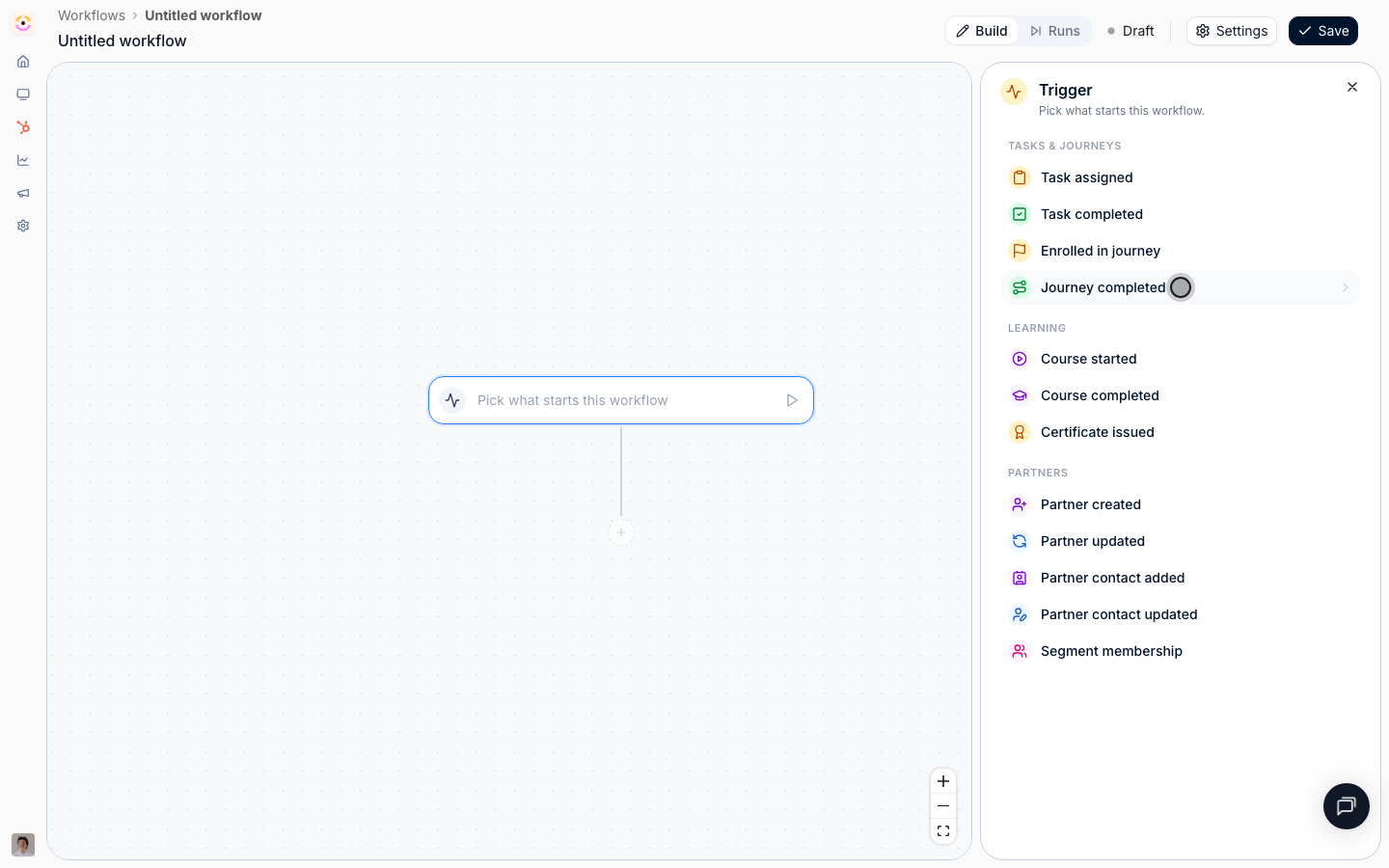 * **Which journeys count** - pick your onboarding journey. Leave it empty and finishing any journey pays the bonus, which is exactly the kind of mistake that is expensive rather than merely wrong. Pick one.
* **Only for partners in** - the segments a partner has to be in to qualify. Use this if the bonus applies to some partner types and not others, for example resellers but not referral partners. Leave it empty to reward everyone.
* **Only for partners matching** - the same qualification over the partner's own Introw and CRM fields, for a rule you would not keep a segment for. A bonus that only applies above a tier is **Partner tier** **is any of** Silver, Gold, Elite here.
* **Only for journeys matching** - conditions on the event's own fields, **Journey** and **Completed at**. You have already narrowed by journey, so leave this empty.
* **Which journeys count** - pick your onboarding journey. Leave it empty and finishing any journey pays the bonus, which is exactly the kind of mistake that is expensive rather than merely wrong. Pick one.
* **Only for partners in** - the segments a partner has to be in to qualify. Use this if the bonus applies to some partner types and not others, for example resellers but not referral partners. Leave it empty to reward everyone.
* **Only for partners matching** - the same qualification over the partner's own Introw and CRM fields, for a rule you would not keep a segment for. A bonus that only applies above a tier is **Partner tier** **is any of** Silver, Gold, Elite here.
* **Only for journeys matching** - conditions on the event's own fields, **Journey** and **Completed at**. You have already narrowed by journey, so leave this empty.
 ### Pay the reward
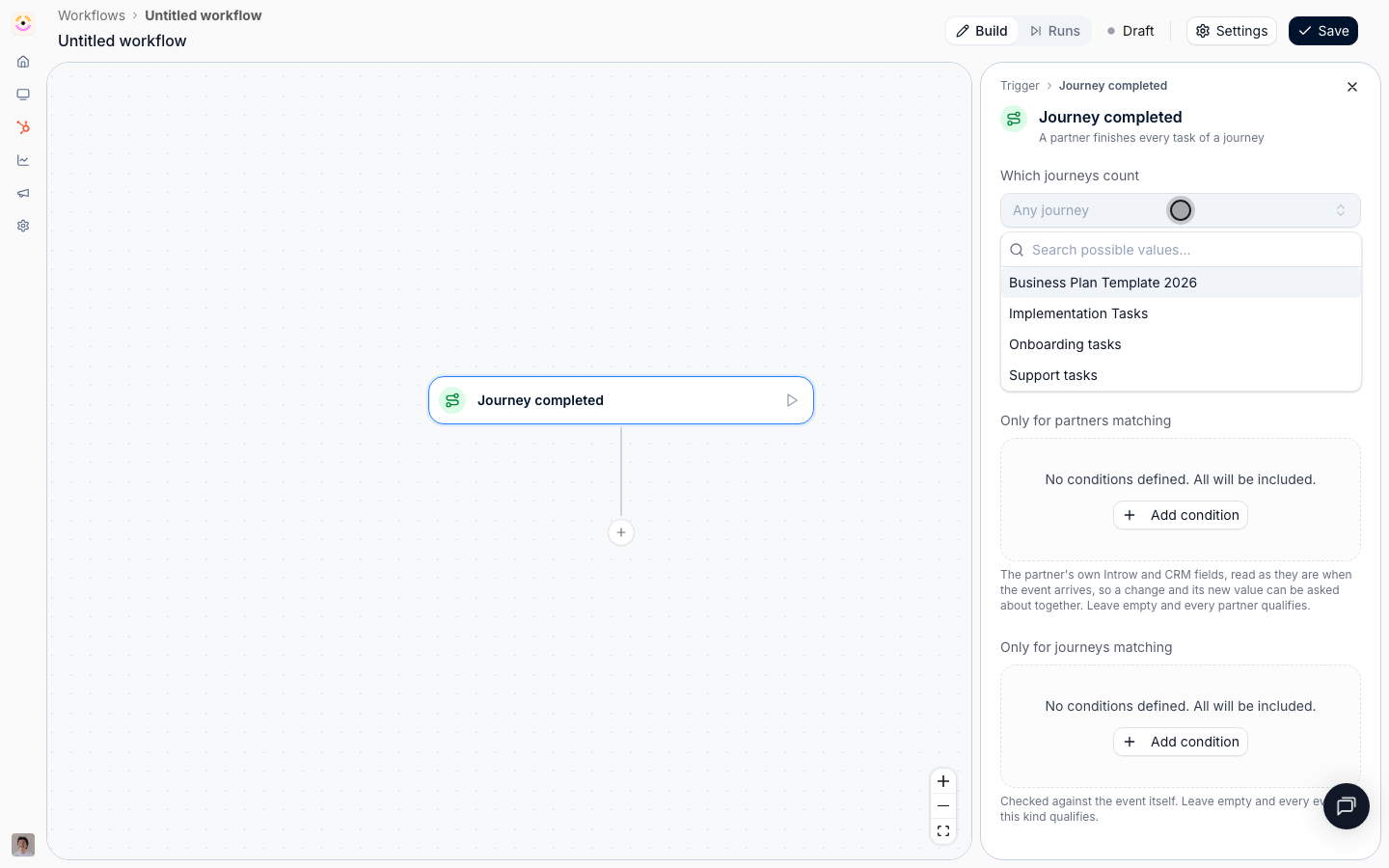
Select the **+** under the trigger, choose **Action**, then **Give commission** from the **Rewards** group.
* **Amount** - the fixed figure, for example `50`. Use a positive number with at most two decimal places.
* **Currency** - leave it on **Partner's currency** and the amount is resolved in each partner's own currency when the run happens, so one workflow stays correct across a program that bills in several. Pin a specific currency only when the bonus is genuinely the same number of the same currency for everyone.
* **Description** - what the commission is for, for example "Onboarding completion bonus". It is shown on the partner's commission tab and on the payout, so write it for the partner reading their statement, not for yourself.
This books a single manual line, not a plan. A plan earns lines over time from CRM or billing data, and lives under [Commission plans](/features/commissions/commission-plans); this is the "fixed amount for doing a thing" case. The line is created as pending, so it still goes through your normal approval and payout run, and nothing is paid without the usual review.
### Pay the reward
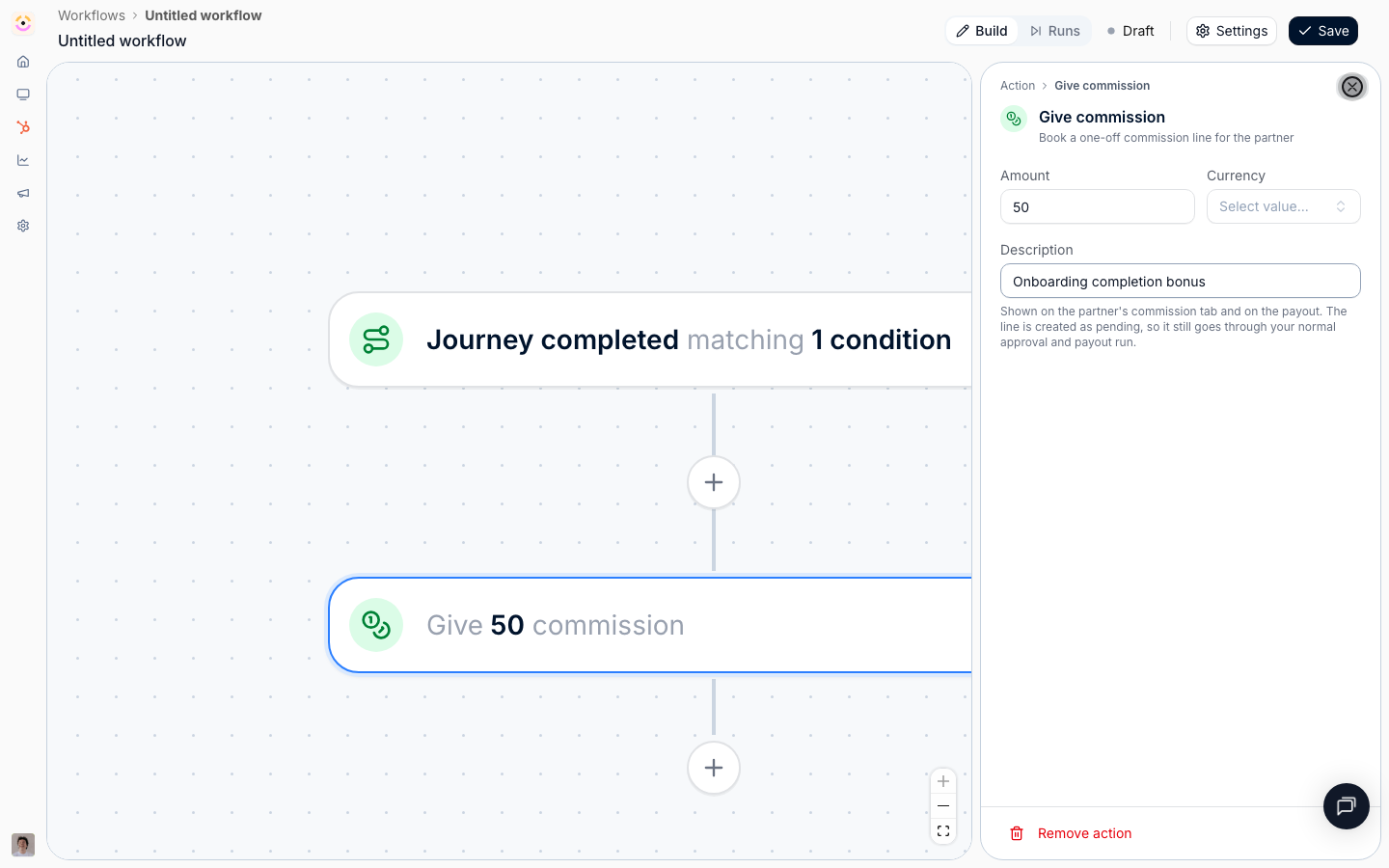
Select the **+** under the trigger, choose **Action**, then **Give commission** from the **Rewards** group.
* **Amount** - the fixed figure, for example `50`. Use a positive number with at most two decimal places.
* **Currency** - leave it on **Partner's currency** and the amount is resolved in each partner's own currency when the run happens, so one workflow stays correct across a program that bills in several. Pin a specific currency only when the bonus is genuinely the same number of the same currency for everyone.
* **Description** - what the commission is for, for example "Onboarding completion bonus". It is shown on the partner's commission tab and on the payout, so write it for the partner reading their statement, not for yourself.
This books a single manual line, not a plan. A plan earns lines over time from CRM or billing data, and lives under [Commission plans](/features/commissions/commission-plans); this is the "fixed amount for doing a thing" case. The line is created as pending, so it still goes through your normal approval and payout run, and nothing is paid without the usual review.
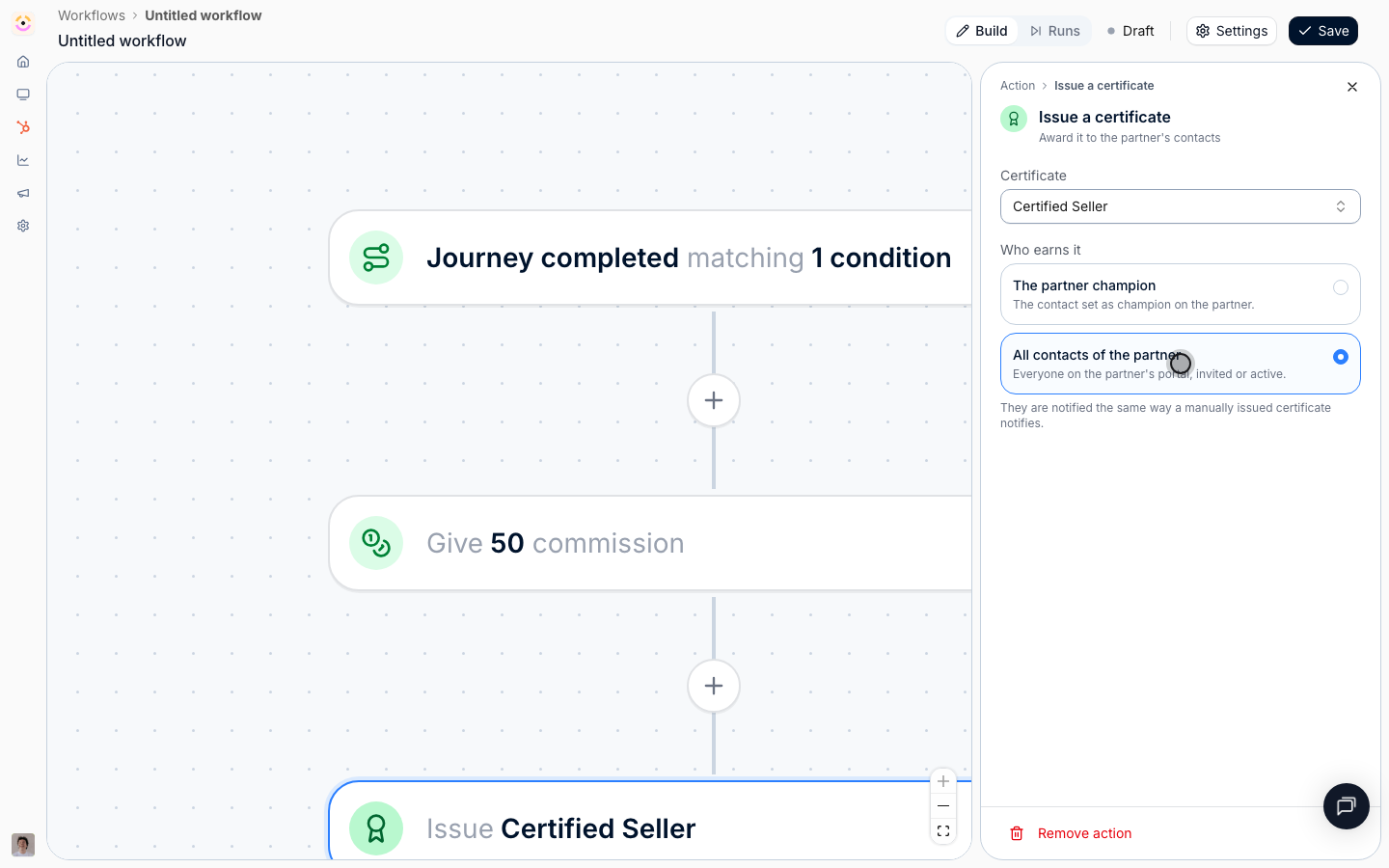
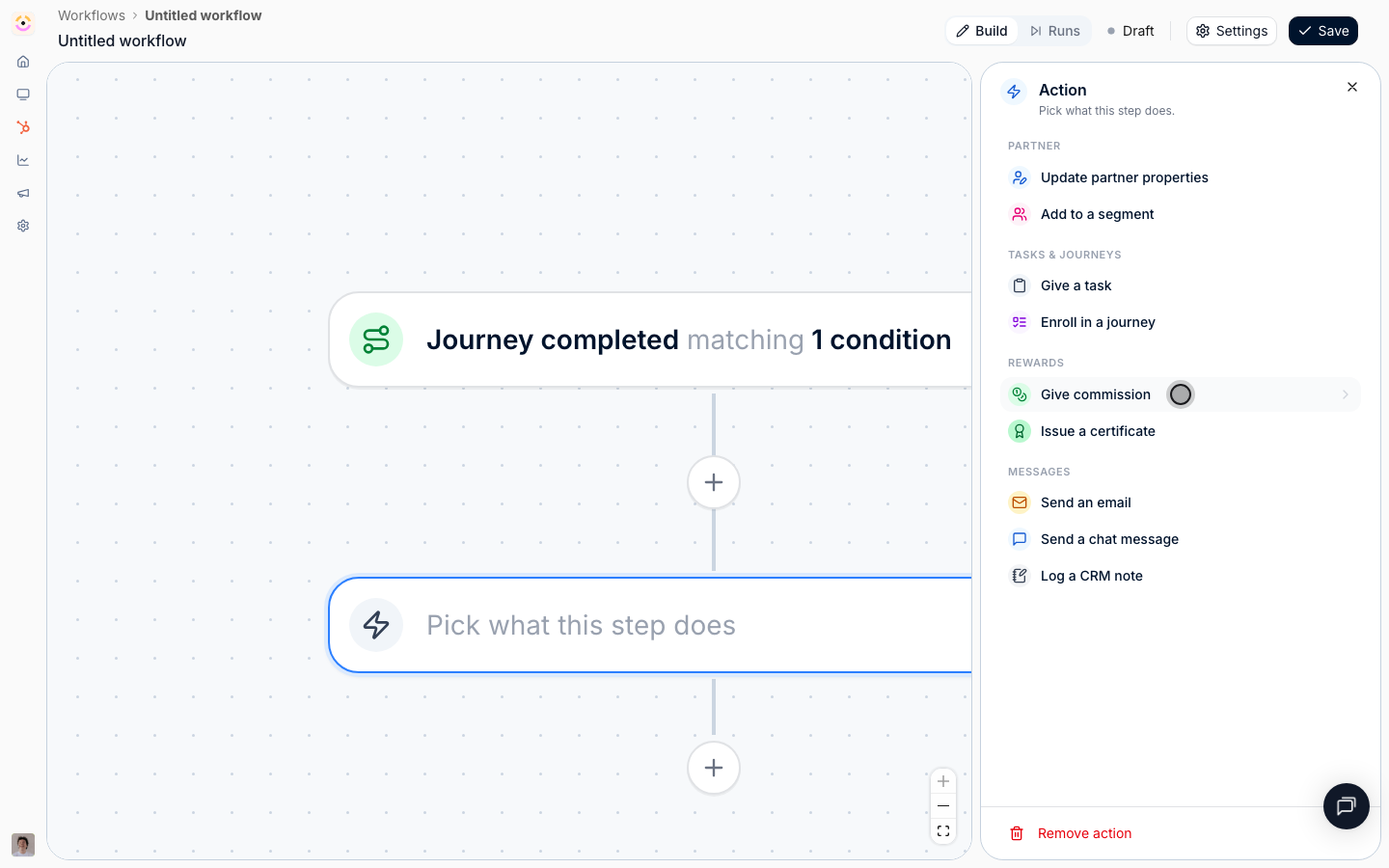 Add another **Action**, then **Issue a certificate**.
* **Certificate** - the onboarding completion certificate.
* **Who earns it** - **All contacts of the partner** or **The partner champion**. On this trigger, **The contact this is about** is not offered: a journey belongs to the partner rather than to one person, so there is no contact for it to resolve to. Choose **The partner champion** when the certificate represents the partnership, and **All contacts of the partner** when everyone at the partner should be able to show it.
Recipients are notified exactly as they are for a certificate issued by hand, so there is nothing extra to configure for the partner to receive it.
Add another **Action**, then **Issue a certificate**.
* **Certificate** - the onboarding completion certificate.
* **Who earns it** - **All contacts of the partner** or **The partner champion**. On this trigger, **The contact this is about** is not offered: a journey belongs to the partner rather than to one person, so there is no contact for it to resolve to. Choose **The partner champion** when the certificate represents the partnership, and **All contacts of the partner** when everyone at the partner should be able to show it.
Recipients are notified exactly as they are for a certificate issued by hand, so there is nothing extra to configure for the partner to receive it.
 ### Promote them
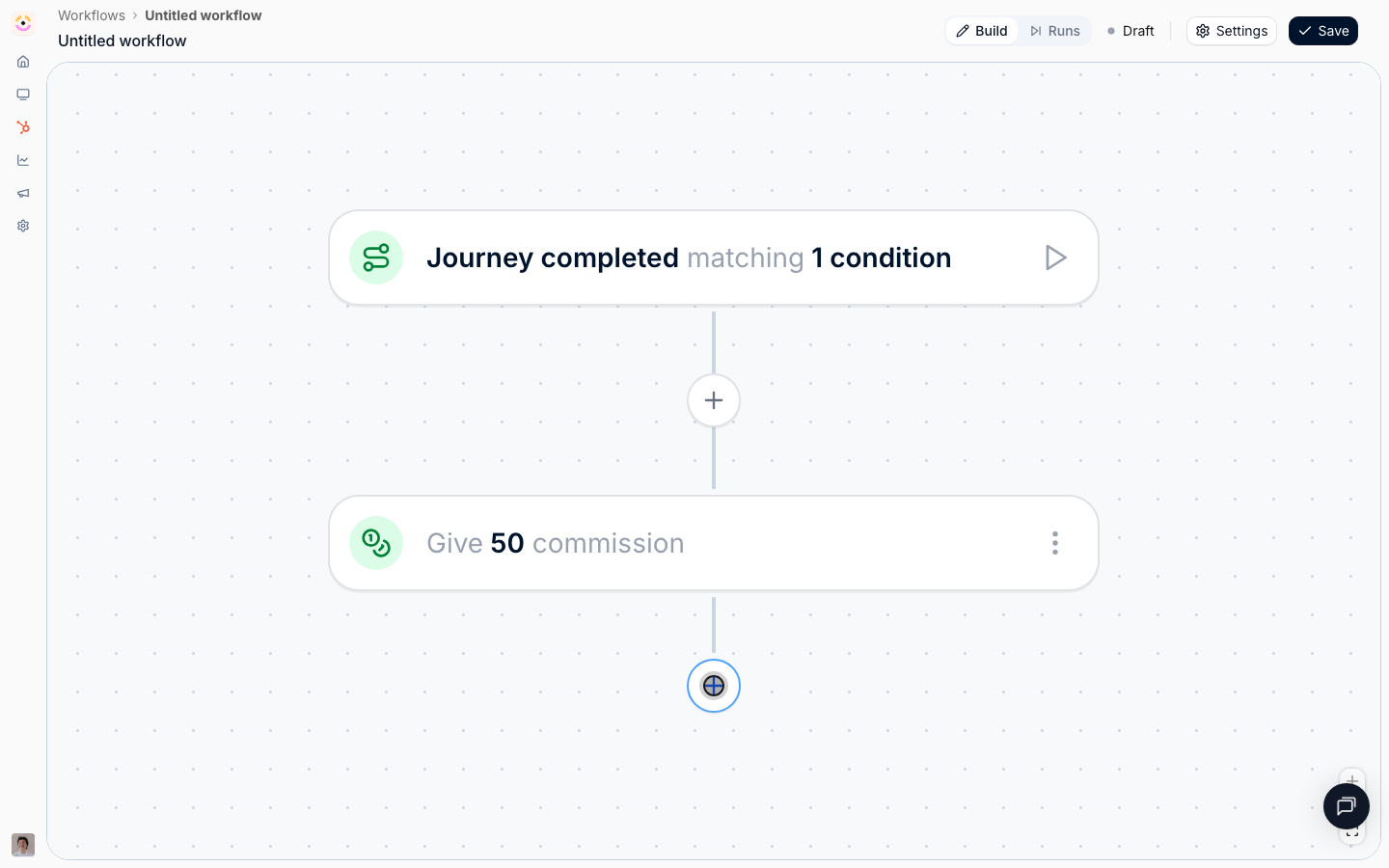
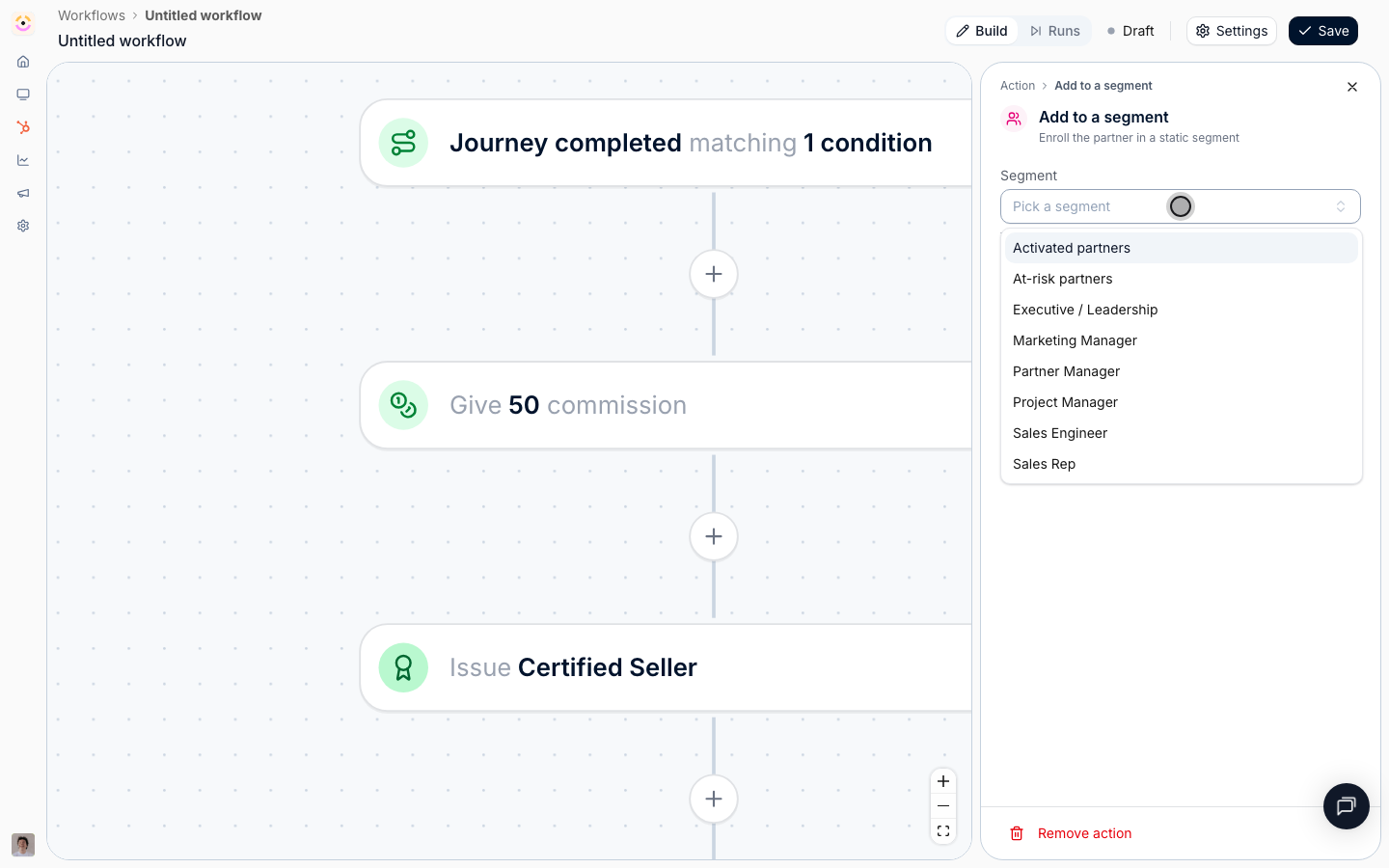
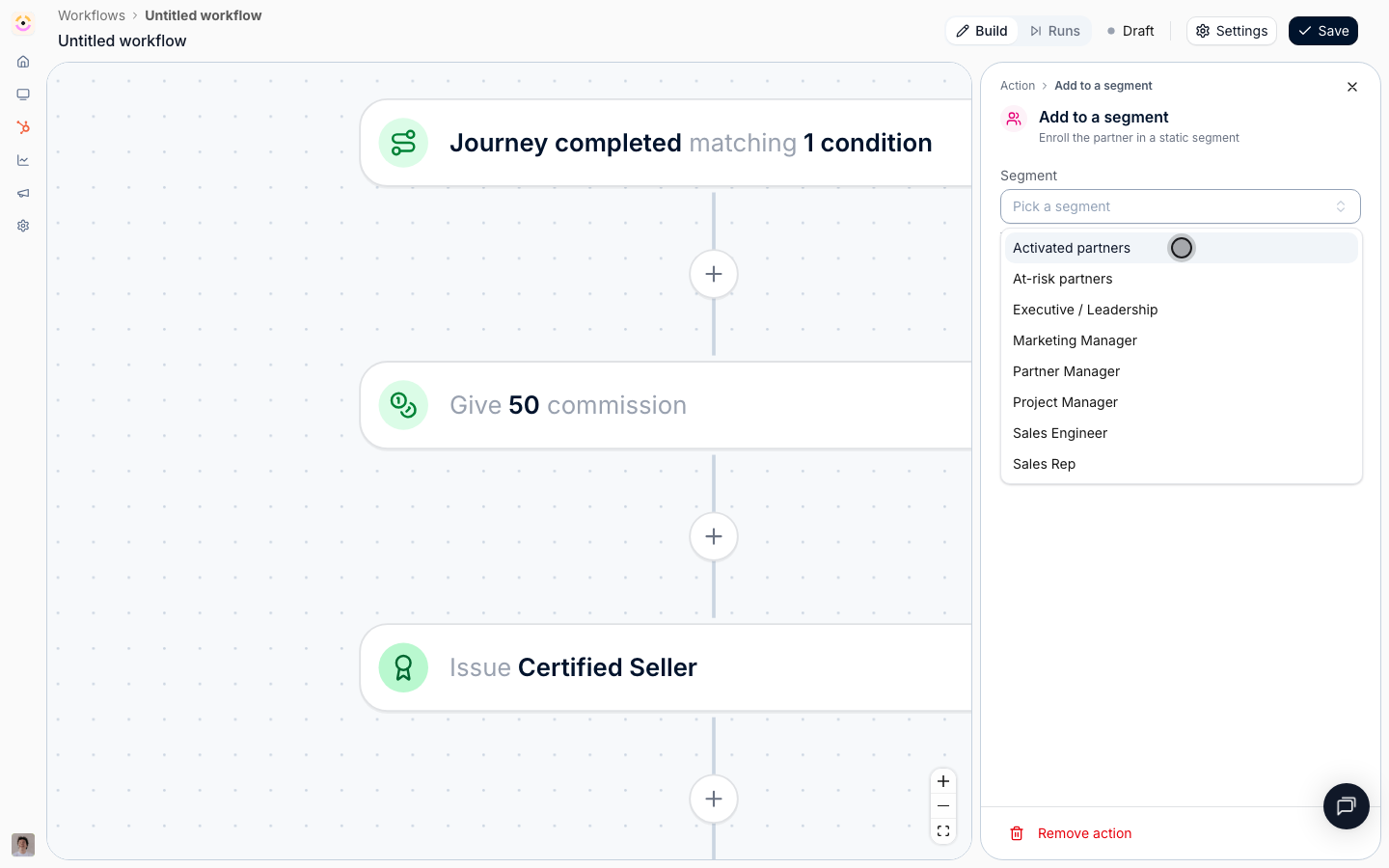
Add an **Action**, then **Add to a segment** from the **Partner** group, and pick your activated segment.
Only static segments are offered. A dynamic segment's members are whoever matches its audience, so an enrollment there would be undone at the next evaluation, and the picker refuses to offer one rather than letting you build something that silently unwinds. The partner keeps every segment they are already in, and adding a partner twice does nothing.
This step is what makes the reward compound. Portal tab visibility, content and asset visibility, course auto-enrollment, discounts, and notification recipients all key off segments, so one enrollment can unlock the whole next stage of your program at once. See [Layer segments to progressively unlock capabilities](/features/partners/segments/guides/layer-segments-to-progressively-unlock).
### Promote them
Add an **Action**, then **Add to a segment** from the **Partner** group, and pick your activated segment.
Only static segments are offered. A dynamic segment's members are whoever matches its audience, so an enrollment there would be undone at the next evaluation, and the picker refuses to offer one rather than letting you build something that silently unwinds. The partner keeps every segment they are already in, and adding a partner twice does nothing.
This step is what makes the reward compound. Portal tab visibility, content and asset visibility, course auto-enrollment, discounts, and notification recipients all key off segments, so one enrollment can unlock the whole next stage of your program at once. See [Layer segments to progressively unlock capabilities](/features/partners/segments/guides/layer-segments-to-progressively-unlock).
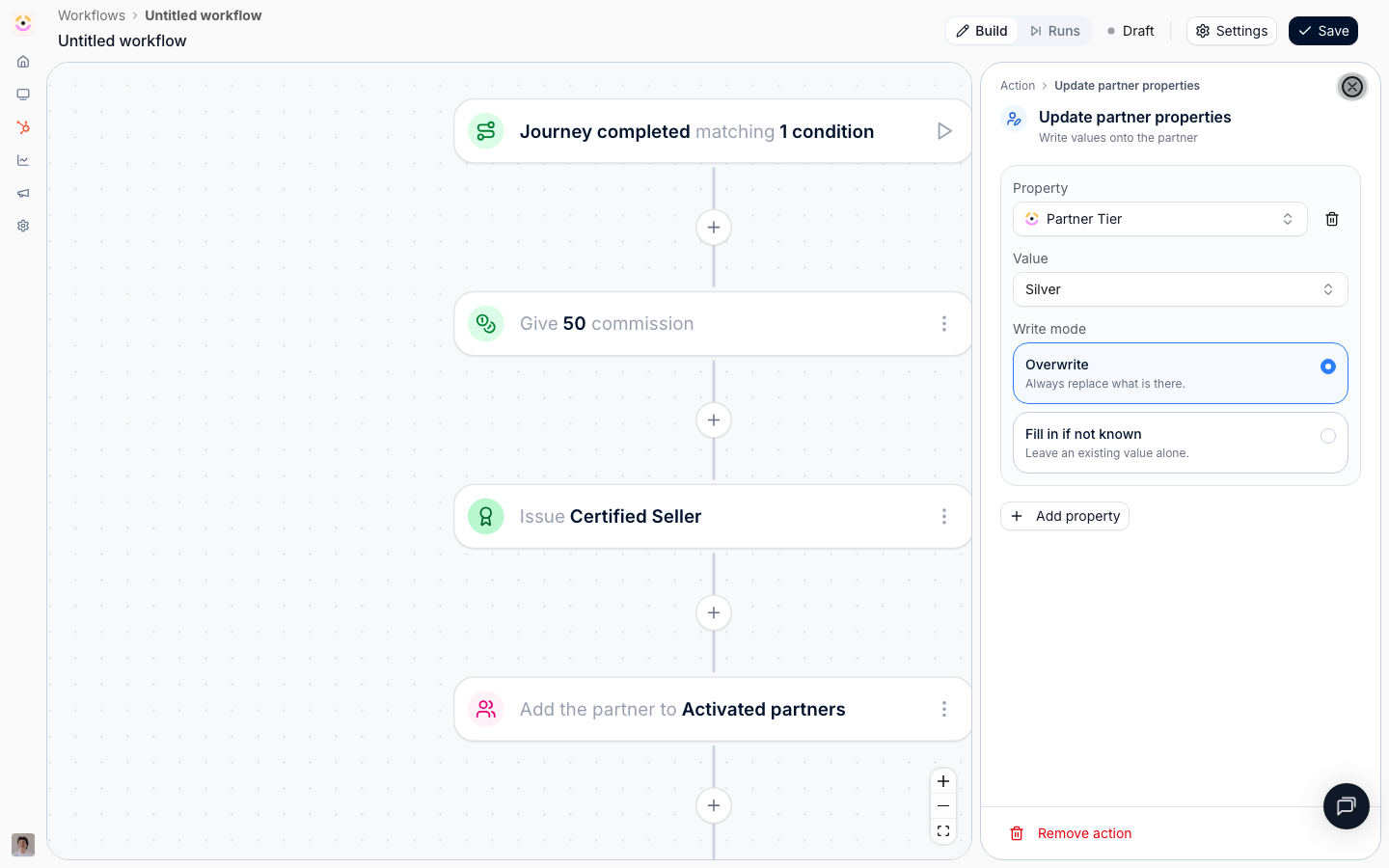
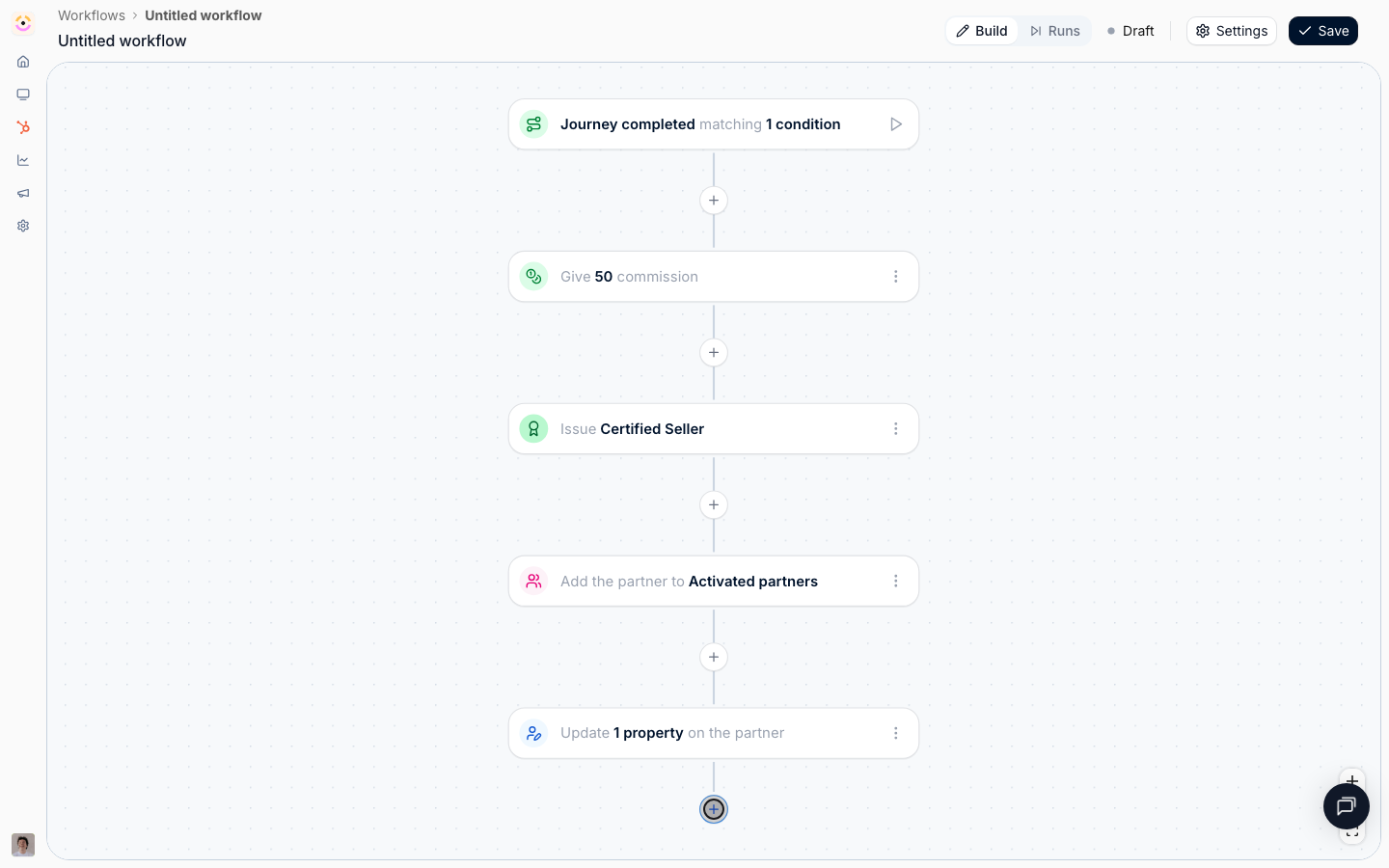
 If completing onboarding also means a tier move, add **Update partner properties** and set **Partner tier**, with **Write mode** set to **Overwrite** so a partner who already holds a lower tier actually moves. If the tier is something your team also sets by hand and you do not want an automation overriding, use **Fill in if not known** instead.
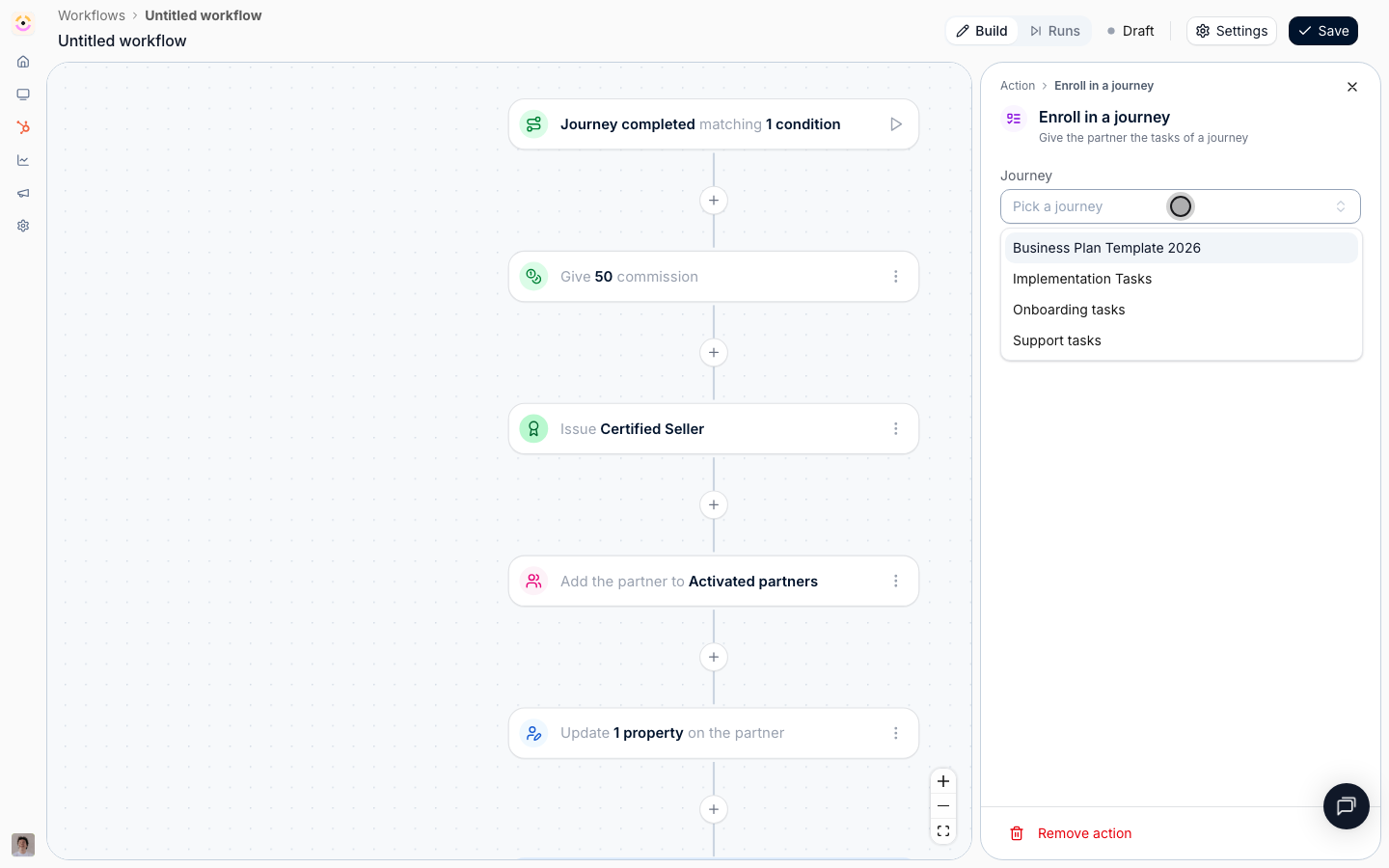
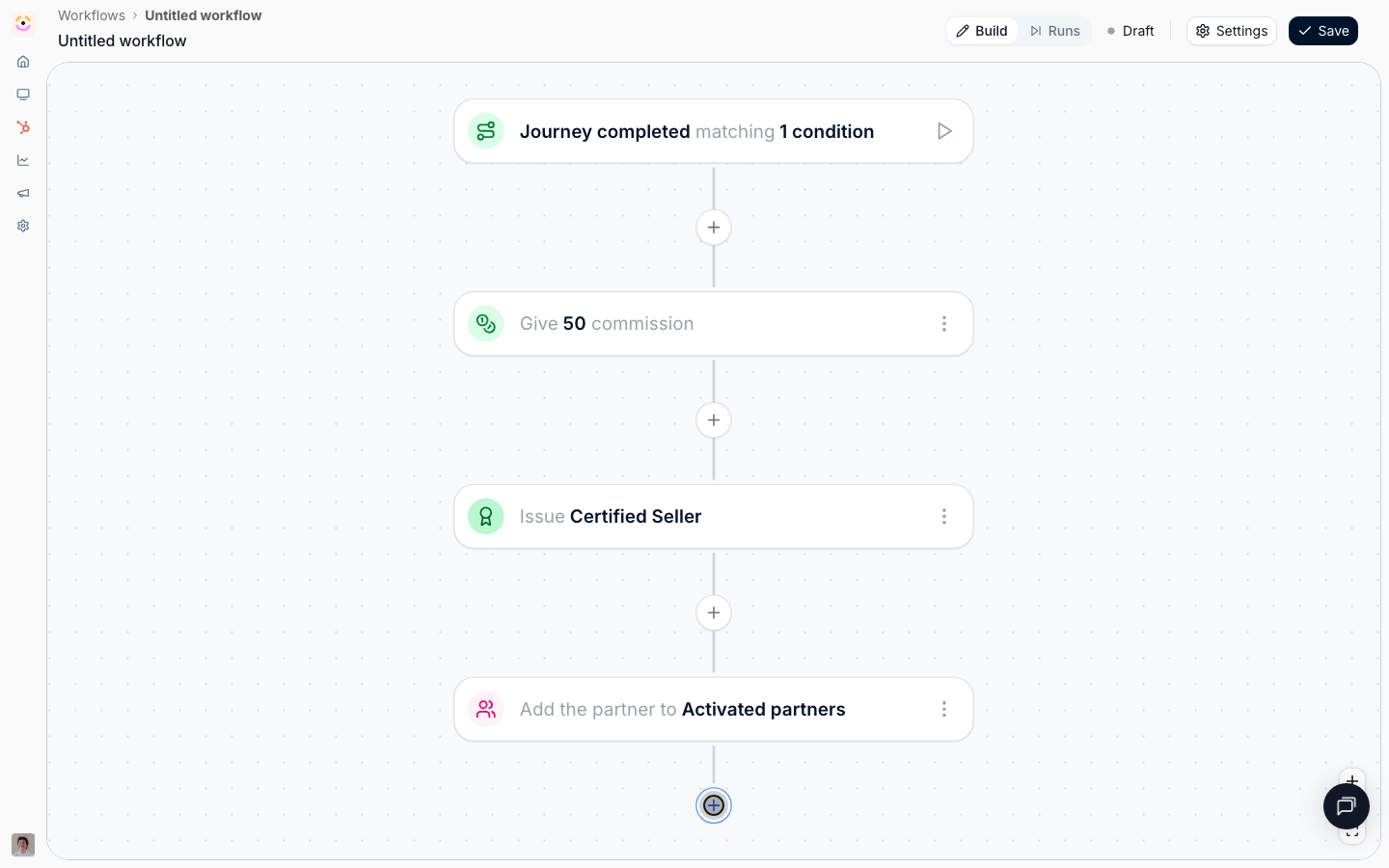 If activated partners move onto a second program, add **Enroll in a journey** and pick it. A partner already on that journey keeps their progress, and only the steps they do not have yet are added, so re-enrollment is safe.
Do not point this at the journey that triggers the workflow. Introw refuses to enable a workflow that enrolls partners in the journey whose completion started it, because it would cause itself.
If activated partners move onto a second program, add **Enroll in a journey** and pick it. A partner already on that journey keeps their progress, and only the steps they do not have yet are added, so re-enrollment is safe.
Do not point this at the journey that triggers the workflow. Introw refuses to enable a workflow that enrolls partners in the journey whose completion started it, because it would cause itself.
 ### Tell them, then enable
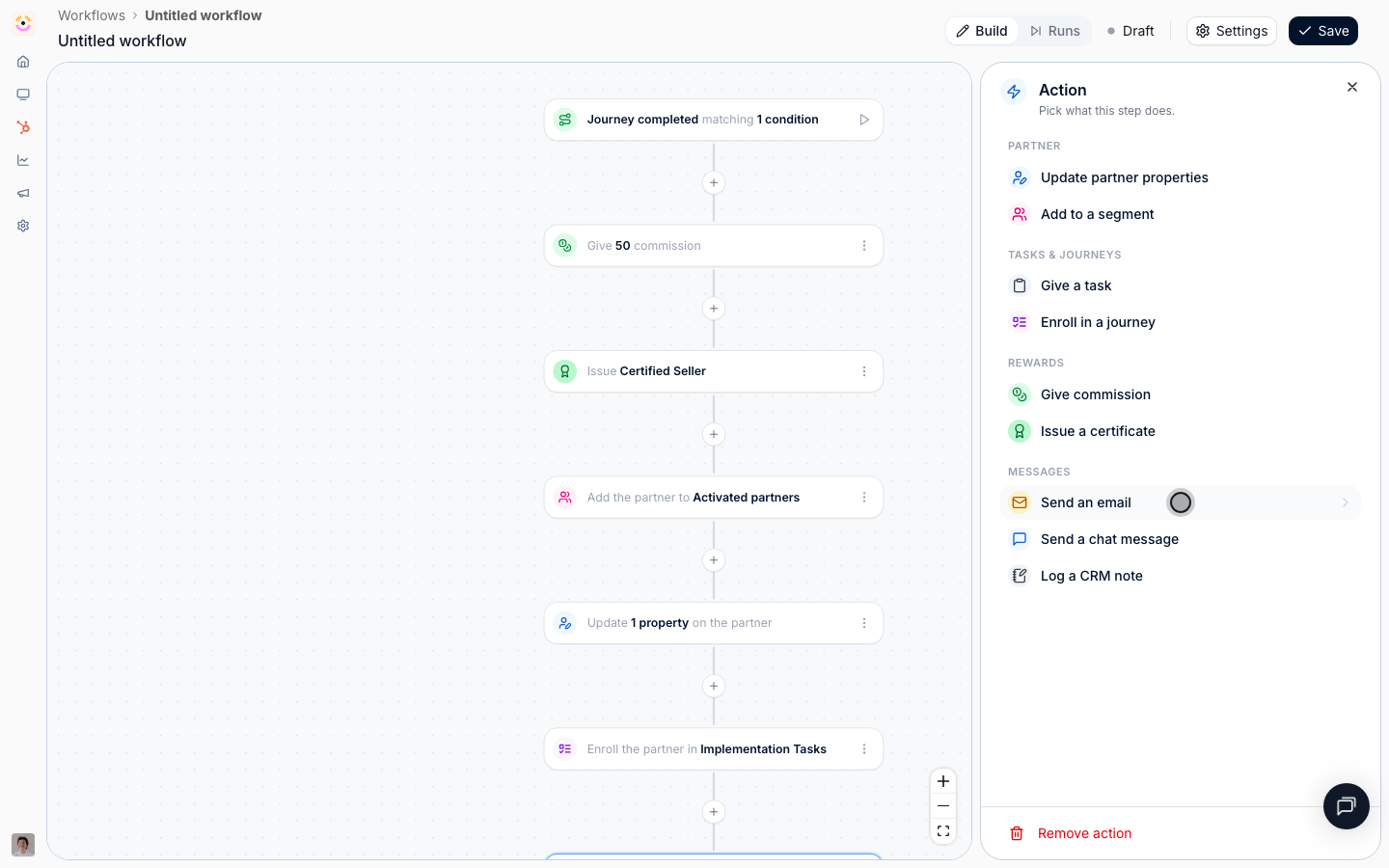
Add **Send an email**.
* **Send to** - **All contacts of the partner** so everyone who worked through onboarding hears it, or **The partner champion** for a single message to the main relationship.
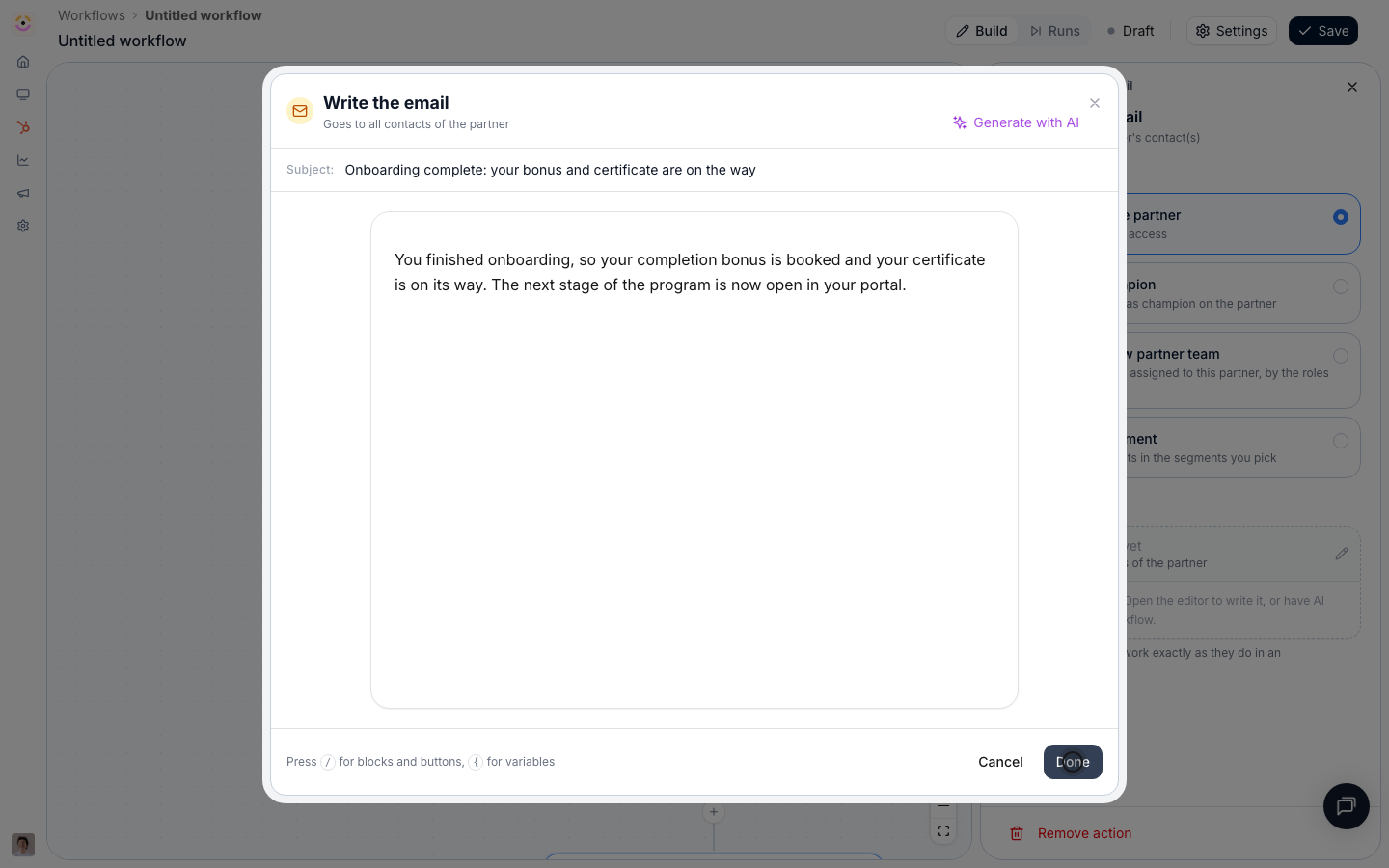
* **Email** - name the bonus, the certificate, and what is now available to them. **Generate with AI** drafts it from this position in the flow, so it already knows a reward and a certificate came before it. Variables and CTA buttons behave as they do in an announcement, so a button can take the partner straight to the newly unlocked part of their portal.
### Tell them, then enable
Add **Send an email**.
* **Send to** - **All contacts of the partner** so everyone who worked through onboarding hears it, or **The partner champion** for a single message to the main relationship.
* **Email** - name the bonus, the certificate, and what is now available to them. **Generate with AI** drafts it from this position in the flow, so it already knows a reward and a certificate came before it. Variables and CTA buttons behave as they do in an announcement, so a button can take the partner straight to the newly unlocked part of their portal.
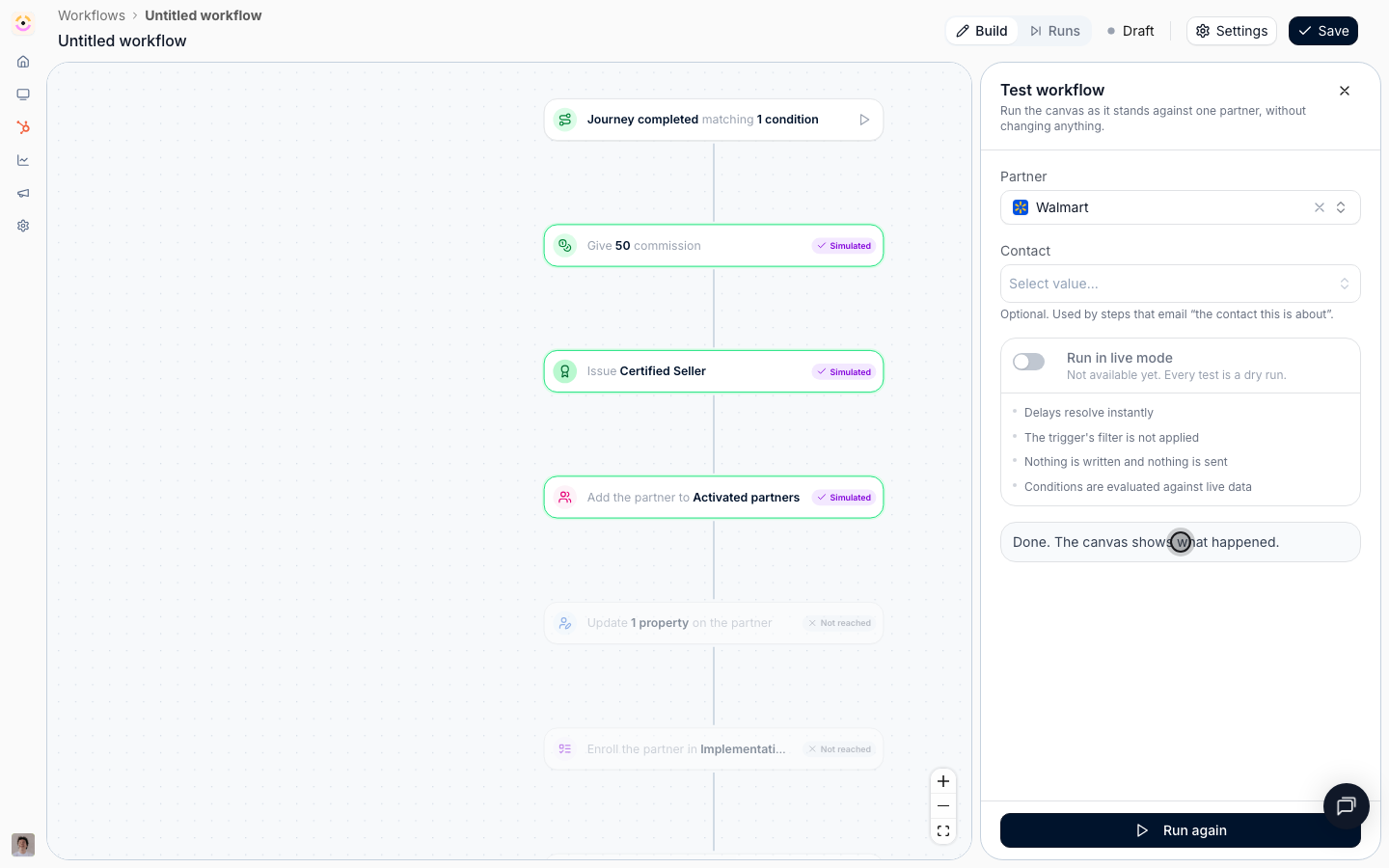
 Select the play button beside the trigger, pick a partner, and select **Run test**. Nothing is written: no commission line is booked, no certificate is issued, no email is sent. Every node the run touched is badged **Simulated**. This is the rehearsal to do carefully, because this workflow spends money.
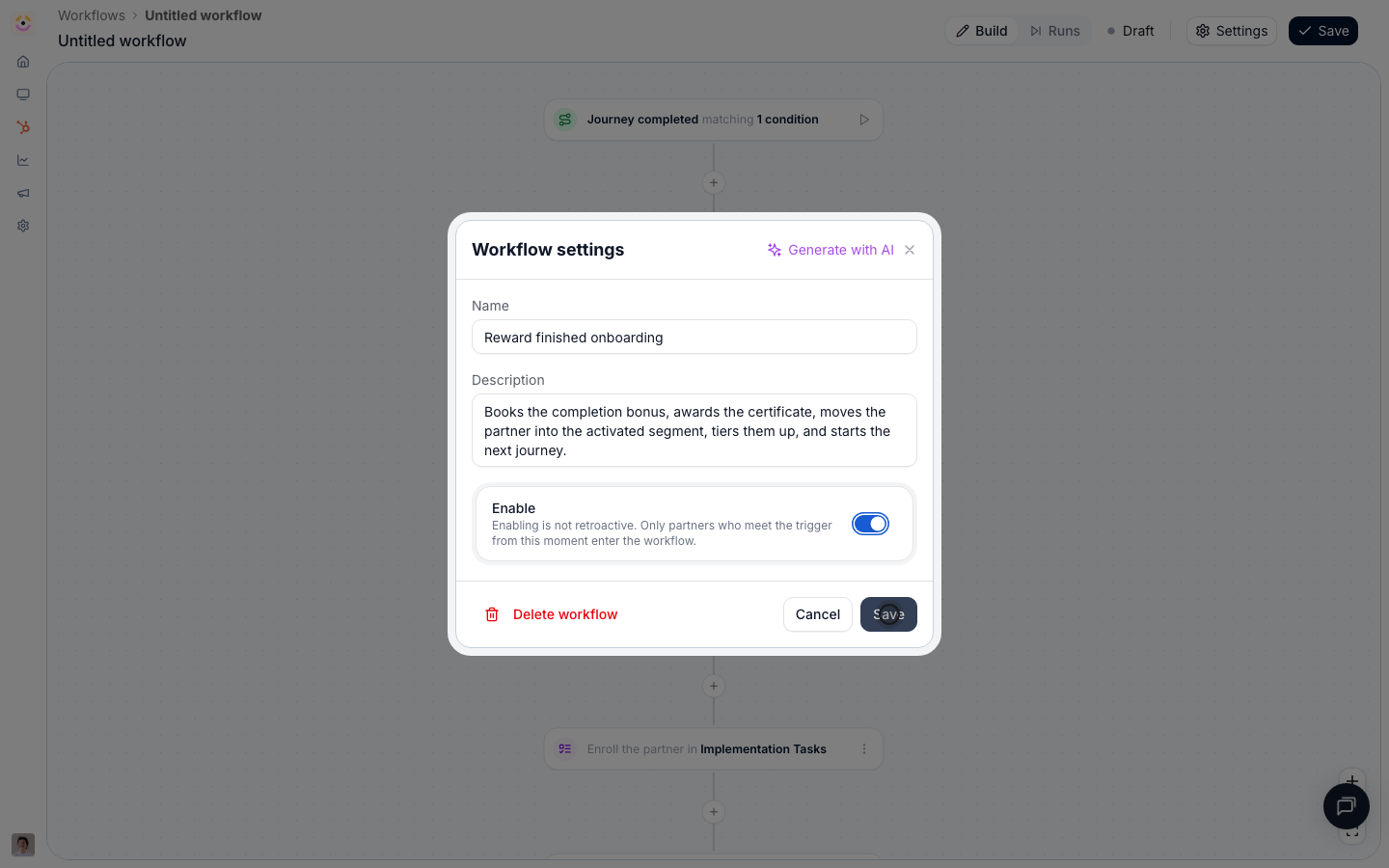
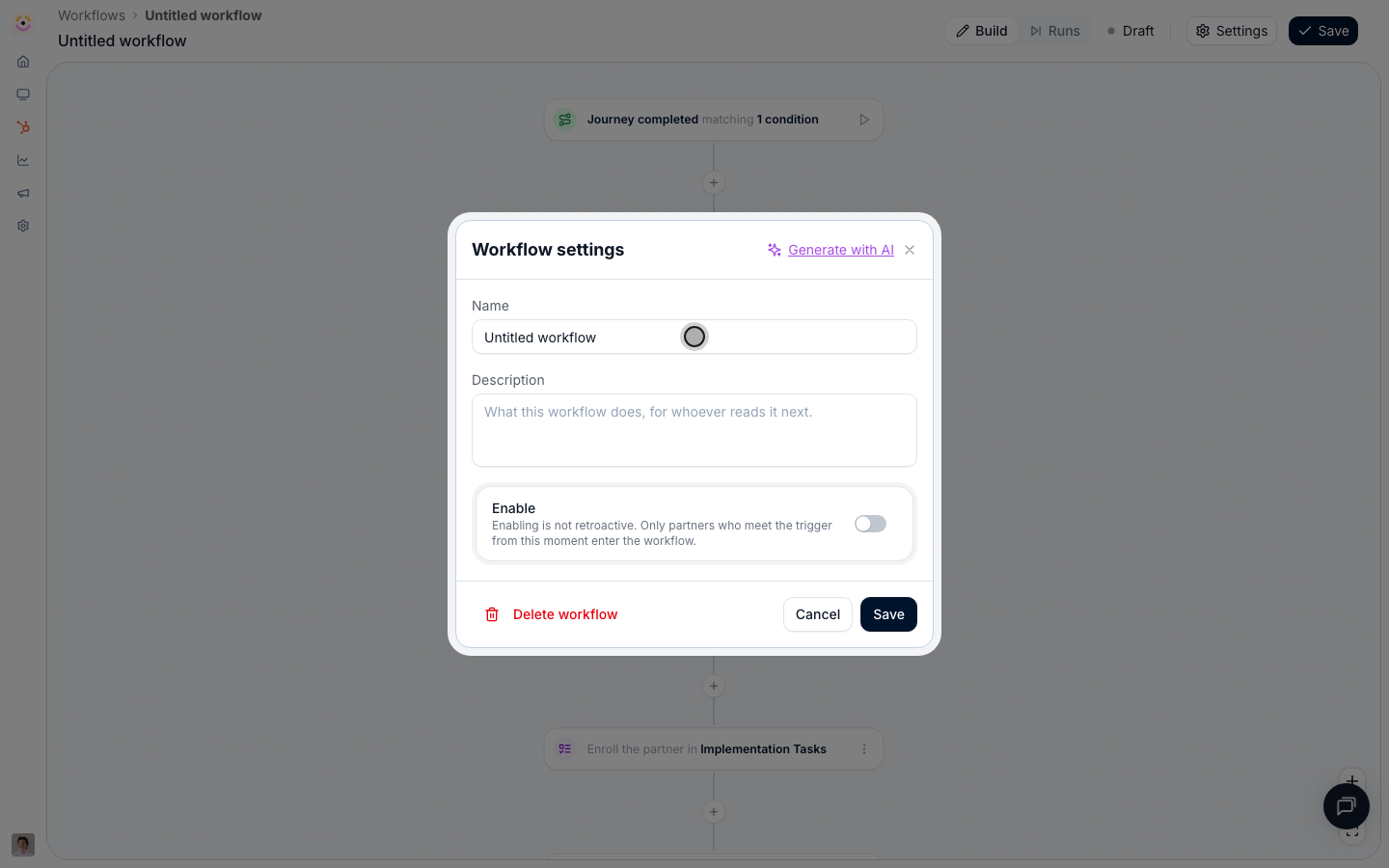
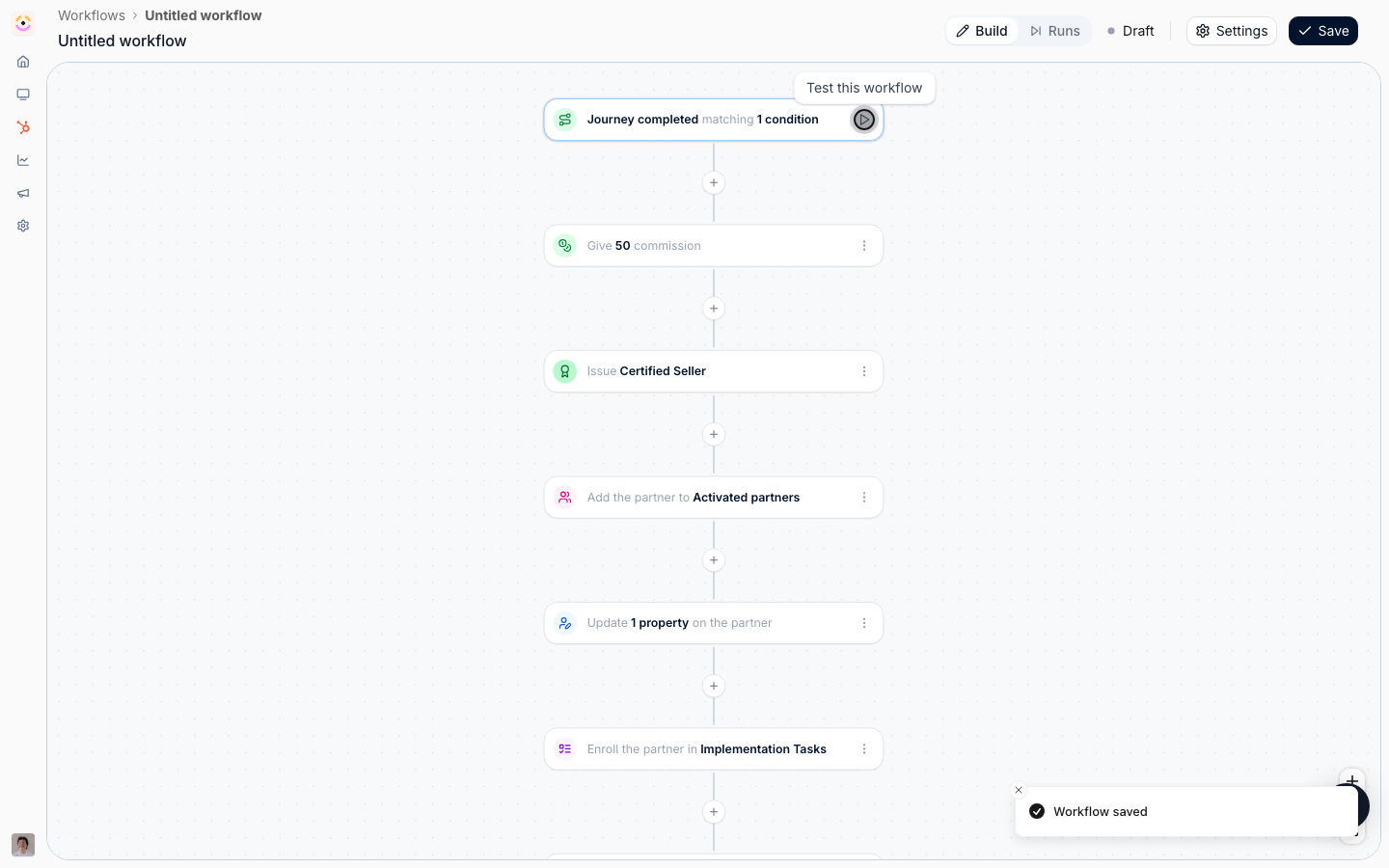 Open **Settings**, name and describe it, switch **Enable** on, and **Save**. Only journeys completed from this moment on earn the bonus; partners who already finished are not paid retroactively, so handle that batch deliberately if you owe it.
 ## Verify it worked
Complete the journey for a test partner and switch the canvas header to **Runs**. The run reads **Completed** with every node **Ran**. On the partner's record, the commission line is there as pending with your description on it, ready for the next payout run; the certificate is issued to the recipients you chose and visible on their portal; the partner is in the activated segment, which means anything scoped to that segment has appeared in their portal; and the email is in their inbox.
## Related
Enroll the partner in the journey this workflow rewards.
The same kind of line, booked by hand.
Make the segment enrollment unlock the next stage.
Every reward action and its options.
## Verify it worked
Complete the journey for a test partner and switch the canvas header to **Runs**. The run reads **Completed** with every node **Ran**. On the partner's record, the commission line is there as pending with your description on it, ready for the next payout run; the certificate is issued to the recipients you chose and visible on their portal; the partner is in the activated segment, which means anything scoped to that segment has appeared in their portal; and the email is in their inbox.
## Related
Enroll the partner in the journey this workflow rewards.
The same kind of line, booked by hand.
Make the segment enrollment unlock the next stage.
Every reward action and its options.