> ## Documentation Index
> Fetch the complete documentation index at: https://docs.introw.io/llms.txt
> Use this file to discover all available pages before exploring further.
# Built-in Automation
> Which Introw automations are on by default, which you switch on, and where each one is configured, from CRM partner detection to segments, forms, notifications, and payout runs.
export const Rail = ({children}) =>
{children}
;
## Where it lives
Built-in automation is configured in two places under **Settings**: [CRM settings](https://app.introw.io/settings/integrations) switches on the detection and sync layer, and [Segments](https://app.introw.io/settings/segments/default) holds the audiences everything else keys off.
 ## Before you start
| You need | Why | Fix it |
| --------------------------- | ------------------------------------ | -------------------------------------------------------------------------------------------------- |
| A connected CRM | Almost every automation reads it | [Connect a CRM](/features/integrations/crm/guides/connect-hubspot) |
| Integration settings access | Detection and sync switch on there | [Internal roles](/features/access/team-management/guides/create-an-internal-role) |
| A published experience | The portal-side automations need one | [Publish an experience](/features/portal/experiences/guides/build-and-publish-a-portal-experience) |
## How it works
Introw's automation comes in three layers, and knowing which layer you are in tells you where to go and how much work it is.
1. **Always on.** Things Introw does as a consequence of being connected: partner detection, contact and owner import, property sync, dedupe on submissions, attribution, segment re-evaluation, progress tracking. There is no switch, only configuration that shapes them.
2. **On by choice.** Things that are off until you enable them because they change what partners receive or what happens to your data: automatic partner sync, tier sync, auto-enrollment on a course, auto-issue of a certificate, sleeping-deal nudges, automatic payout runs, AI announcement suggestions.
3. **Built by you.** The rules specific to your program, on the [Workflows](/features/automation/workflows) canvas.
The order to set them up in follows the same logic. The CRM connection decides who your partners are and what data they carry. Segments turn that data into audiences. Almost everything else, from notification recipients to portal tab visibility to course enrollment to discounts, keys off those segments. Getting the first two right is what makes the rest configuration rather than maintenance.
```mermaid theme={"theme":{"light":"github-light","dark":"github-dark"}}
flowchart LR
crm["HubSpot or Salesforce"] --> detect["Partner and contact detection"]
detect --> data["Synced properties, tiers, attribution"]
data --> segments["Dynamic segments"]
segments --> program["Notifications, access, content, courses, incentives"]
program --> crmBack["Written back to the CRM"]
```
## Settings & configuration
The full inventory, automation by automation, is in [Every automation that runs out of the box](/features/automation/built-in-automation/guides/every-automation-that-runs-out-of-the-box). What follows is the map: the surfaces that own the automation layer, in the order you should visit them.
### The CRM connection
**CRM settings** is where the largest group of automations lives. **Partner detection** picks the CRM object your partners are, and the filters that narrow it to the records that really are partners: only matching records become partners. Detection also brings the people, not just the account, so each partner's contacts are imported under their **People** and the CRM account owner is suggested as a team member you accept with one click.
**Automatic sync** is the switch that turns detection from an import into an automation: with it on, any new CRM record matching your filters becomes a partner on its own. Leave it off while you are still tuning filters, then turn it on once detection covers the right set. See [Detect partners from your CRM](/features/partners/partner-management/guides/detect-partners-from-your-crm).
**Field mapping** decides which properties travel and in which direction, which is what keeps partner data true on both sides without anyone reconciling it.
### Segments
Segments are the audience layer the rest of the program keys off, so they are the second thing to get right. A **dynamic** segment is a set of conditions over live partner, contact, and CRM data, re-evaluated on a schedule, so membership follows the data rather than a list someone maintains. A **static** segment is a list you curate, and it is the only kind a workflow can add a partner to.
Segment membership drives notification recipients, portal tab visibility, content and asset visibility, course auto-enrollment, tier and partner-based discounts, and announcement targeting. See [Segments](/features/partners/segments).
### Notifications and nudges
**Notification settings** is the catalog of what your program sends on its own: deal and record updates, submission outcomes, task assignments and reminders, learning and certificate signals, commissions and payouts. Recipients are set once organisation-wide on **Default settings** and overridden per segment; chat delivery is configured per platform on the chat integration. See [Notifications](/features/engagement/notifications).
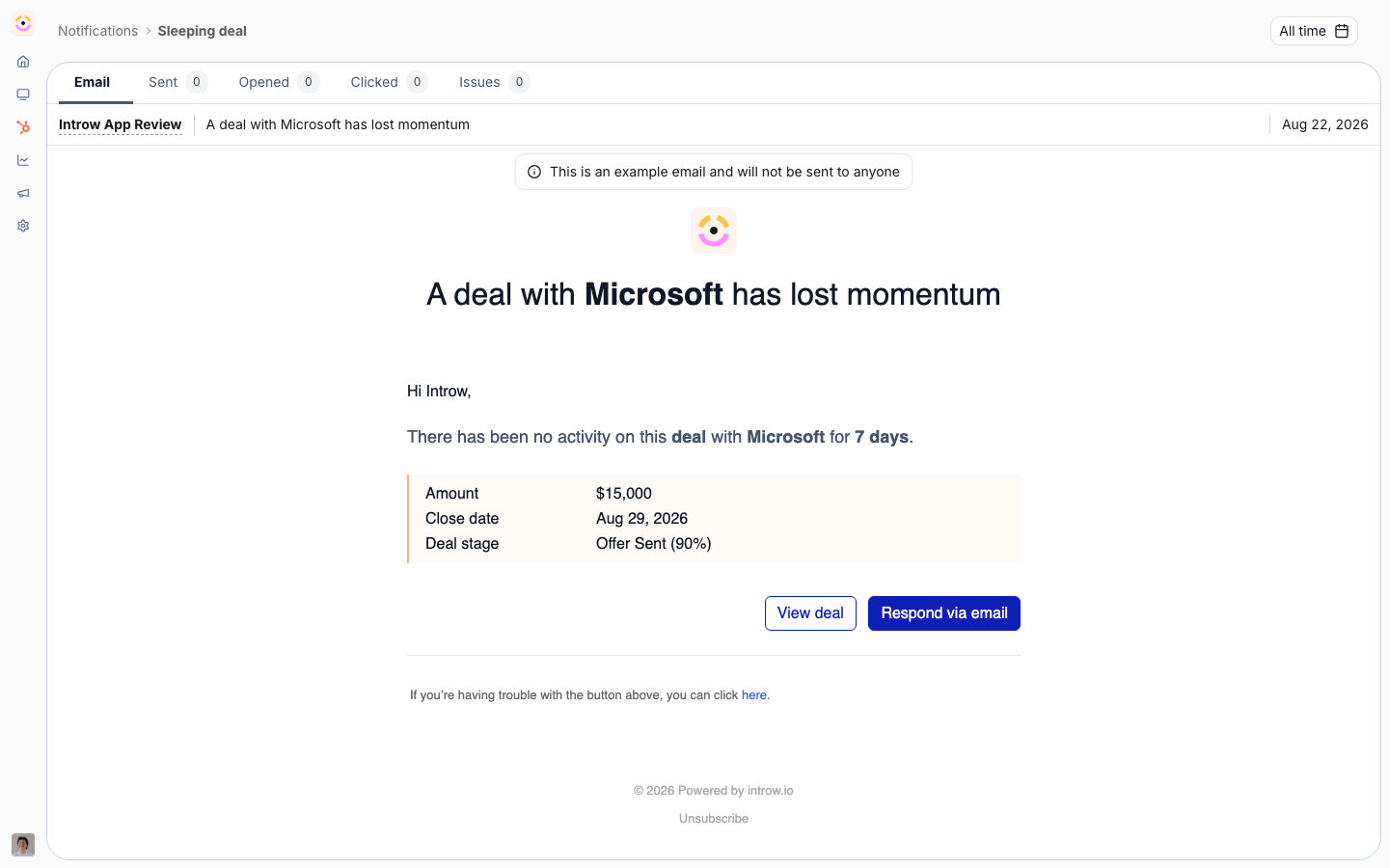
Two nudges are configured on the pipeline section of an experience rather than in the catalog, and both are off until you set them: **Sleeping deal**, which emails the partner when a deal sits too long in a stage, and **Deal updated**, where you choose the properties that count as an update so partners are only told when something meaningful changes. The same setting exists per record type you sync, named after that record.
### Forms
A form's **Automation** is what makes a submission an operation rather than a message. It maps answers to CRM properties, creates or updates the CRM objects behind the submission, matches against existing records so you do not collect duplicates, attributes everything to the submitting partner, and can fill only the fields that are still empty. Approvals route the submission before any of it lands. See [CRM automations](/features/forms/crm-automations) and [Submissions and approvals](/features/forms/submissions-approvals).
### Learning
A course's **Enrollment** can auto-enroll every partner in the segments you attach, including partners who join the segment later. A course's **Certificate** can auto-issue on completion, gated on the passing score if the course has a quiz. Progress and certificates sync back to the CRM. See [Enrollments](/features/courses/enrollments) and [Certificates](/features/courses/certificates).
### Incentives
**Commission plans** earn lines on their own from CRM or billing data as deals close and invoices are paid, against the eligibility conditions and rates you set. **Payout settings** can advance payout runs on a schedule instead of someone starting each one. See [Commission plans](/features/commissions/commission-plans) and [Payout settings](/features/commissions/settings).
### Journeys and experiences
A journey attached to an experience is applied to partners as they get that experience, so onboarding starts without anyone pressing **Apply**. See [Auto-apply a journey from the experience](/features/partners/journeys/guides/auto-apply-a-journey-from-the-experience).
### AI
The AI layer runs on its own once configured: the partner support agent answers partner questions from your content, deal coaching attaches a next step to deal notifications, channel conflict detection flags overlaps on registrations, and weekly announcement suggestions arrive as drafts for review. See [AI Agents](/features/ai).
## How-to guides
* [**Every automation that runs out of the box**](/features/automation/built-in-automation/guides/every-automation-that-runs-out-of-the-box)
A full inventory of what Introw automates without a workflow: partner detection, property and tier sync, segments, portal access, records, learning, incentives, messaging, and AI.
## Troubleshooting
Automatic partner sync only creates partners that match your filters, so a partner missing from Introw is almost always a filter question rather than a sync failure. Tier sync needs every tier mapped before it runs. Dynamic segment membership follows a schedule rather than changing the instant a CRM field does, so an automation keyed off a segment starts shortly after the data moves, not at the same moment. Auto-enrollment on a course applies while it is on and does not retroactively enroll partners for the period it was off. Certificates auto-issue only when one is attached to the course, and only to learners who meet the passing score if the course sets one.
Check the detection filters first, then whether automatic sync is on. Only matching records become partners.
Contacts arrive with detection from the accounts associated with the partner's company. See [Provisioning](/features/access/provisioning).
The tier mapping is incomplete. Every tier has to be mapped before sync will run.
Read the notification cascade on their contact: the organisation default, the segments that override it, and their own opt-outs. See [Control who gets notified](/features/engagement/notifications/guides/control-who-gets-notified).
Confirm the partner is actually in the segment; dynamic membership is recalculated on a schedule.
Check the form's automation mapping and whether record matching found an existing record to update instead. See [Connect a form to your CRM](/features/forms/crm-automations/guides/connect-a-form-to-your-crm).
Check this list first. Tiering on certification, chasing a task, and rewarding onboarding are workflows; auto-enrollment, certificate issuance, and deal nudges already exist.
## Before you start
| You need | Why | Fix it |
| --------------------------- | ------------------------------------ | -------------------------------------------------------------------------------------------------- |
| A connected CRM | Almost every automation reads it | [Connect a CRM](/features/integrations/crm/guides/connect-hubspot) |
| Integration settings access | Detection and sync switch on there | [Internal roles](/features/access/team-management/guides/create-an-internal-role) |
| A published experience | The portal-side automations need one | [Publish an experience](/features/portal/experiences/guides/build-and-publish-a-portal-experience) |
## How it works
Introw's automation comes in three layers, and knowing which layer you are in tells you where to go and how much work it is.
1. **Always on.** Things Introw does as a consequence of being connected: partner detection, contact and owner import, property sync, dedupe on submissions, attribution, segment re-evaluation, progress tracking. There is no switch, only configuration that shapes them.
2. **On by choice.** Things that are off until you enable them because they change what partners receive or what happens to your data: automatic partner sync, tier sync, auto-enrollment on a course, auto-issue of a certificate, sleeping-deal nudges, automatic payout runs, AI announcement suggestions.
3. **Built by you.** The rules specific to your program, on the [Workflows](/features/automation/workflows) canvas.
The order to set them up in follows the same logic. The CRM connection decides who your partners are and what data they carry. Segments turn that data into audiences. Almost everything else, from notification recipients to portal tab visibility to course enrollment to discounts, keys off those segments. Getting the first two right is what makes the rest configuration rather than maintenance.
```mermaid theme={"theme":{"light":"github-light","dark":"github-dark"}}
flowchart LR
crm["HubSpot or Salesforce"] --> detect["Partner and contact detection"]
detect --> data["Synced properties, tiers, attribution"]
data --> segments["Dynamic segments"]
segments --> program["Notifications, access, content, courses, incentives"]
program --> crmBack["Written back to the CRM"]
```
## Settings & configuration
The full inventory, automation by automation, is in [Every automation that runs out of the box](/features/automation/built-in-automation/guides/every-automation-that-runs-out-of-the-box). What follows is the map: the surfaces that own the automation layer, in the order you should visit them.
### The CRM connection
**CRM settings** is where the largest group of automations lives. **Partner detection** picks the CRM object your partners are, and the filters that narrow it to the records that really are partners: only matching records become partners. Detection also brings the people, not just the account, so each partner's contacts are imported under their **People** and the CRM account owner is suggested as a team member you accept with one click.
**Automatic sync** is the switch that turns detection from an import into an automation: with it on, any new CRM record matching your filters becomes a partner on its own. Leave it off while you are still tuning filters, then turn it on once detection covers the right set. See [Detect partners from your CRM](/features/partners/partner-management/guides/detect-partners-from-your-crm).
**Field mapping** decides which properties travel and in which direction, which is what keeps partner data true on both sides without anyone reconciling it.
### Segments
Segments are the audience layer the rest of the program keys off, so they are the second thing to get right. A **dynamic** segment is a set of conditions over live partner, contact, and CRM data, re-evaluated on a schedule, so membership follows the data rather than a list someone maintains. A **static** segment is a list you curate, and it is the only kind a workflow can add a partner to.
Segment membership drives notification recipients, portal tab visibility, content and asset visibility, course auto-enrollment, tier and partner-based discounts, and announcement targeting. See [Segments](/features/partners/segments).
### Notifications and nudges
**Notification settings** is the catalog of what your program sends on its own: deal and record updates, submission outcomes, task assignments and reminders, learning and certificate signals, commissions and payouts. Recipients are set once organisation-wide on **Default settings** and overridden per segment; chat delivery is configured per platform on the chat integration. See [Notifications](/features/engagement/notifications).
Two nudges are configured on the pipeline section of an experience rather than in the catalog, and both are off until you set them: **Sleeping deal**, which emails the partner when a deal sits too long in a stage, and **Deal updated**, where you choose the properties that count as an update so partners are only told when something meaningful changes. The same setting exists per record type you sync, named after that record.
### Forms
A form's **Automation** is what makes a submission an operation rather than a message. It maps answers to CRM properties, creates or updates the CRM objects behind the submission, matches against existing records so you do not collect duplicates, attributes everything to the submitting partner, and can fill only the fields that are still empty. Approvals route the submission before any of it lands. See [CRM automations](/features/forms/crm-automations) and [Submissions and approvals](/features/forms/submissions-approvals).
### Learning
A course's **Enrollment** can auto-enroll every partner in the segments you attach, including partners who join the segment later. A course's **Certificate** can auto-issue on completion, gated on the passing score if the course has a quiz. Progress and certificates sync back to the CRM. See [Enrollments](/features/courses/enrollments) and [Certificates](/features/courses/certificates).
### Incentives
**Commission plans** earn lines on their own from CRM or billing data as deals close and invoices are paid, against the eligibility conditions and rates you set. **Payout settings** can advance payout runs on a schedule instead of someone starting each one. See [Commission plans](/features/commissions/commission-plans) and [Payout settings](/features/commissions/settings).
### Journeys and experiences
A journey attached to an experience is applied to partners as they get that experience, so onboarding starts without anyone pressing **Apply**. See [Auto-apply a journey from the experience](/features/partners/journeys/guides/auto-apply-a-journey-from-the-experience).
### AI
The AI layer runs on its own once configured: the partner support agent answers partner questions from your content, deal coaching attaches a next step to deal notifications, channel conflict detection flags overlaps on registrations, and weekly announcement suggestions arrive as drafts for review. See [AI Agents](/features/ai).
## How-to guides
* [**Every automation that runs out of the box**](/features/automation/built-in-automation/guides/every-automation-that-runs-out-of-the-box)
A full inventory of what Introw automates without a workflow: partner detection, property and tier sync, segments, portal access, records, learning, incentives, messaging, and AI.
## Troubleshooting
Automatic partner sync only creates partners that match your filters, so a partner missing from Introw is almost always a filter question rather than a sync failure. Tier sync needs every tier mapped before it runs. Dynamic segment membership follows a schedule rather than changing the instant a CRM field does, so an automation keyed off a segment starts shortly after the data moves, not at the same moment. Auto-enrollment on a course applies while it is on and does not retroactively enroll partners for the period it was off. Certificates auto-issue only when one is attached to the course, and only to learners who meet the passing score if the course sets one.
Check the detection filters first, then whether automatic sync is on. Only matching records become partners.
Contacts arrive with detection from the accounts associated with the partner's company. See [Provisioning](/features/access/provisioning).
The tier mapping is incomplete. Every tier has to be mapped before sync will run.
Read the notification cascade on their contact: the organisation default, the segments that override it, and their own opt-outs. See [Control who gets notified](/features/engagement/notifications/guides/control-who-gets-notified).
Confirm the partner is actually in the segment; dynamic membership is recalculated on a schedule.
Check the form's automation mapping and whether record matching found an existing record to update instead. See [Connect a form to your CRM](/features/forms/crm-automations/guides/connect-a-form-to-your-crm).
Check this list first. Tiering on certification, chasing a task, and rewarding onboarding are workflows; auto-enrollment, certificate issuance, and deal nudges already exist.