> ## Documentation Index
> Fetch the complete documentation index at: https://docs.introw.io/llms.txt
> Use this file to discover all available pages before exploring further.
# Built-in Automation
> The automations Introw runs out of the box: partners and contacts detected from CRM filters, two-way property sync, self-evaluating segments, form-driven CRM writes, notifications, and earned commissions.
export const Tour = ({children}) => {
const [active, setActive] = useState(0);
const wrappers = (Array.isArray(children) ? children : [children]).filter(c => c && c.props);
const frames = wrappers.length === 1 && Array.isArray(wrappers[0].props.children) ? wrappers[0].props.children.filter(c => c && c.props) : [];
if (frames.length < 2) {
return
;
> Most of a partner program is already automated in Introw before you configure a single rule. Connecting your CRM is what switches it on.
## The problem it solves
| Without Introw | With Introw |
| --------------------------------------- | --------------------------------- |
| Automation is an implementation project | It runs the week you connect |
| The partner list is stale on day two | CRM filters keep finding partners |
| Data drifts between PRM and CRM | Tiers and fields sync both ways |
| Submissions become ops tickets | The form writes the CRM record |
| Every reminder needs a human | The signals go out on their own |
## Impact
The programs partners rate highest are the ones where nothing goes missing. Most of that is not effort. It is what already runs by default the day your CRM is connected.
for your business
* **Live in days**
The automation layer is on before anyone configures a rule, so a program goes live in weeks rather than after an implementation
* **Cost to run**
No consultants and no dev tickets to make the basics work, and everything left over is configuration
* **In your CRM**
Every built-in automation reads and writes HubSpot or Salesforce, so there is no second copy of the truth to reconcile
for your partners
* **Self-serve**
They appear with portal access, the right experience, and their own contacts already attached
* **Enabled**
Deal updates, task reminders, learning nudges, and payout notices reach them without anyone sending them
* **Efficient**
A form they submit becomes the CRM record, deduplicated and attributed, so nothing is retyped on either side
[A day in the life of your partners](/days-in-the-life)
* **Partner Operations** - the mechanics running by configuring
* **Partner Managers** - a list that stays current by itself
* **VP Partnerships** - a program live without an implementation
## See it work
* 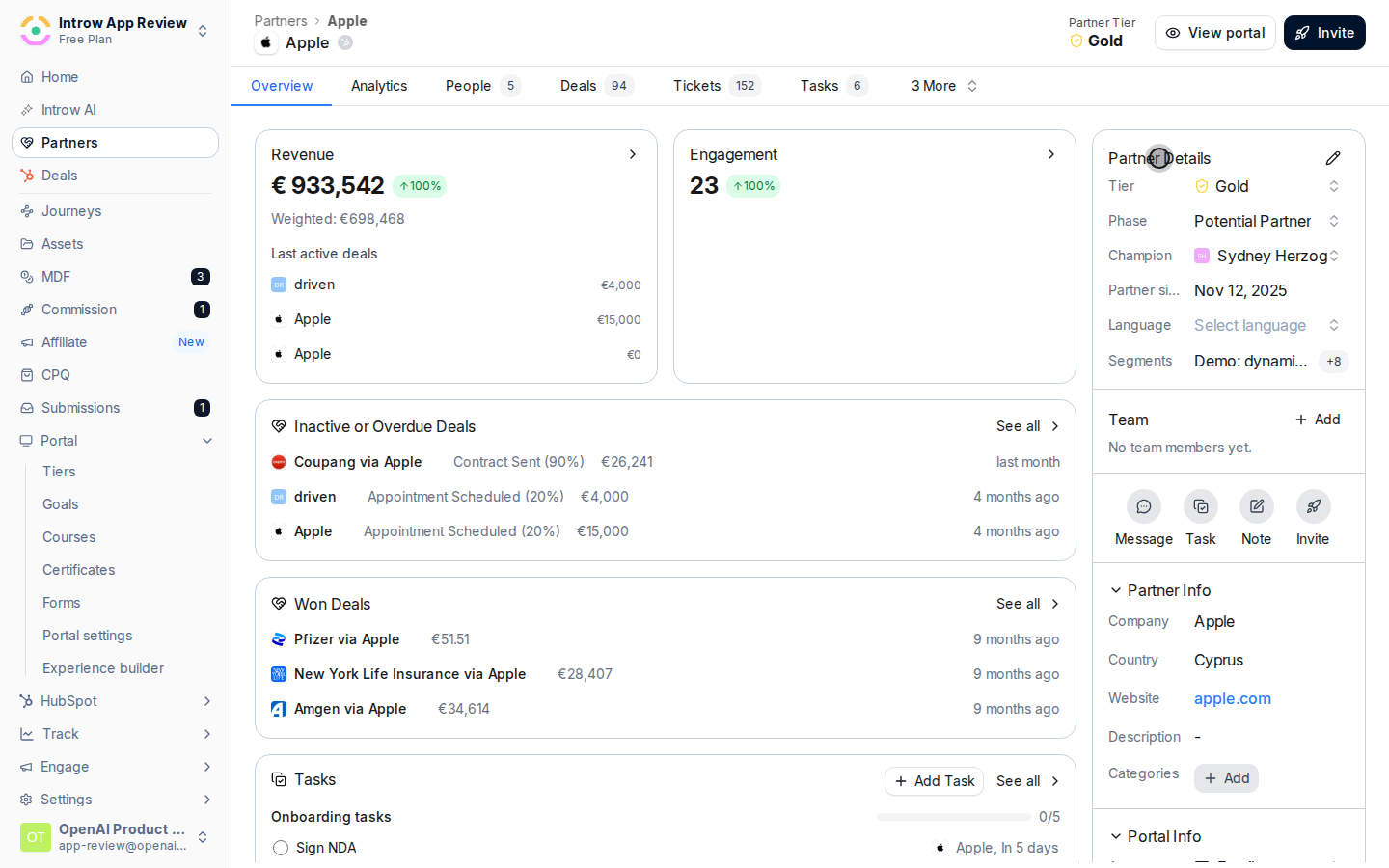
**Data stays true**
Tier, phase, champion, currency and language, each backed by a CRM property.
* 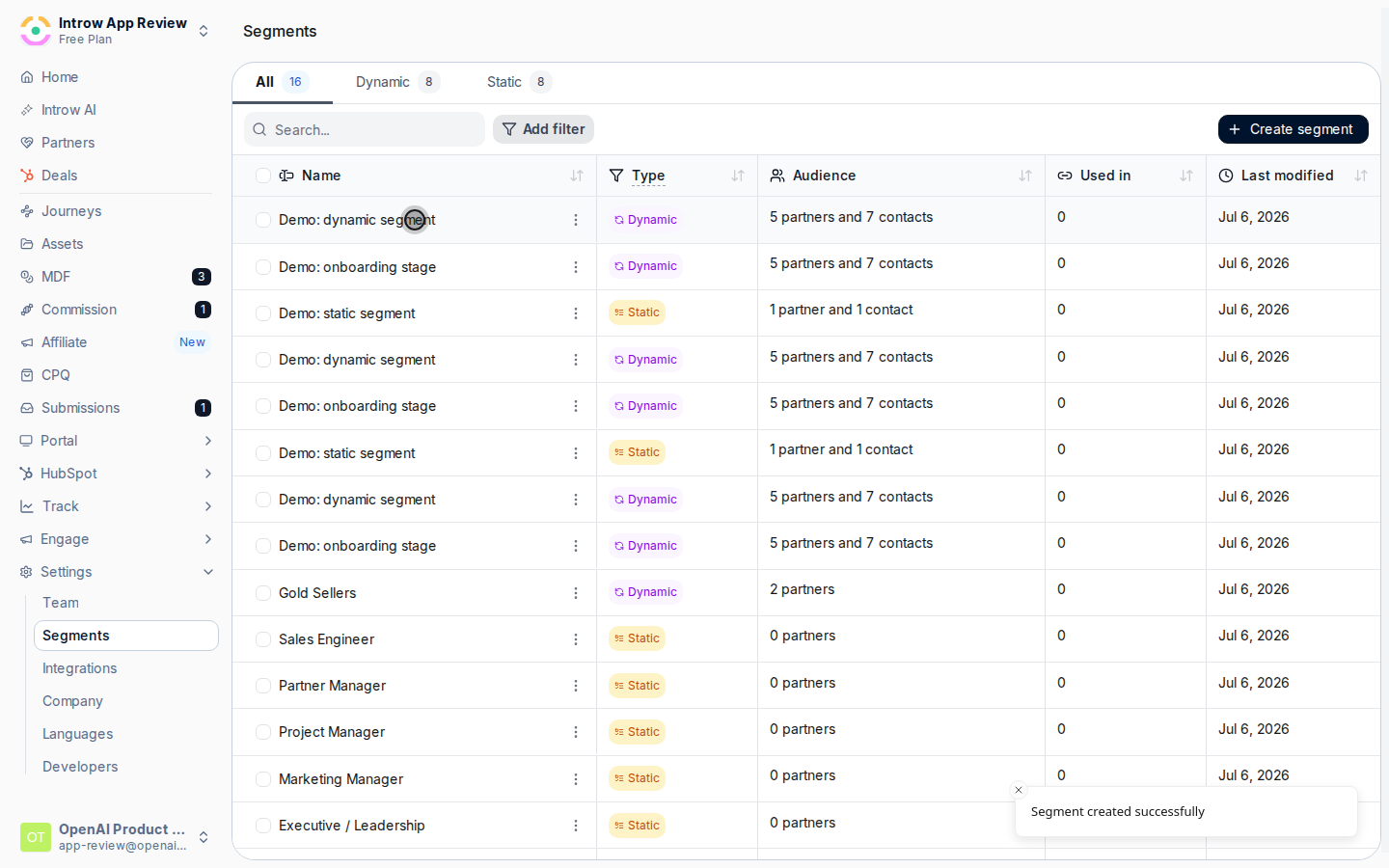
**Audiences maintain themselves**
Conditions decide who qualifies, and membership re-evaluates itself.
* 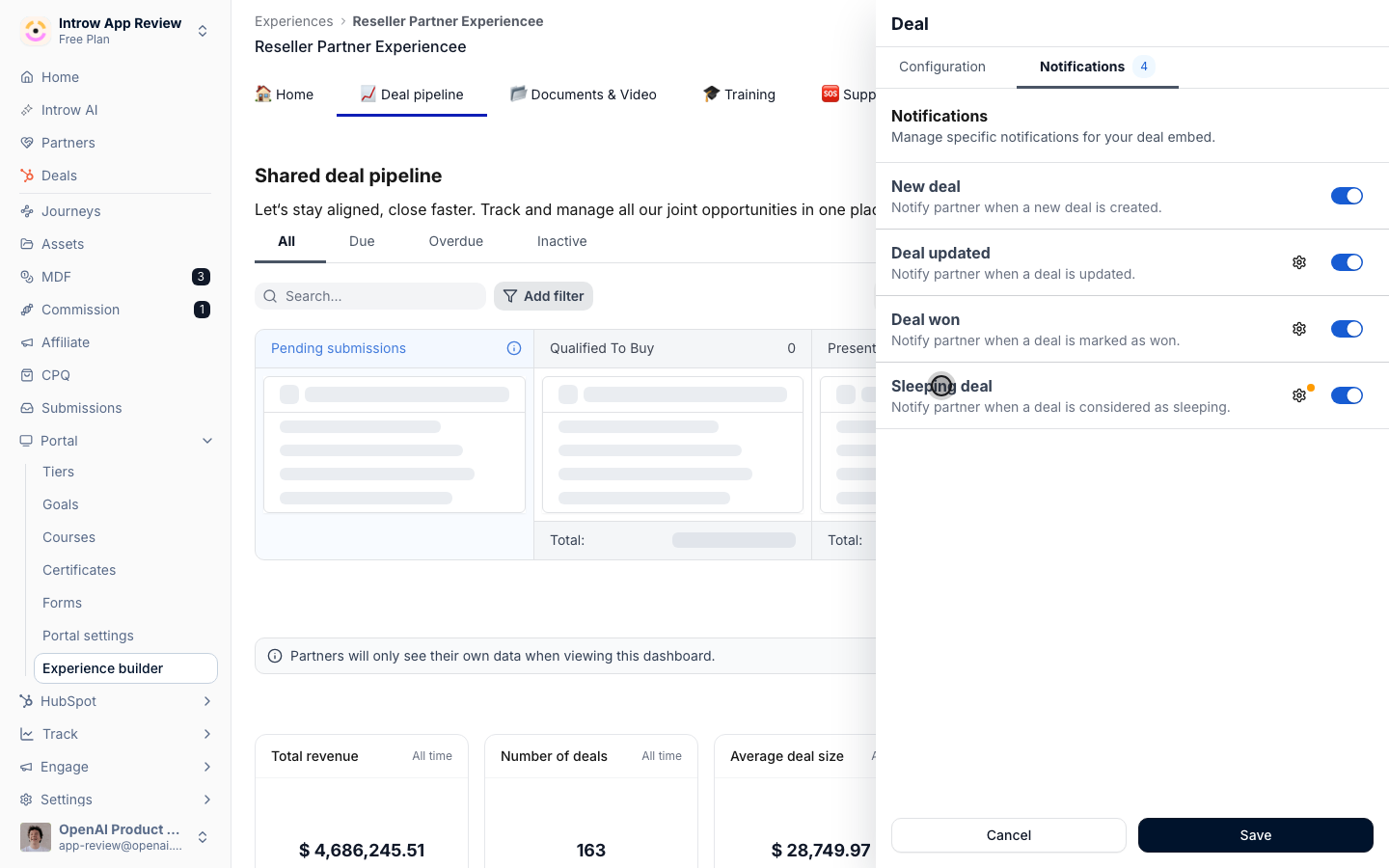
**The program talks**
Signals like the sleeping-deal nudge go out without anyone sending them.
## How it works
The usual assumption about a partner platform is that automation is a project: someone scopes the rules, someone builds them, and the program starts working a quarter later. Introw inverts that. The automations that every program needs are already in the product, and they start the moment your CRM is connected.
Partners detect themselves. You point Introw at a CRM object and a set of filters. Every record that matches becomes a partner. The contacts on that account are imported as their people, and the CRM account owner is suggested as their manager. Turn on automatic sync and any new matching record becomes a partner on its own, without anyone re-running an import.
Data stays true in both directions. Tiers map to a CRM property, so an assignment in Introw reaches the CRM and a tier already set in the CRM flows in. Partner properties, deal attribution, and the fields partners edit in the portal write straight back to HubSpot or Salesforce.
Audiences maintain themselves. A dynamic segment is a set of conditions over live partner, contact and CRM data, re-evaluated on a schedule. It drives notification recipients, portal tab visibility, content visibility, discounts and course enrollment. You define who qualifies once; membership follows the data.
Records and money follow the work. A submitted form creates or updates the CRM objects behind it, matched against existing records so you do not collect duplicates, attributed to the partner who sent it, and routed through approval. Commission plans earn lines from CRM or billing data as deals close and invoices are paid, and payout runs can advance on a schedule. Certificates issue on course completion. Journeys apply themselves when an experience is published.
And the program talks on its own: deal updates, sleeping-deal nudges, task reminders, submission outcomes, learning reminders, and payout notifications go out by email, Slack, and Teams to the audiences you scoped.
Instead of buying a platform and then paying to make it do things, the program starts automated. Partners, their people, and their data arrive and stay current from the CRM; audiences, records, reminders, and money keep moving on their own. What is left over is the handful of rules specific to how you run partnerships, and those are a canvas away in [Workflows](/features/automation/workflows) rather than a project.
```mermaid theme={"theme":{"light":"github-light","dark":"github-dark"}}
flowchart LR
connect["Connect HubSpot or Salesforce"] --> detect["Partners and contacts detected"]
detect --> sync["Properties and tiers sync both ways"]
sync --> segments["Segments re-evaluate themselves"]
segments --> signals["Records, reminders, and payouts move on"]
```
## Going deeper
Setup, configuration, and all how-to guides.
Endpoints and code.
**Works with**
Build a workflow for the program-specific rules the built-in layer does not cover.
New partners, their contacts, and their account owner arrive from your CRM filters on their own.
A submitted form creates and updates the CRM records behind it, attributed to the right partner.
The automatic deal, task, form, learning, and commission signals are the largest group of built-in automations.