> ## Documentation Index
> Fetch the complete documentation index at: https://docs.introw.io/llms.txt
> Use this file to discover all available pages before exploring further.
# AI Training
> AI across partner training: author full courses from a prompt or deck, an AI tutor that answers learner questions, and AI-graded open-ended quizzes.
export const Headless = ({children, intro = true}) => {
const [copied, setCopied] = useState(null);
const copy = event => {
const row = event.target.closest("li");
if (!row) return;
const text = row.textContent.trim();
try {
navigator.clipboard?.writeText(text);
} catch {}
setCopied(text);
setTimeout(() => setCopied(null), 1600);
};
return <>
{intro ?
Introw is headless by design: run everything here in plain language from Claude, ChatGPT,
Slack, Teams, or your own CRM through Introw's MCP server, with every
action written straight back to your CRM source of truth. The portal is one surface, never the only one.
:
The agentic motion - lifecycle deep dives and a Claude Code skill library that run your partner program from
Claude, ChatGPT, Slack, and your CRM.
}
;
};
export const Tour = ({children}) => {
const [active, setActive] = useState(0);
const wrappers = (Array.isArray(children) ? children : [children]).filter(c => c && c.props);
const frames = wrappers.length === 1 && Array.isArray(wrappers[0].props.children) ? wrappers[0].props.children.filter(c => c && c.props) : [];
if (frames.length < 2) {
return
;
> Building partner training by hand is slow, and once it's live no one's there to help a learner who's stuck. Introw's AI does three jobs: it writes the course, tutors the learner through it, and grades their answers.
## The problem it solves
Partner enablement usually loses to the effort it takes:
| Without Introw | With Introw |
| -------------------------------- | ----------------------------- |
| Courses take weeks to build | A full draft in minutes |
| Editing it is tedious | Refine it by asking |
| Learners get stuck with nobody | A tutor answers on demand |
| Only multiple choice auto-grades | Open answers, graded with why |
## Impact
Most partners are undertrained because training is expensive to make. Having real, current courses is a lower bar than it looks and it is why their reps can actually sell your product.
for your business
* **AI, not admin**
AI drafts the outline, writes each module, adds images, and can produce a matching certificate
* **Cost to run**
Partner marketing ships training without a course designer, an agency, or engineering
for your partners
* **Self-serve**
A tutor answers their questions about the material, so being stuck is not the end of the course
* **Enabled**
Grading explains why an answer was wrong and points at the right understanding
* **Efficient**
Training that reflects your current product, because updating it takes minutes
[A day in the life of your partners](/days-in-the-life)
* **Partner Marketing** - training shipped fast
* **Partner Operations** - certifications kept current
* **Partner learners** - help while they study
## See it work
* 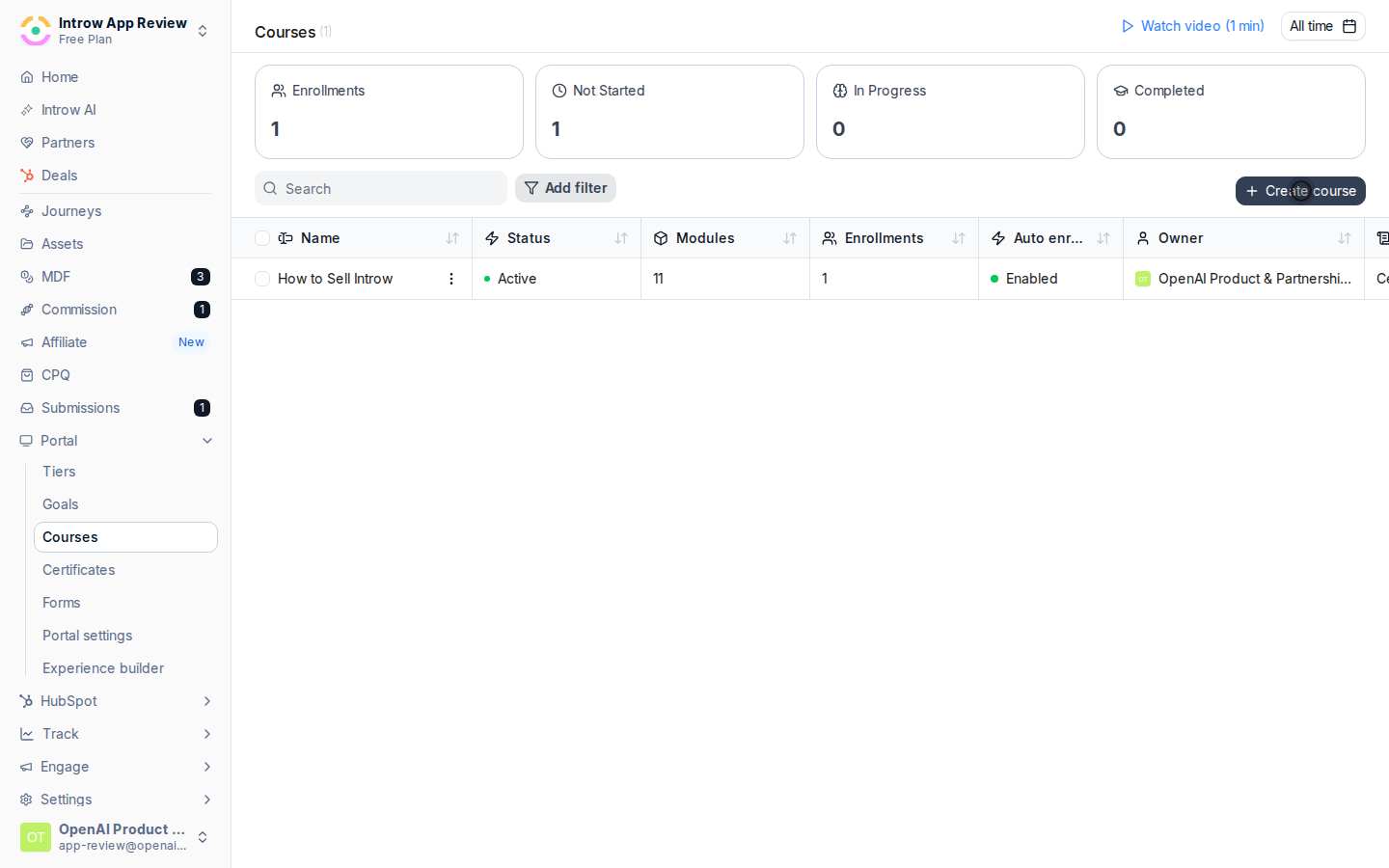
**Open the creator**
Course creation starts from a prompt, not a blank editor.
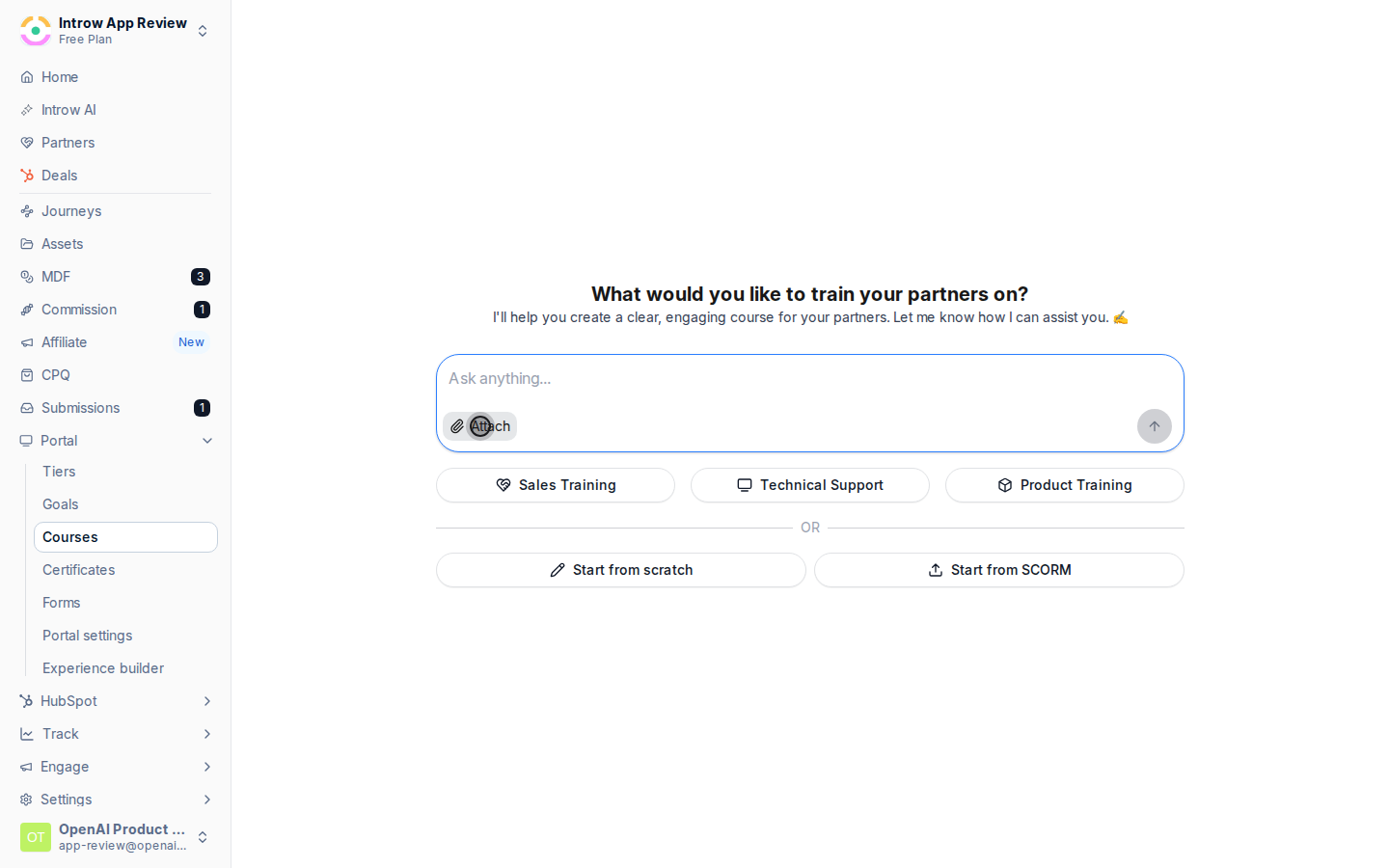
* 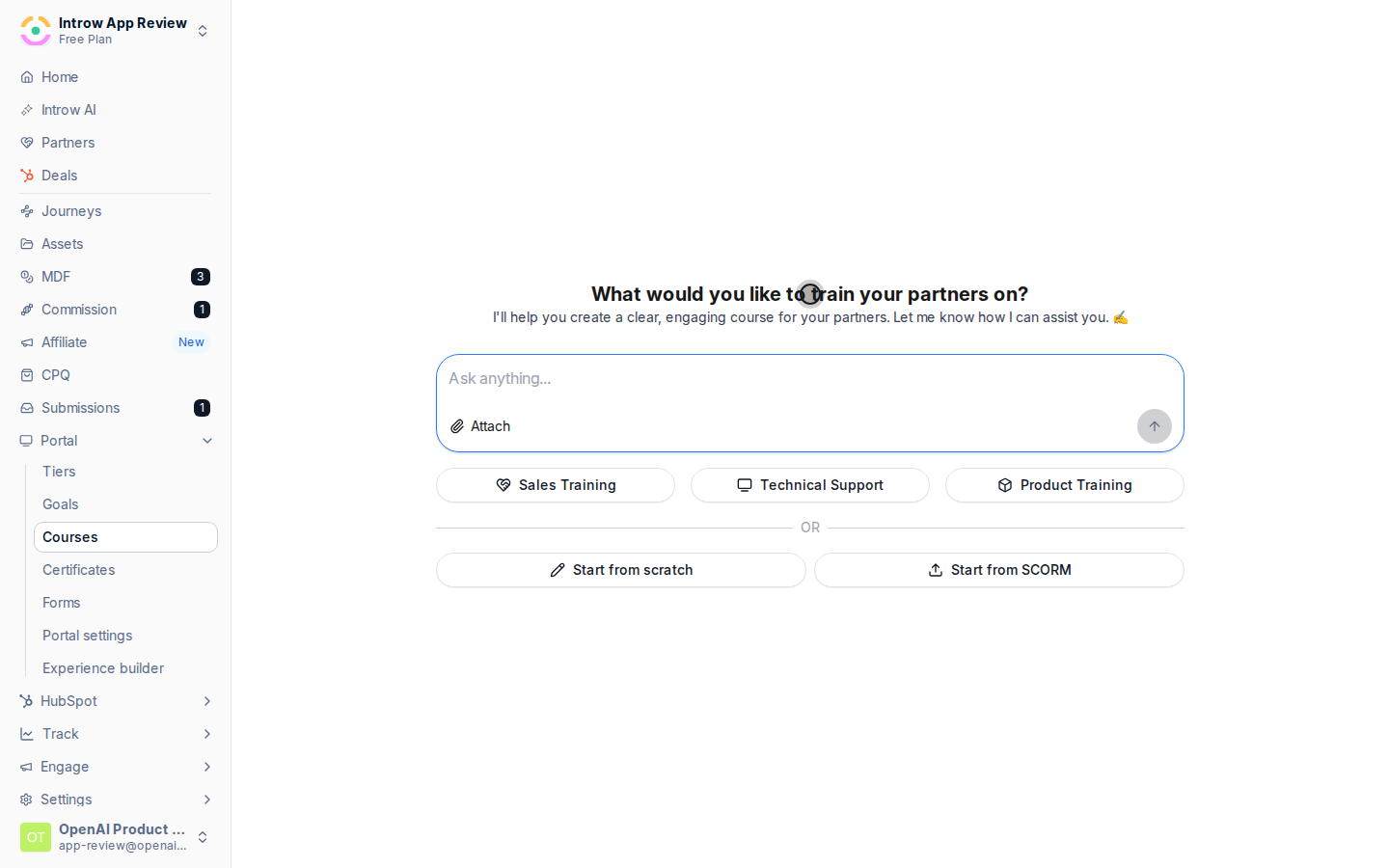
**Describe the course**
A prompt, a preset, or a deck you already have.
* 
**Let it write**
A full outline and every module, ready to refine.
## How it works
AI runs across the whole training lifecycle in Introw's [LMS](/features/courses):
* **Author** - generate a complete course from a prompt, a preset, or an existing deck. The AI drafts the outline, writes each module, adds images where your content has none, and can produce a matching certificate. You then refine it conversationally: "make module 3 shorter", "add a quiz here". No editing by hand.
* **Tutor** - inside a course, an AI tutor answers a learner's questions about the material and guides them through it, so a stuck partner gets help immediately instead of dropping off.
* **Grade** - the AI assesses open-ended and uploaded quiz answers, not just multiple choice: it marks the answer, explains why, and points the learner to the right understanding.
Everything is grounded in your [knowledge base](/features/ai/knowledge-base), so courses and answers reflect your product and program, not generic filler. The AI drafts and assists; your team owns and publishes the final course.
A partner-marketing team used to hand-build the course, wait on a designer for the certificate, and grade quizzes by hand. Now the AI drafts the course, an AI tutor supports the learner, and grading happens automatically. Training actually ships, and partners actually complete it.
```mermaid theme={"theme":{"light":"github-light","dark":"github-dark"}}
flowchart LR
author["AI authors the course"] --> tutor["AI tutors the learner"]
tutor --> grade["AI grades the answers"]
```
## Run it from your AI assistant
* Create a partner onboarding course from our product one-pager.
* Add a short quiz to the end of module 2.
* Draft a certificate for the sales-fundamentals course.
## Going deeper
How authoring, the tutor, and grading work, and where to configure them.
Build, publish, and certify partner training.
**Works with**
Generate a course and refine it with AI.
AI grades and tutors on quiz answers.
Courses are drafted from your knowledge base.