> ## Documentation Index
> Fetch the complete documentation index at: https://docs.introw.io/llms.txt
> Use this file to discover all available pages before exploring further.
# Record conversions via the API
> Track affiliate conversions server to server by posting to the conversions API with a scoped secret key.
{/* Server-to-server tracking records a conversion from your backend the moment a goal completes,
so it never depends on the browser, ad blockers, or page navigation. Reach for this when you
control the backend and want guaranteed capture, for example when a paid subscription or a
qualified order is the conversion you reward. It is the most dependable of the three methods. */}
## What you'll achieve
A backend that posts each affiliate conversion to the conversions API, passing the visitor's click reference so the conversion attributes to the right partner. Because the call runs on your server, it captures conversions the browser might miss and lands them reliably on the campaign's **Conversions** tab.
## Before you start
The snippet sets the click cookie that links a visit to a partner. Install it first so a click reference exists to pass to the API. See [Set up affiliate conversion tracking](./set-up-affiliate-conversion-tracking).
Server-to-server calls authenticate with a secret API key that has the **affiliate:write** scope. Create one in your developer settings before you start. Keep it on your server, never in client code.
When a visitor lands from a referral link, the snippet stores a click reference in the `_introw_aff` cookie. Read that value and keep it with the session so you can pass it when the conversion completes.
## Watch it
## Steps
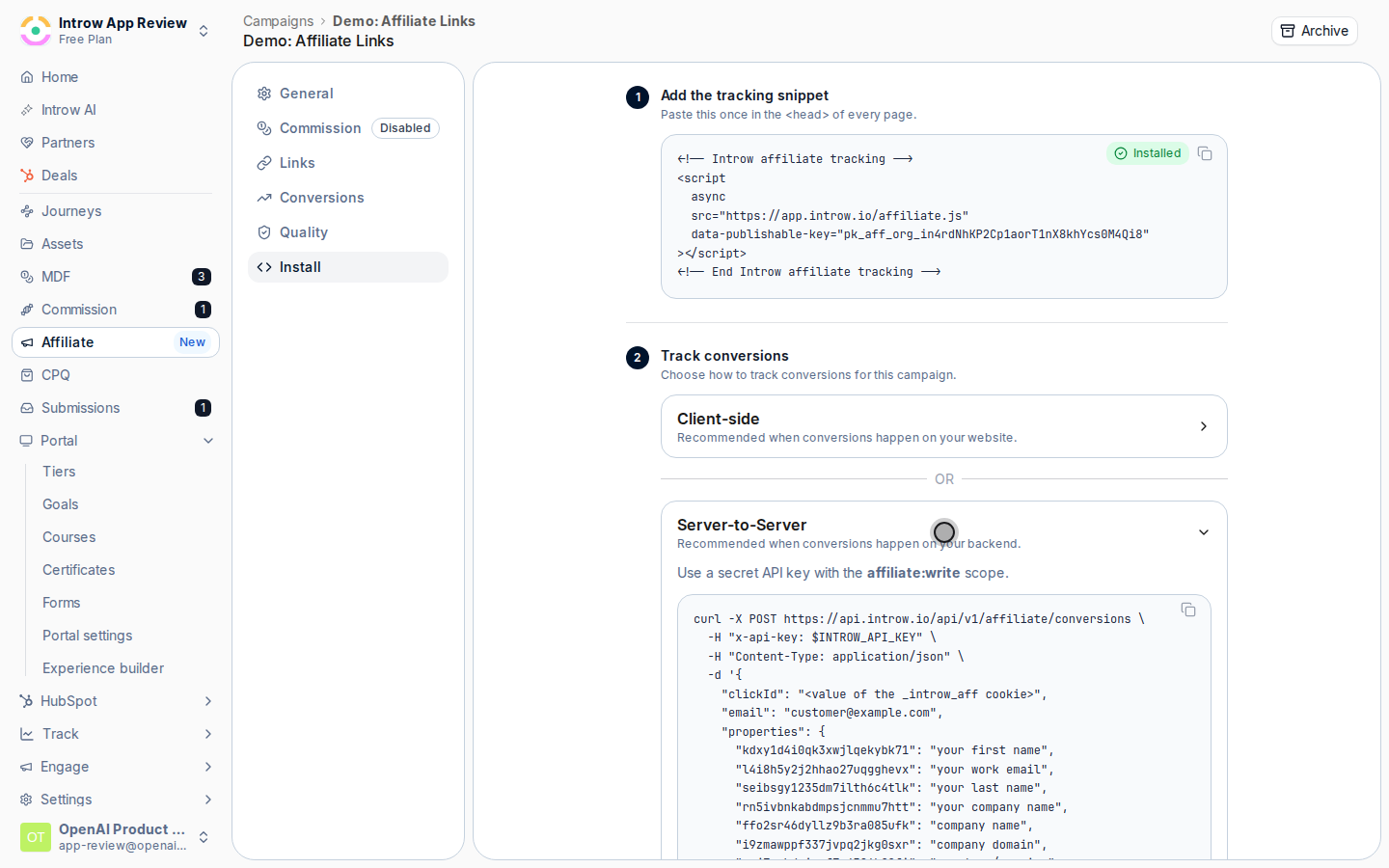
Go to [Affiliate campaigns](https://app.introw.io/campaigns), open your campaign, select the **Install** tab, and expand **Server-to-Server** under **Track conversions**. It shows the exact request shape for your campaign, including the conversion form's fields, and a link to create a secret API key with the **affiliate:write** scope.
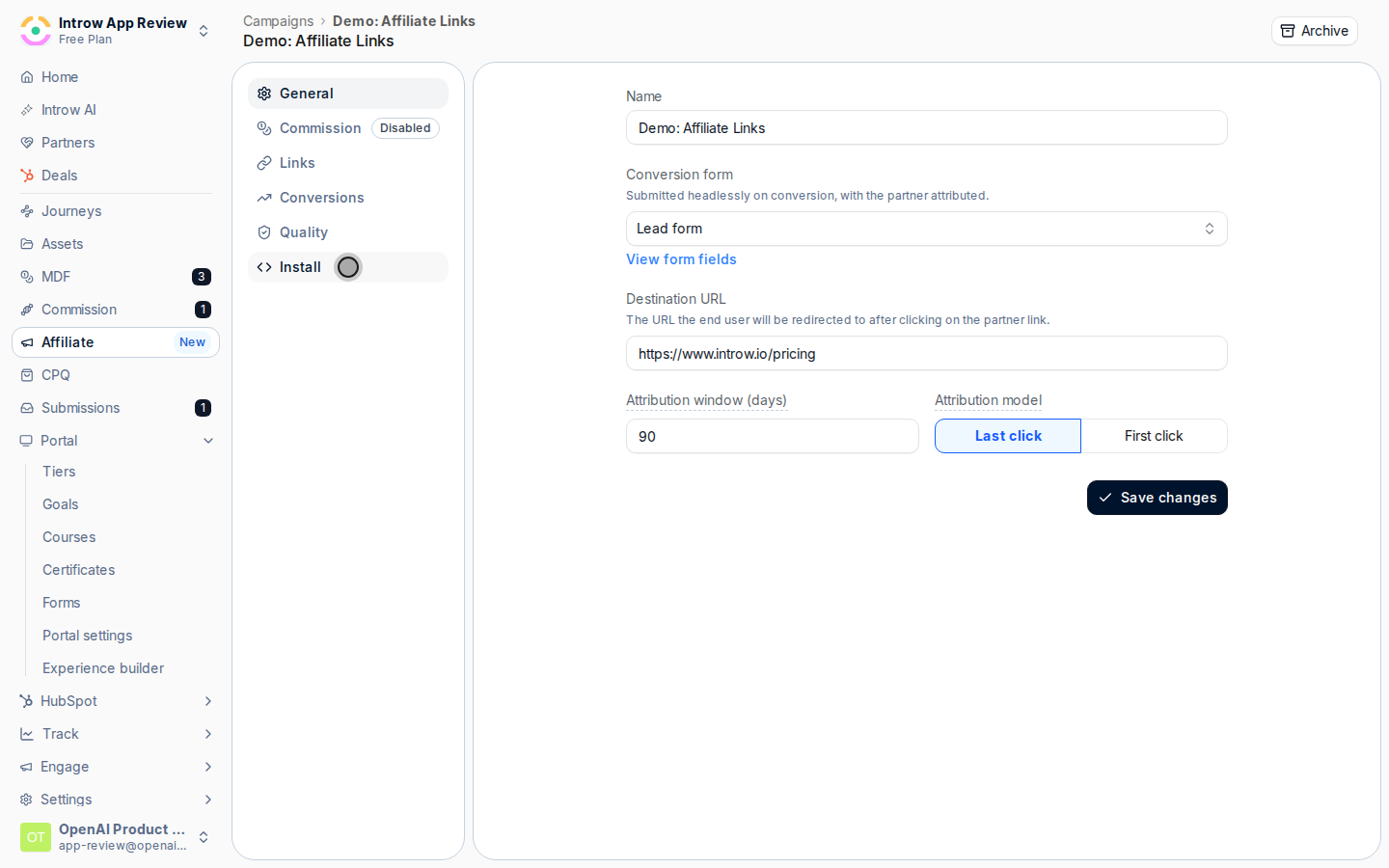 On landing, read the `_introw_aff` cookie the snippet sets and persist it with the user's session or order. This reference is what ties the eventual conversion back to the partner who drove the click. Without it, the conversion cannot be attributed.
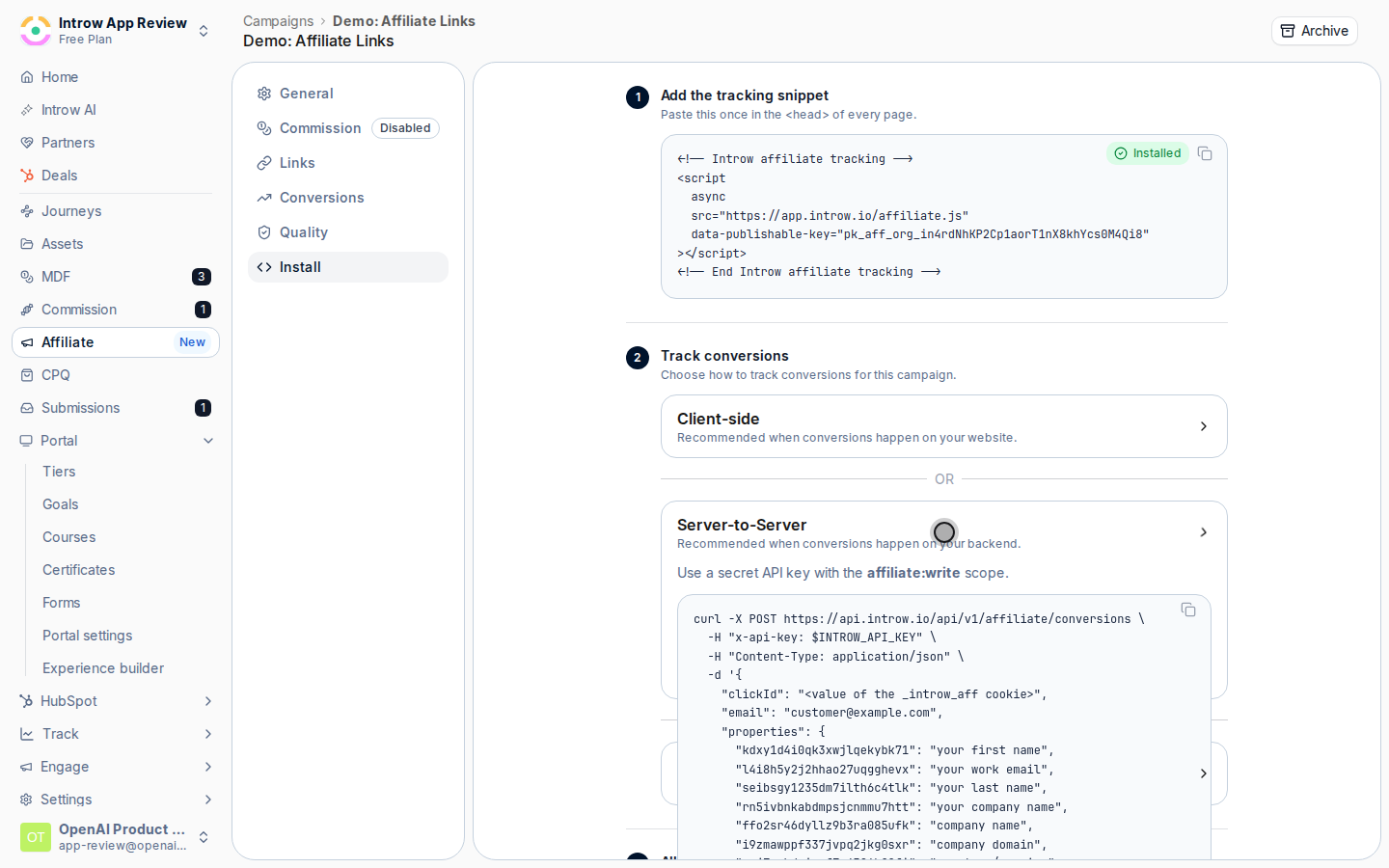 When the goal completes on your backend (for example, a subscription is paid), post to the conversions API. Send the stored click reference and the converter's email; include any extra fields your conversion form expects so they flow into the created record.
```bash cURL theme={"theme":{"light":"github-light","dark":"github-dark"}}
curl -X POST https://api.introw.io/api/v1/affiliate/conversions \
-H "x-api-key: $INTROW_API_KEY" \
-H "Content-Type: application/json" \
-d '{
"clickId": "",
"email": "customer@example.com"
}'
```
```javascript Node.js theme={"theme":{"light":"github-light","dark":"github-dark"}}
await fetch("https://api.introw.io/api/v1/affiliate/conversions", {
method: "POST",
headers: {
"x-api-key": process.env.INTROW_API_KEY,
"Content-Type": "application/json",
},
body: JSON.stringify({
clickId: introwAffCookie, // value of the _introw_aff cookie
email: "customer@example.com",
}),
});
```
```python Python theme={"theme":{"light":"github-light","dark":"github-dark"}}
import os, requests
requests.post(
"https://api.introw.io/api/v1/affiliate/conversions",
headers={"x-api-key": os.environ["INTROW_API_KEY"]},
json={
"clickId": introw_aff_cookie, # value of the _introw_aff cookie
"email": "customer@example.com",
},
)
```
When the goal completes on your backend (for example, a subscription is paid), post to the conversions API. Send the stored click reference and the converter's email; include any extra fields your conversion form expects so they flow into the created record.
```bash cURL theme={"theme":{"light":"github-light","dark":"github-dark"}}
curl -X POST https://api.introw.io/api/v1/affiliate/conversions \
-H "x-api-key: $INTROW_API_KEY" \
-H "Content-Type: application/json" \
-d '{
"clickId": "",
"email": "customer@example.com"
}'
```
```javascript Node.js theme={"theme":{"light":"github-light","dark":"github-dark"}}
await fetch("https://api.introw.io/api/v1/affiliate/conversions", {
method: "POST",
headers: {
"x-api-key": process.env.INTROW_API_KEY,
"Content-Type": "application/json",
},
body: JSON.stringify({
clickId: introwAffCookie, // value of the _introw_aff cookie
email: "customer@example.com",
}),
});
```
```python Python theme={"theme":{"light":"github-light","dark":"github-dark"}}
import os, requests
requests.post(
"https://api.introw.io/api/v1/affiliate/conversions",
headers={"x-api-key": os.environ["INTROW_API_KEY"]},
json={
"clickId": introw_aff_cookie, # value of the _introw_aff cookie
"email": "customer@example.com",
},
)
```
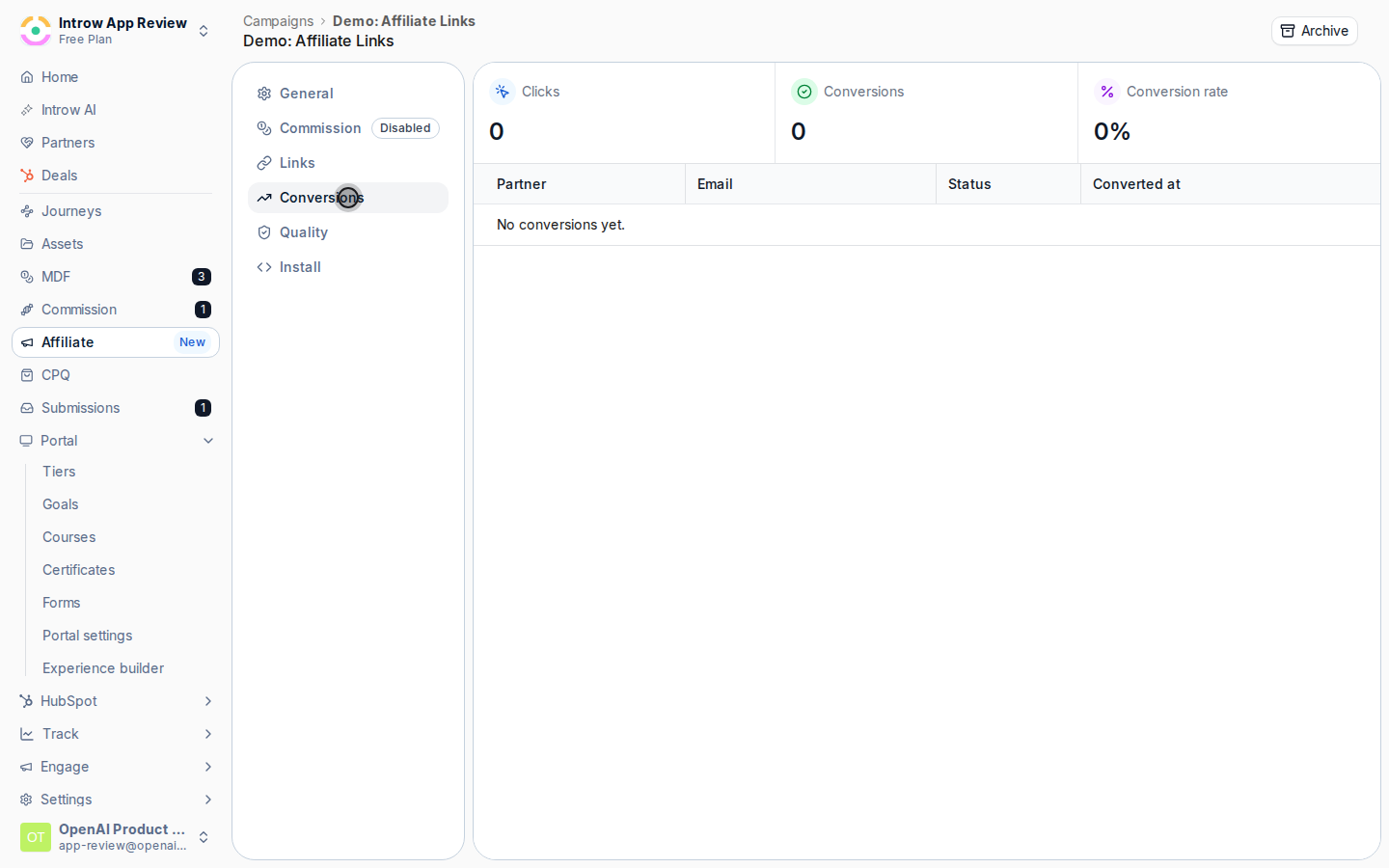
 Confirm the API returns a success response, then open the campaign's **Conversions** tab and check the conversion appears against the correct partner with the value you sent. A conversion only attributes if the click falls inside the campaign's attribution window.
 ## Verify it worked
The conversion appears on the campaign's **Conversions** tab attributed to the partner whose link set the click reference, with the email and value you posted. Because the call ran server-side, it is captured even when the browser would not have fired.
## Related
Install the snippet and verify conversions.
Capture conversions from HubSpot forms instead.
Find the conversions endpoint.
Full configuration options.
## Verify it worked
The conversion appears on the campaign's **Conversions** tab attributed to the partner whose link set the click reference, with the email and value you posted. Because the call ran server-side, it is captured even when the browser would not have fired.
## Related
Install the snippet and verify conversions.
Capture conversions from HubSpot forms instead.
Find the conversions endpoint.
Full configuration options.