> ## Documentation Index
> Fetch the complete documentation index at: https://docs.introw.io/llms.txt
> Use this file to discover all available pages before exploring further.
# Provisioning
> Provision your team, partners, and partner contacts into Introw from your CRM and identity provider, and keep their access correct automatically.
export const Headless = ({children, intro = true}) => {
const [copied, setCopied] = useState(null);
const copy = event => {
const row = event.target.closest("li");
if (!row) return;
const text = row.textContent.trim();
try {
navigator.clipboard?.writeText(text);
} catch {}
setCopied(text);
setTimeout(() => setCopied(null), 1600);
};
return <>
{intro ?
Introw is headless by design: run everything here in plain language from Claude, ChatGPT,
Slack, Teams, or your own CRM through Introw's MCP server, with every
action written straight back to your CRM source of truth. The portal is one surface, never the only one.
:
The agentic motion - lifecycle deep dives and a Claude Code skill library that run your partner program from
Claude, ChatGPT, Slack, and your CRM.
}
;
};
export const Tour = ({children}) => {
const [active, setActive] = useState(0);
const wrappers = (Array.isArray(children) ? children : [children]).filter(c => c && c.props);
const frames = wrappers.length === 1 && Array.isArray(wrappers[0].props.children) ? wrappers[0].props.children.filter(c => c && c.props) : [];
if (frames.length < 2) {
return
;
Provisioning is how the people who run and use your program get into Introw, and how their access stays correct over time, without a list you maintain by hand.
> Getting people in should not be a project. Provisioning takes partners, their owners and their contacts from the CRM, and your own team from your identity provider, then keeps all of it current.
## The problem it solves
Getting the right people into a partner program, and out of it again, is usually manual, duplicated, and a security risk:
| Without Introw | With Introw |
| ------------------------------------- | ------------------------------- |
| You rebuild the partner list by hand | It arrives live from the CRM |
| Granting access is a per-person chore | A toggle or a CRM field does it |
| Partners would need CRM seats | Scoped portal users, no seats |
| Removing someone is a liability | SCIM deactivates them for you |
| Partners email you per colleague | They add their own teammates |
## Impact
The first thing a partner experiences is getting in. When their colleagues are already there and access follows a CRM field rather than a request, the program starts with competence instead of a ticket.
for your business
* **In your CRM**
Partners, their managers and their contacts are provisioned from CRM records, so nothing is typed twice or left to drift
* **Live in days**
The roster exists the moment you point Introw at your CRM filters, not after weeks of data entry
* **Cost to run**
No partner or contact list to maintain, and no IT ticket to add or remove one of your own people
for your partners
* **Self-serve**
A trusted partner manager adds their own teammates without asking you to create an account
* **Enabled**
Their whole company arrives with them, because every contact on the account is imported
* **Efficient**
Access follows a CRM field, so nobody waits on a support request to get in or out
[A day in the life of a distributor](/days-in-the-life/distributor)
* **CRM Administrator** - partners in, and off CRM seats
* **Partner Operations** - no manual roster to maintain
* **Partner alliance managers** - adding their own team
## See it work
* 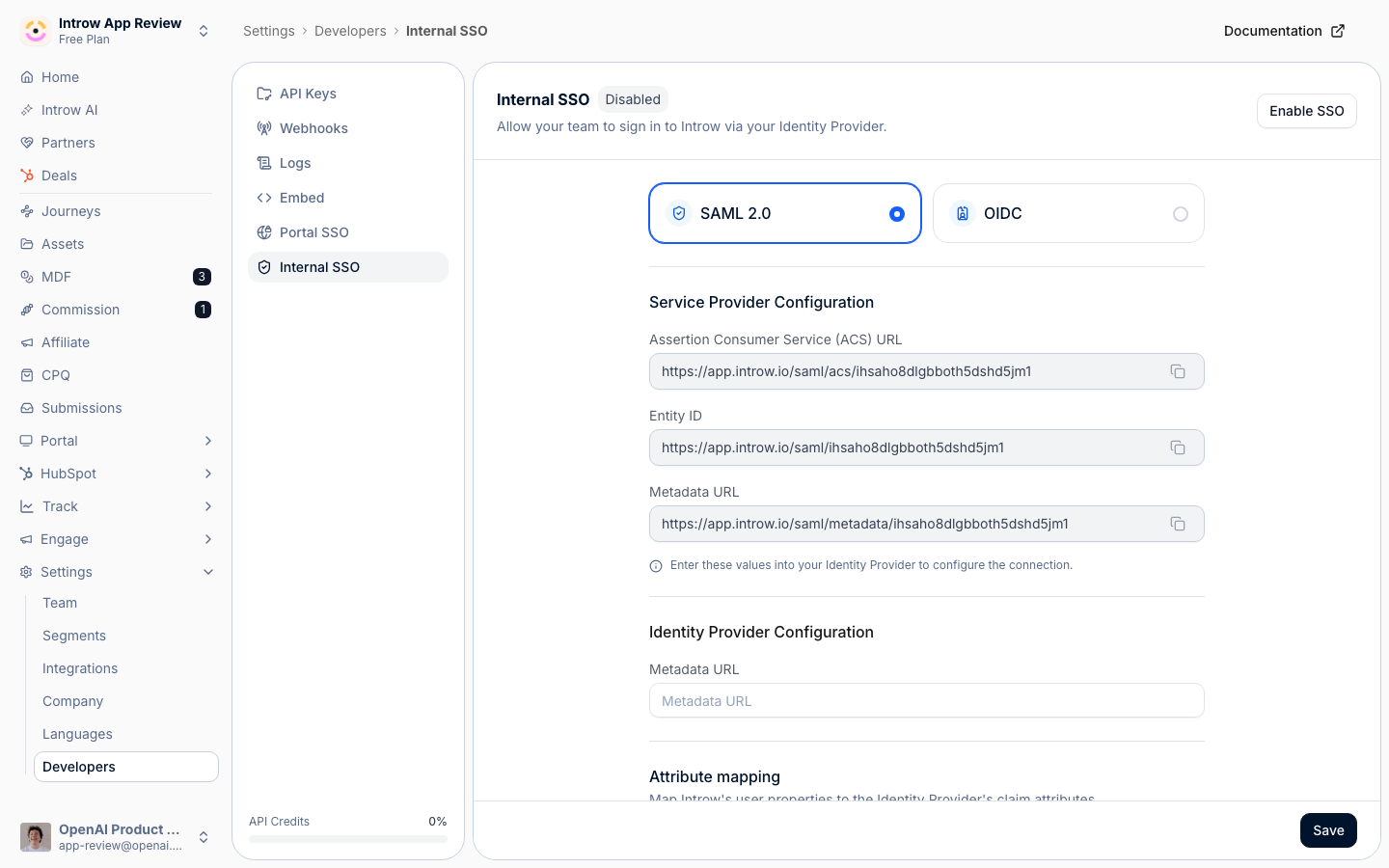
**Point your directory at Introw**
SCIM turns your identity provider into the source of truth for who has access.
* 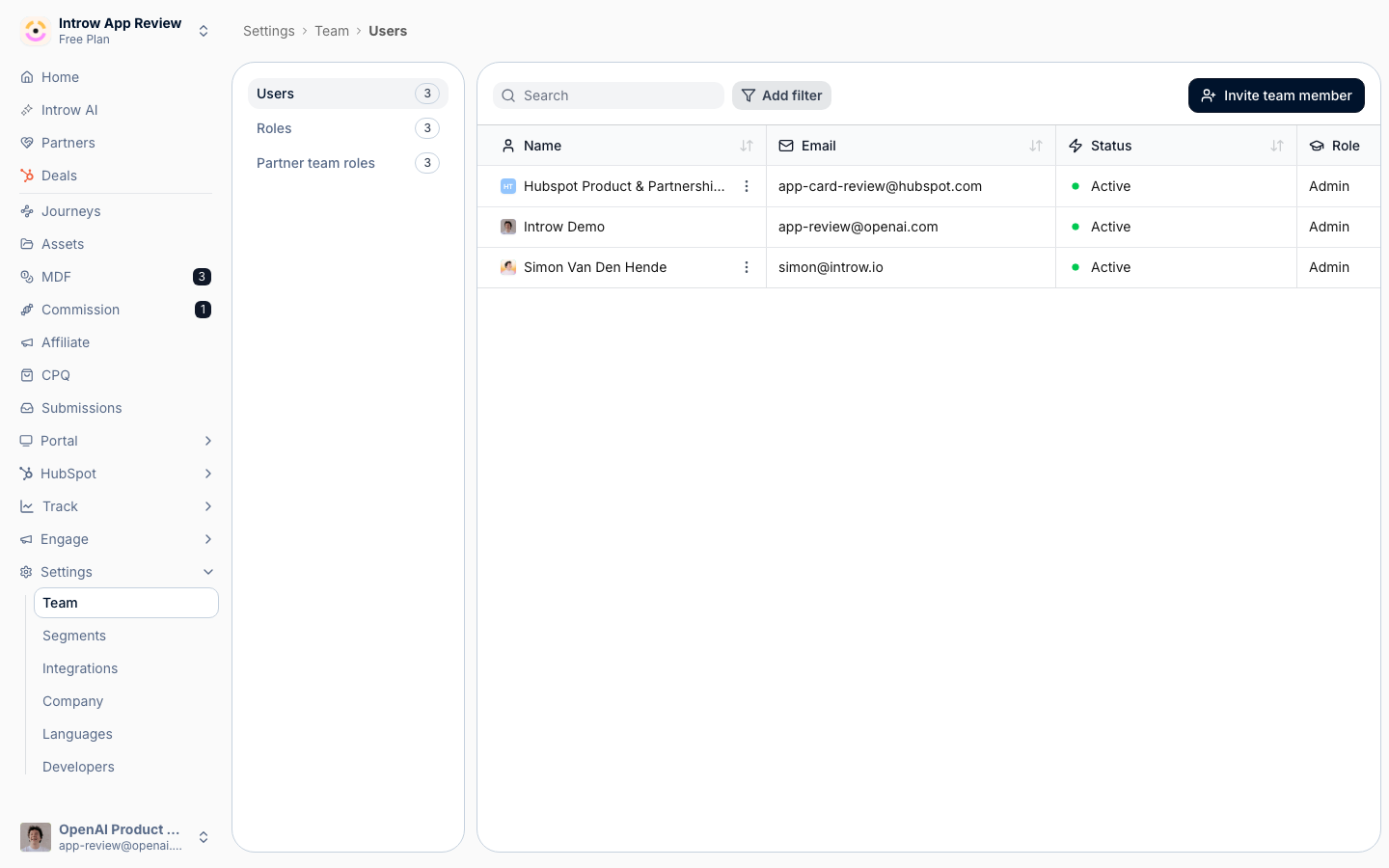
**Users arrive with a role**
Nobody is invited by hand, and nobody keeps access after they leave.
## How it works
Your CRM already knows your partners, who owns them, and who works there. Introw turns that into a live roster, with no import spreadsheet and before anyone sets up SSO. The partner accounts you pick become partners. Each account's CRM owner is suggested as an internal team member: accept with one click and they become that partner's manager. Any partner managers you assign through a CRM field are matched to your team, and every contact on the partner's company is imported automatically.
Access then runs off the same live CRM data. You grant portal access with a toggle, or straight from a CRM field, and group people into dynamic segments built on CRM properties. Who can see what updates itself as the CRM changes. Importing, syncing, and access are one motion, not three. For your internal team you can layer on single sign-on and SCIM, and nothing is ever typed twice or left to drift from the system of record.
Instead of re-keying your partner org into a portal and chasing access one person at a time, you point Introw at the CRM and your identity provider once. The partner list, its ownership, and its contacts arrive on their own and stay current. Access and visibility come from four things: a toggle, a CRM field, dynamic segments built on CRM data, and - for your team - SSO or SCIM. The right people are always in with the right scope. The wrong people are out the moment the source of truth says so. Your program is staffed and accessible from day one, and it stays that way with no manual roster to maintain.
The people and their access flow straight from your systems of record into a scoped, current roster:
```mermaid theme={"theme":{"light":"github-light","dark":"github-dark"}}
flowchart LR
crm["CRM accounts, owners, contacts"] --> provision["Introw provisions partners, team, and contacts"]
idp["Identity provider"] -->|"SSO and SCIM"| provision
provision --> access["Access by toggle, CRM field, dynamic segments, SSO, or SCIM"]
access --> live["Right people in, scoped and current"]
```
## Run it from your AI assistant
* Who owns each of our partners?
* Reassign Acme's partner manager to another team member.
## Going deeper
Setup, configuration, and all how-to guides.
Endpoints and code.
**Works with**
Partner accounts, their owners, and their contacts are provisioned live from your CRM.
Provisioned users land in the roles and partner assignments defined here.
Single sign-on provisions team members and partner contacts the first time they log in.
Partner contacts provisioned from the CRM get their portal access managed here.
Dynamic segments built on synced CRM fields govern who each partner and contact can see.